Sticky Menu (header) – how to turn on / off?
Decide whether the Vehica header stays pinned to the top of the screen as visitors scroll, using the Sticky menu option in the Vehica Panel.
1 minute read
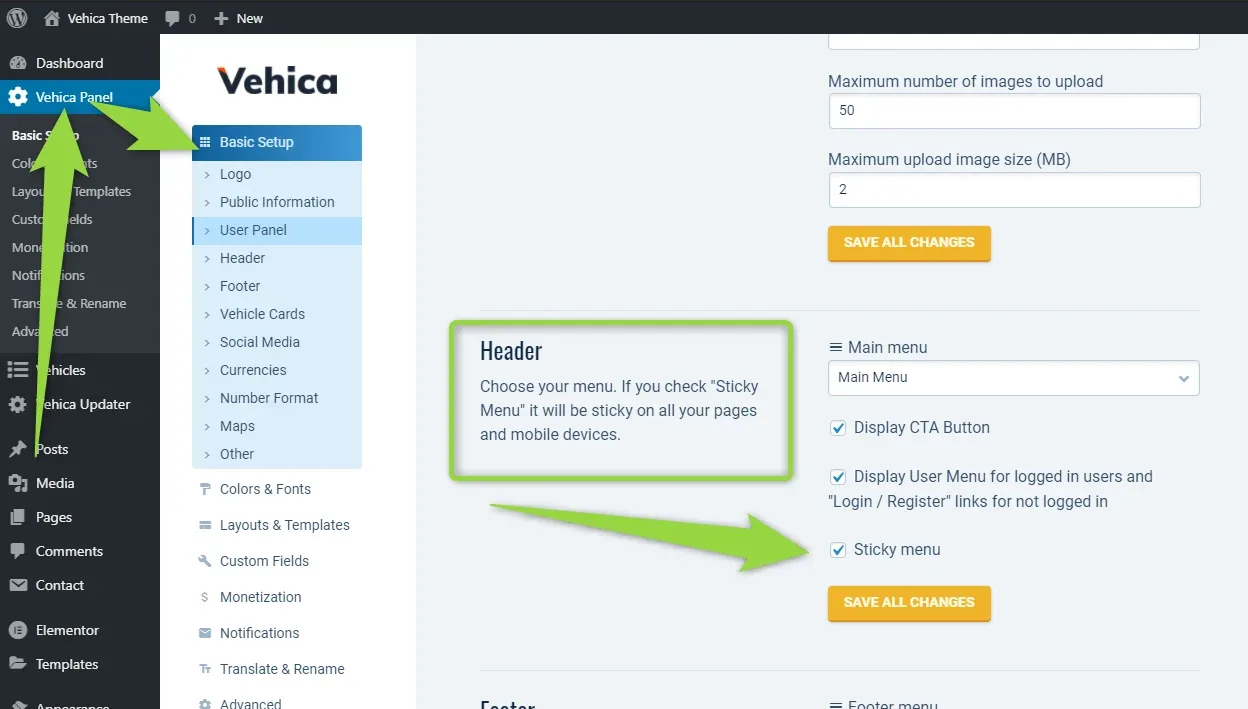
You can turn the sticky option on and off in Vehica Panel > Basic Setup > Header, with the “Sticky menu” option.
The setting is site-wide
As the Header panel explains, a checked Sticky menu applies to all your pages and to mobile devices — there is no per-page switch here.
Ask the people who build Vehica
We answer by email from support@tangiblewp.com. With Premium Support, we also fix your site when something breaks.
We can also run your site for you, or build a new one.
Was this guide helpful?