Loan Calculator – The interest rate change when user change number of months
Make the loan calculator set its own interest rate as the visitor changes the repayment period, so a longer loan is quoted at a higher rate. It takes one snippet in your child theme.
1 minute read
This article shows how to change the interest rate automatically when the user changes the number of months.
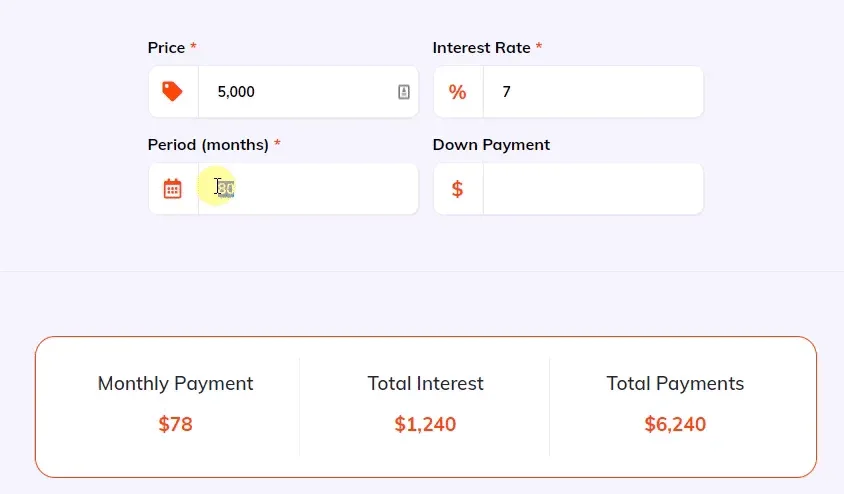
It requires a PHP customization. Add the code below to your child theme functions.php file — you can read more about child themes here.
functions.php
add_action('wp_footer', function () {
    ?>
    <script>
        jQuery(window).on('load', function () {
            jQuery('#vehica-loan-calculator__months').on('change paste keyup', function () {
                var value = parseInt(jQuery(this).val());

                if (value > 48) {
                    AutoNumeric.set('#vehica-loan-calculator__rate', '7');
                } else if (value > 36) {
                    AutoNumeric.set('#vehica-loan-calculator__rate', '6');
                } else {
                    AutoNumeric.set('#vehica-loan-calculator__rate', '5');
                }

                window.VehicaEventBus.$emit('loanCalculator/calculate');
            })
        })
    </script>
    <?php
});
The thresholds are yours to set
As written, more than 48 months gives a rate of 7, more than 36 months gives 6, and anything shorter gives 5. Change those numbers to match the rates you offer.
Ask the people who build Vehica
We answer by email from support@tangiblewp.com. With Premium Support, we also fix your site when something breaks.
We can also run your site for you, or build a new one.
Was this guide helpful?