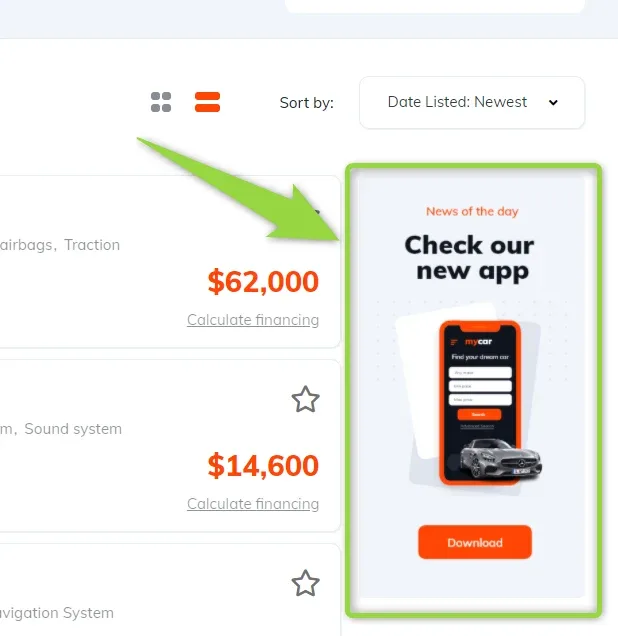
How to customize / remove the “Check our new app” ad on the inventory page
The demo inventory ships with a "Check our new app" banner in its sidebar. This article shows where that block lives in the Vehica inventory template, so you can switch it off or replace it with your own image or text.
1 minute read
This article explains how to remove or customize this ad on your Inventory page:
-
1
Open the inventory template in Elementor
Go to
/wp-admin/and follow Vehica Panel > Layouts & Templates, then click Edit next to “Vehicle Search Results Template”.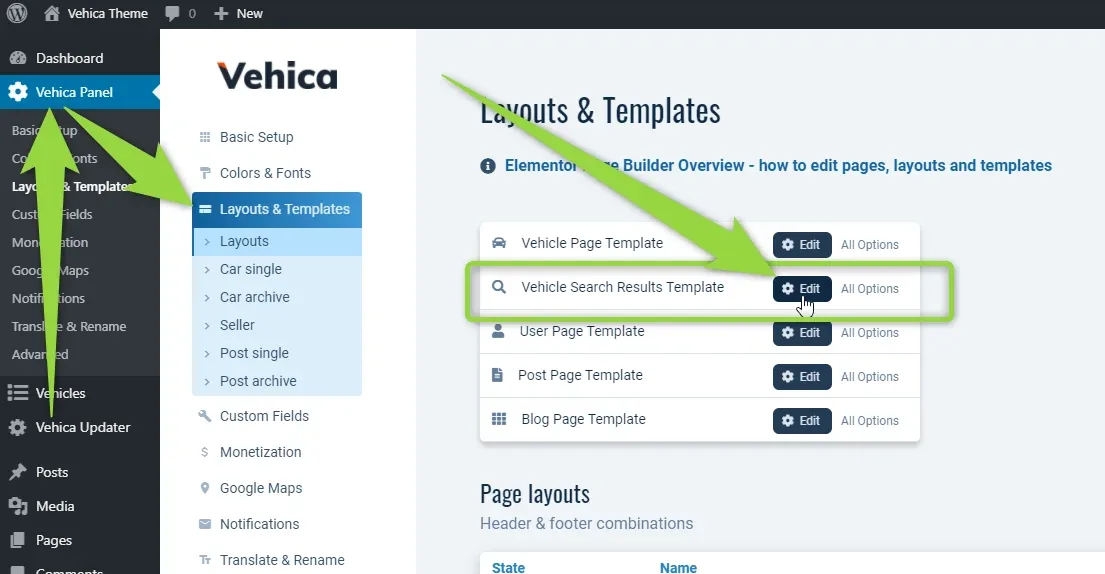
-
2
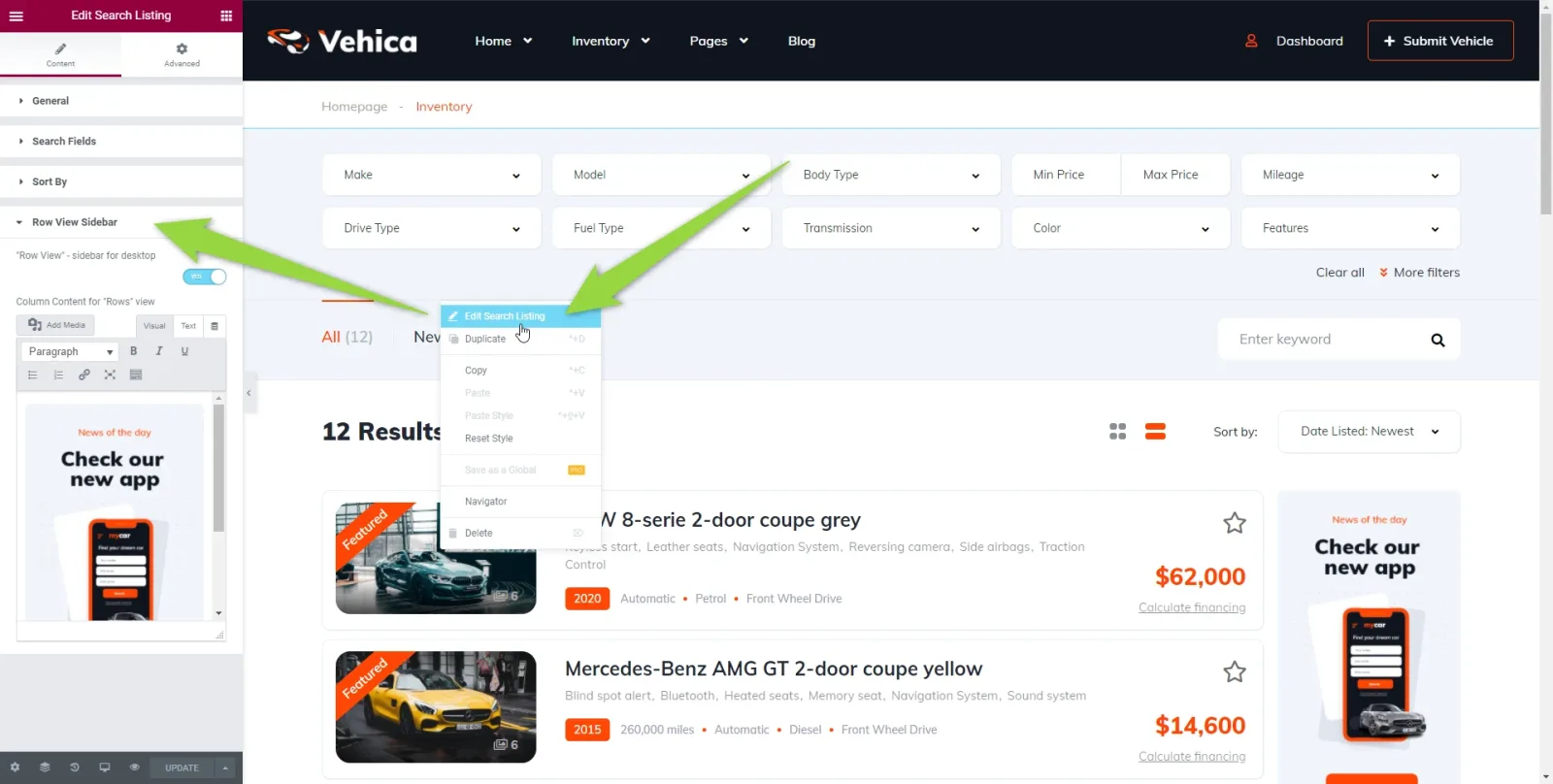
Edit the Row View Sidebar
In the Inventory element choose “Row View Sidebar”. From there you can disable the ad, or put any other image or text in its place.
Ask the people who build Vehica
We answer by email from support@tangiblewp.com. With Premium Support, we also fix your site when something breaks.
We can also run your site for you, or build a new one.
Was this guide helpful?