How to check Taxonomy Term ID (e.g. BMW, New York, Used, Coupe) – tag_ID
Find the numeric ID that WordPress gives a taxonomy term — a make, model, city or body type — so you can reference that term in snippets such as a custom dropdown order.
1 minute read
Every taxonomy term in Vehica — Make, Model, City, Body Type and the rest — has a numeric ID. Snippets that build a custom order of options in a dropdown refer to terms by that ID, so this is usually the first thing you need to look up.
As an example, here is how to find the IDs of the Coupe and SUV body types.
-
1
Open the taxonomy
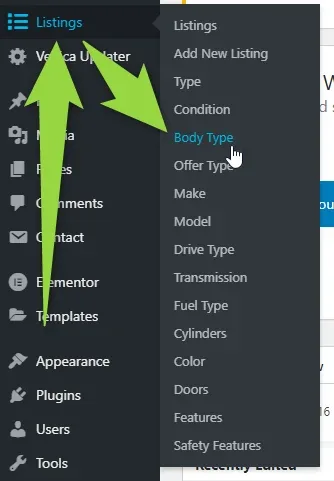
In the WordPress admin, go to Listings and pick the taxonomy you need — in this example Body Type.
-
2
Hover the term and click Edit
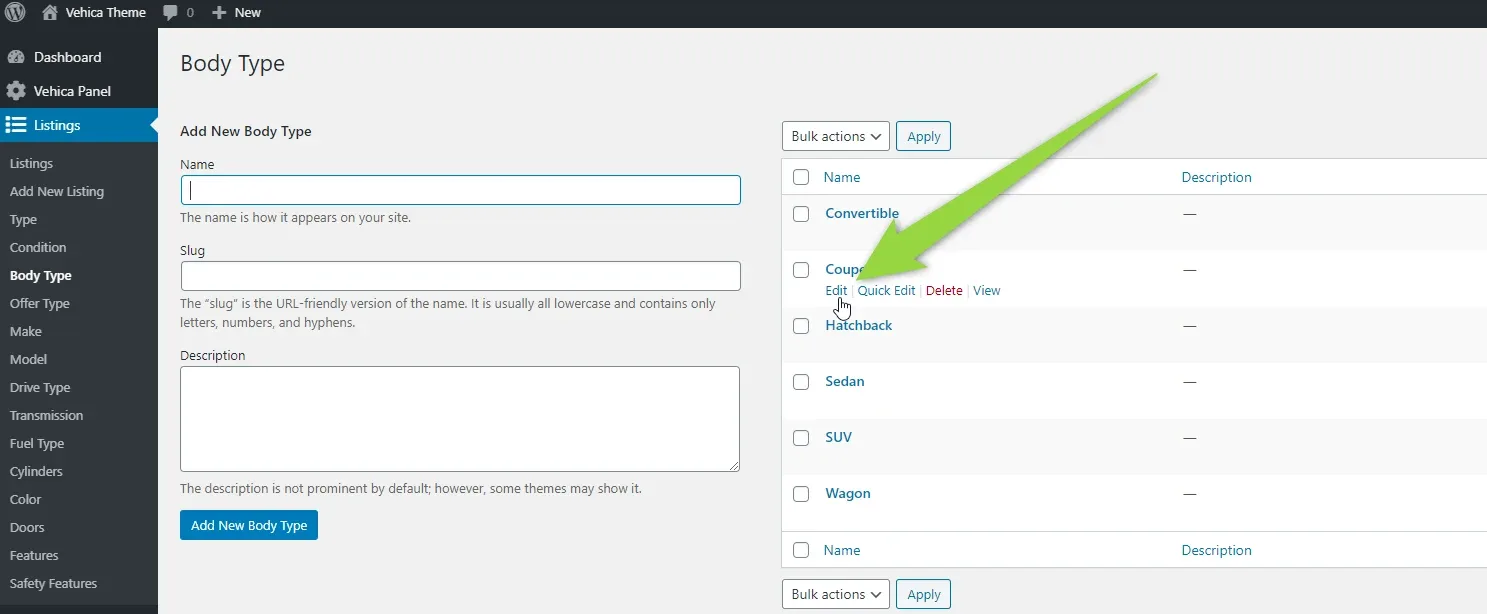
On the taxonomy screen, hover the term whose ID you want and click Edit in the row actions.
-
3
Read the ID from the address bar
On the edit screen the address bar ends with
tag_ID=VALUE. That value is the term ID — for Coupe it is2320.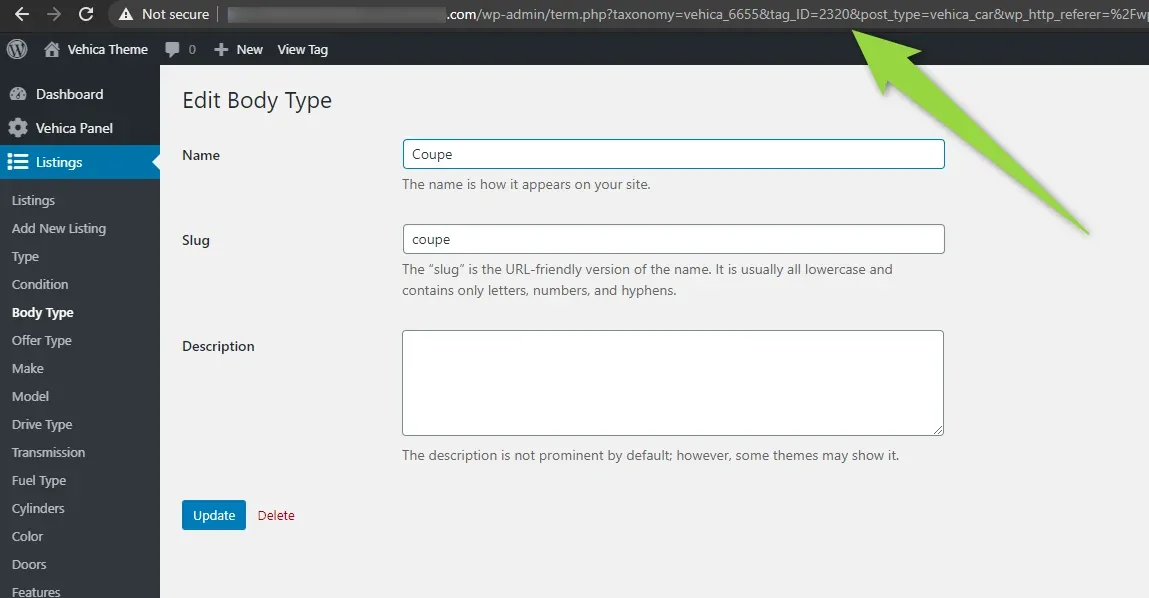
-
4
Repeat for the other terms
Do the same for every term you need. For SUV the ID is
2325.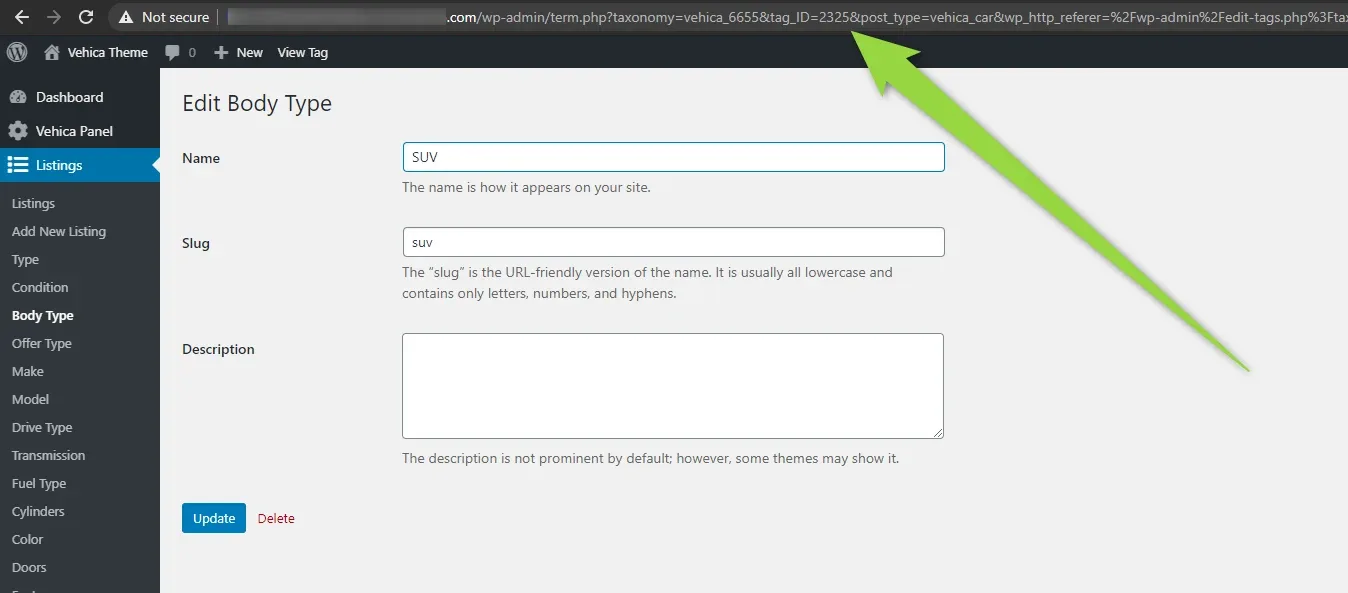
Ask the people who build Vehica
We answer by email from support@tangiblewp.com. With Premium Support, we also fix your site when something breaks.
We can also run your site for you, or build a new one.
Was this guide helpful?