How to change order of options in the taxonomy field on the front-end submit vehicle form (e.g. make)?
Decide which terms a taxonomy field offers on the front-end submit vehicle form, and in which order, by listing them yourself in the field's User Panel settings.
1 minute read
-
1
Update the theme
Update the theme to the most current version via
/wp-admin/> Vehica Updater. -
2
Edit the taxonomy field
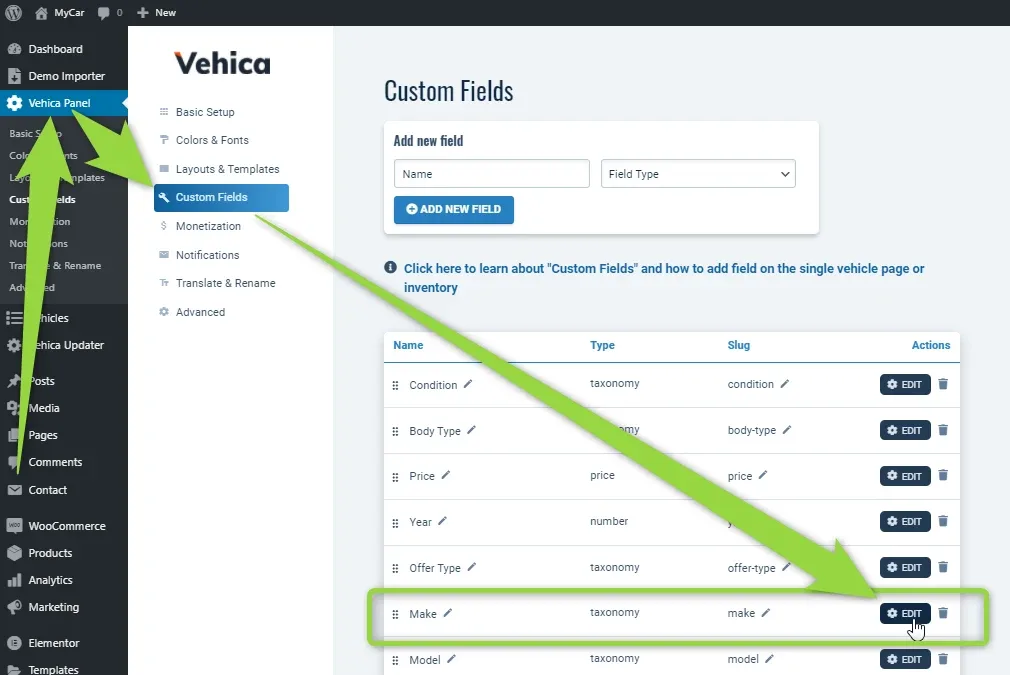
In the Vehica Panel, open Custom Fields and edit any taxonomy field, e.g. Make.
-
3
Add the terms in the order you need
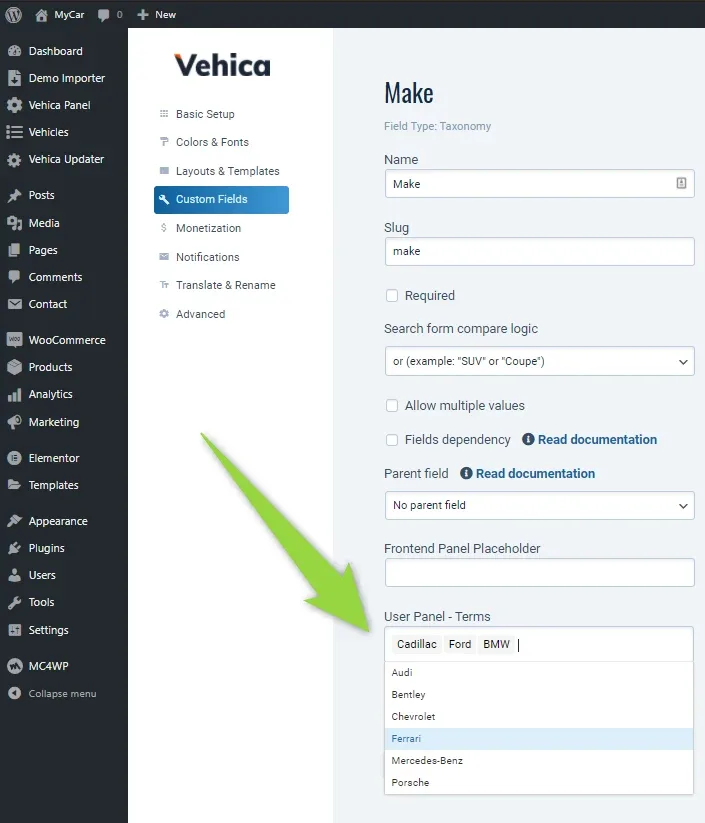
In User Panel - Terms, add the terms you need in the order you need them.
-
4
Save the field
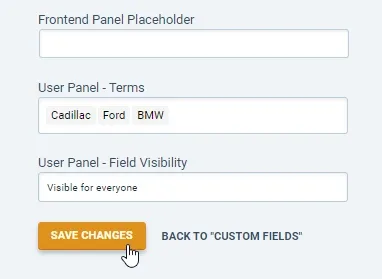
Hit SAVE CHANGES at the bottom of the field settings.
-
5
Check the new order
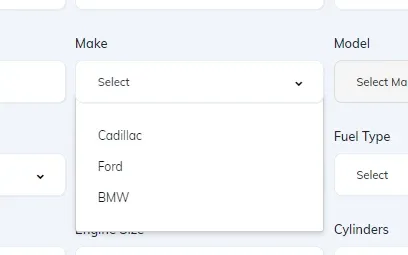
The submit vehicle form now shows the options in the new order.
Ask the people who build Vehica
We answer by email from support@tangiblewp.com. With Premium Support, we also fix your site when something breaks.
We can also run your site for you, or build a new one.
Was this guide helpful?