Translating "Days Ago" via %s Variable and Setting Correct WordPress Site Language
The "3 hours ago" text on your ads comes from two places at once: the Listivo Panel and WordPress itself. This article shows you how to translate both halves, so the elapsed time reads correctly in your language.
1 minute read
This article focuses on how to translate texts in your single ads template, blog posts, quick view, and many other modules that show the time elapsed since a particular post or ad was added to your website.
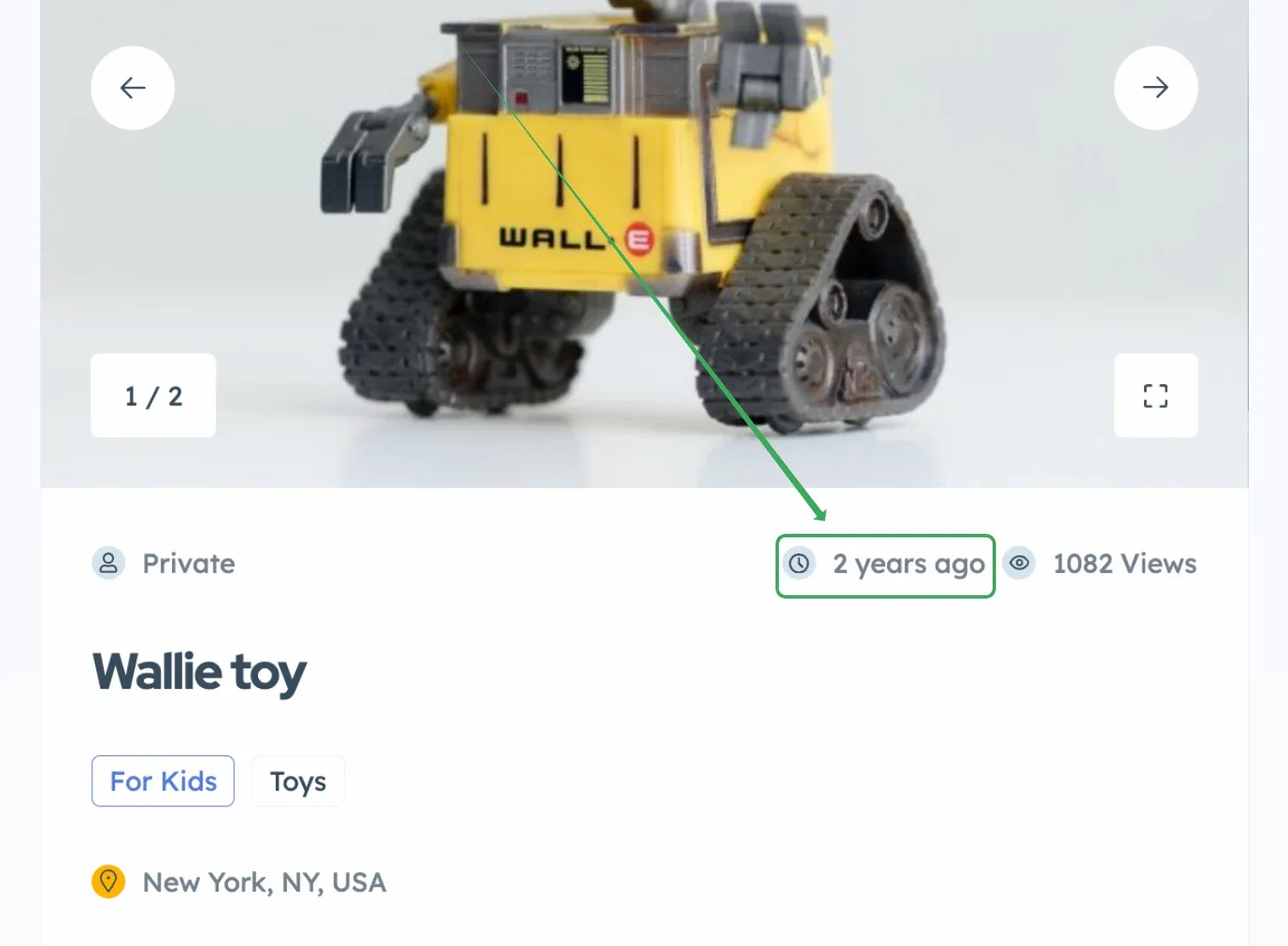
This text function is based on default WordPress functionality, and as theme authors, we do not duplicate functions that already exist. This text can appear in various forms, displaying when an ad was added, for example:
- 3 hours ago
- 6 days ago
- 3 months ago
- 2 years ago
Translate the "%s ago" string
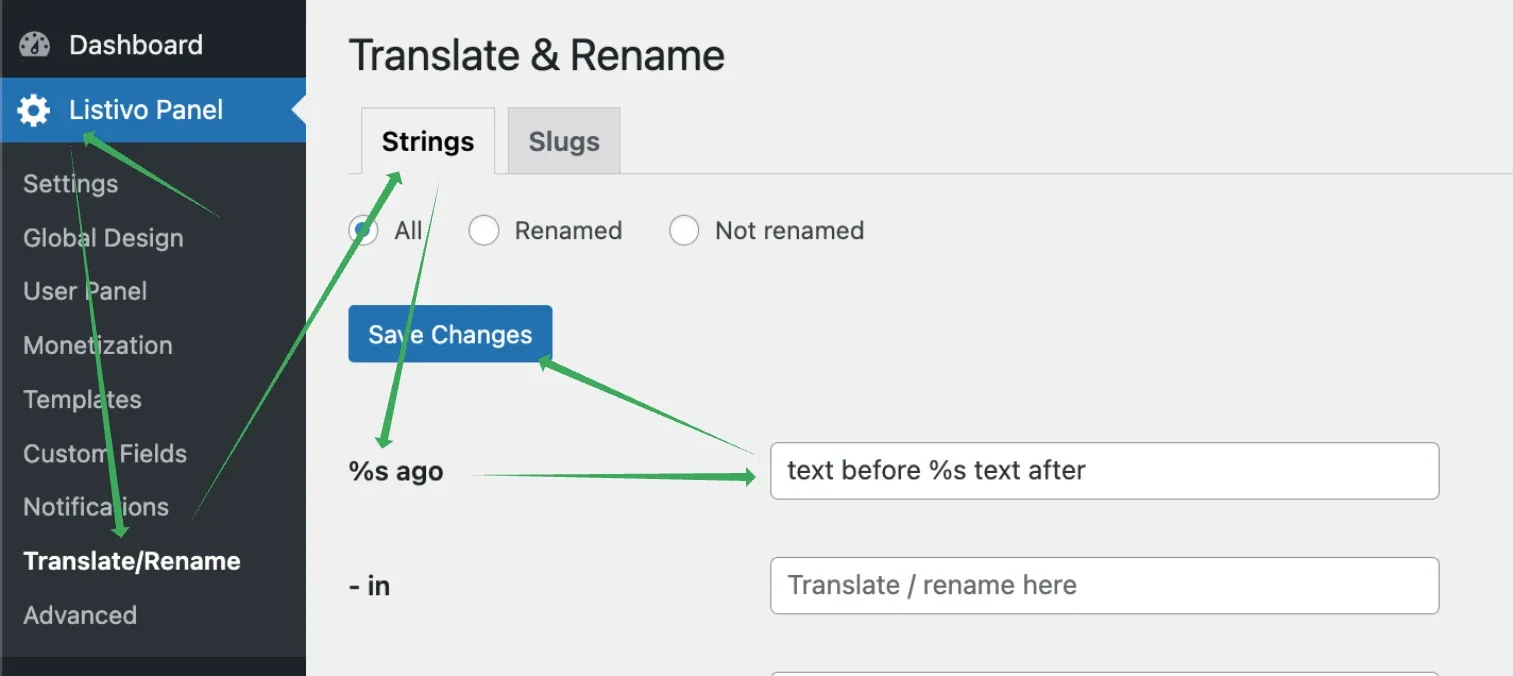
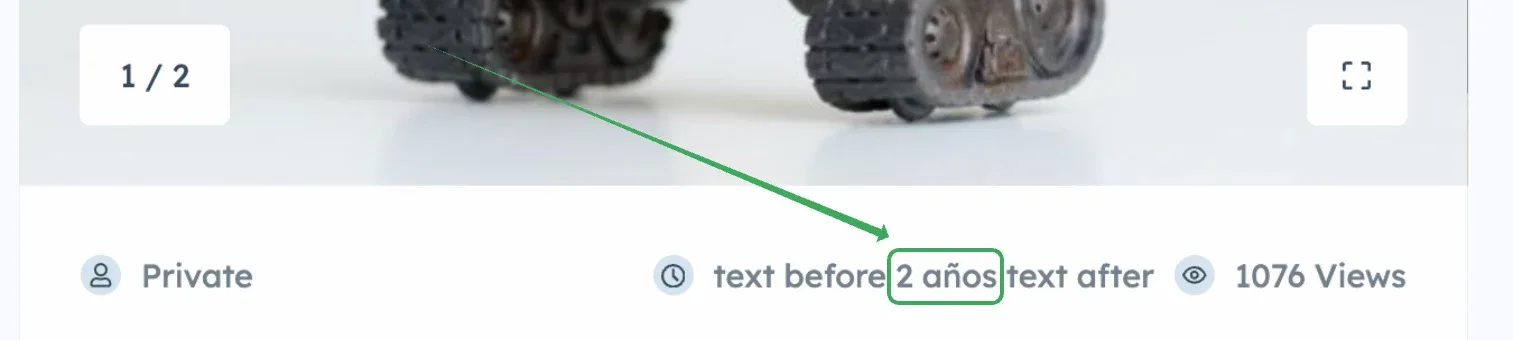
Visit Listivo Panel > Translate & Rename and search for the %s ago text string. %s is a variable that represents a number followed by a time period (e.g., 3 hours, 3 days, 3 months, 3 years), and you can place it anywhere in the text to adapt it to your language. You can add text before and after it, as shown below.
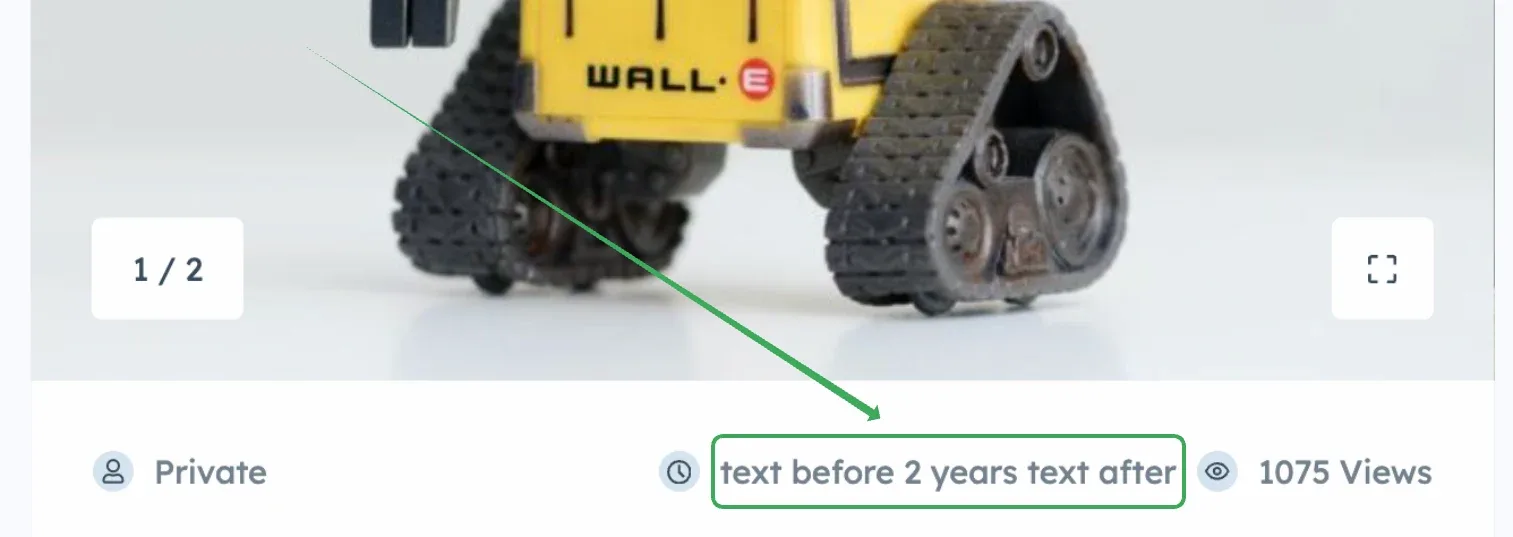
The configuration as above will result in displaying dates like this:
Set the correct WordPress site language
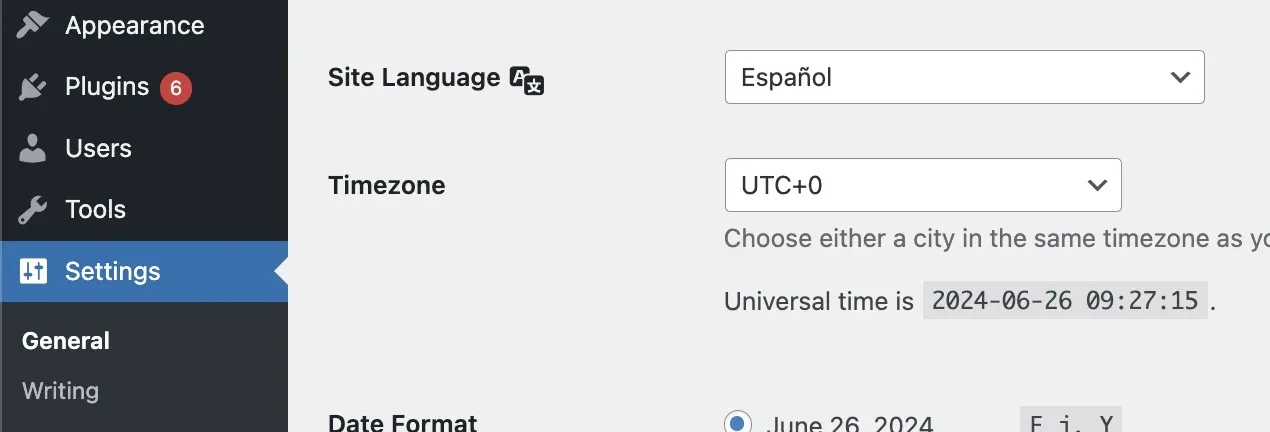
This will automatically translate all "years," "months," etc., text strings to your language.
Keep reading
Ask the people who build Listivo
We answer by email from support@tangiblewp.com. With Premium Support, we also fix your site when something breaks.
We can also run your site for you, or build a new one.
Was this guide helpful?