Taxonomy Term ID – tag_ID
Find the numeric ID of any Listivo taxonomy term - a Make, a Model, a City - by reading tag_ID from the term's edit URL in WordPress.
1 minute read
This article shows how to find a Taxonomy Term ID. It can be used to create a custom order of fields on dropdowns.
Let's find the "Audi" and "Ford" IDs.
-
1
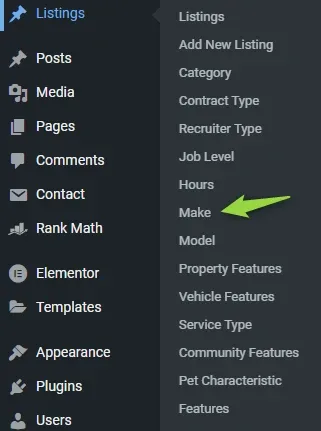
Open Listings > Make
-
2
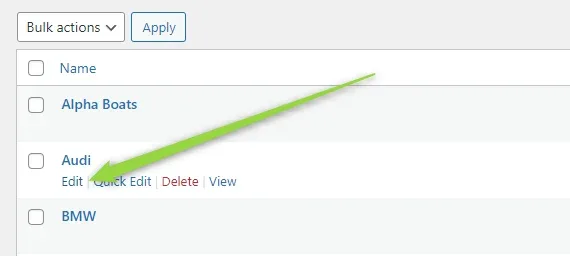
Edit Audi
Hover over the term and click Edit.
-
3
Read the ID from the page address
You will see the id in the link of the page (
tag_ID=VALUE). Here it is 289.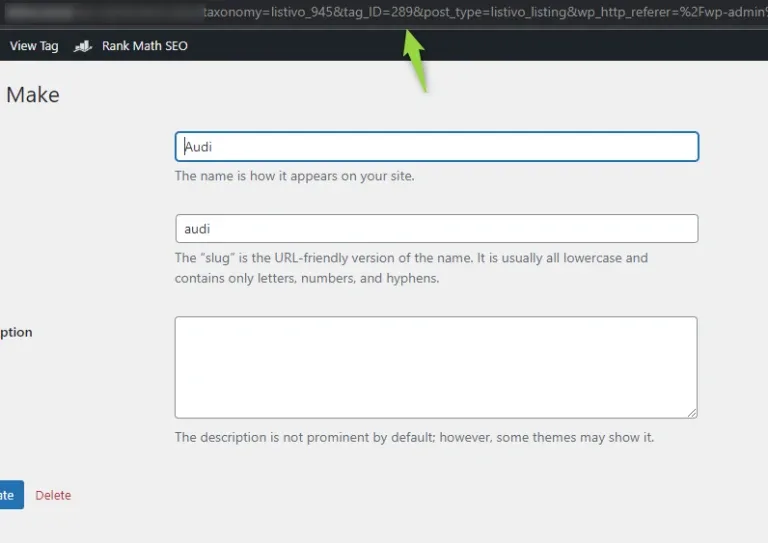
-
4
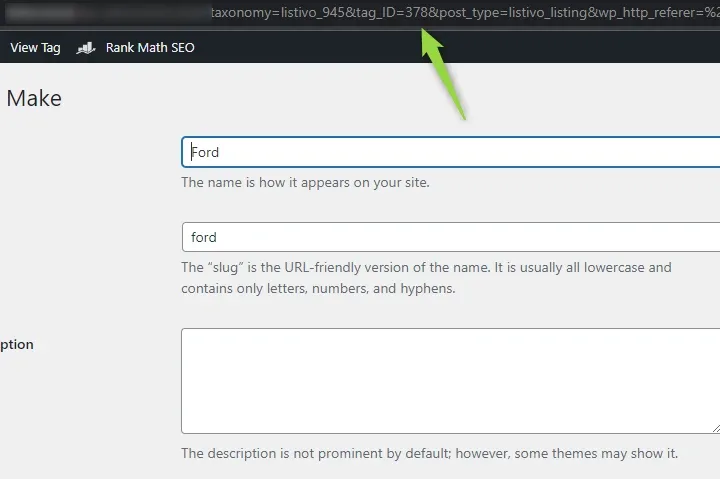
Repeat for the other terms
For Ford it is 378.
Ask the people who build Listivo
We answer by email from support@tangiblewp.com. With Premium Support, we also fix your site when something breaks.
We can also run your site for you, or build a new one.
Was this guide helpful?