PHP Customization: Display All Price Fields on the ad cards
Show two or more price fields on a Listivo ad card - for example a sale price and a monthly rent - by overriding the card templates in your child theme.
1 minute read
This article provides an overview for developers who already have PHP experience. Its purpose is to illustrate how to display two or more prices on a card using PHP, enabling you to create your own customizations and style them accordingly.
-
1
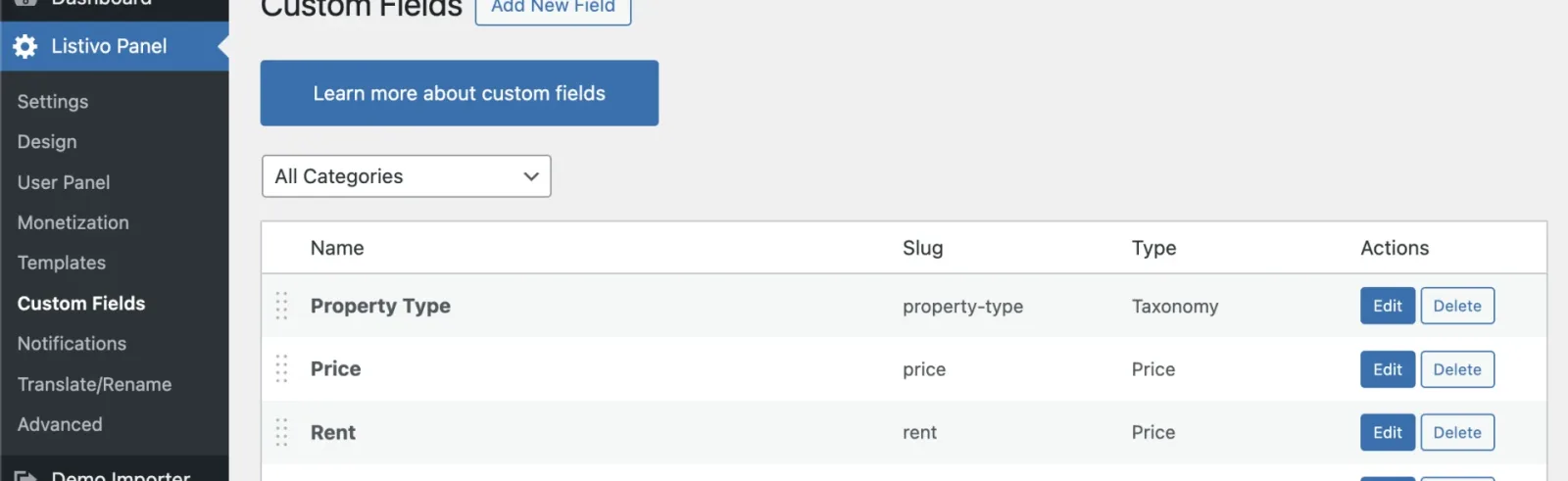
Create two price fields
-
2
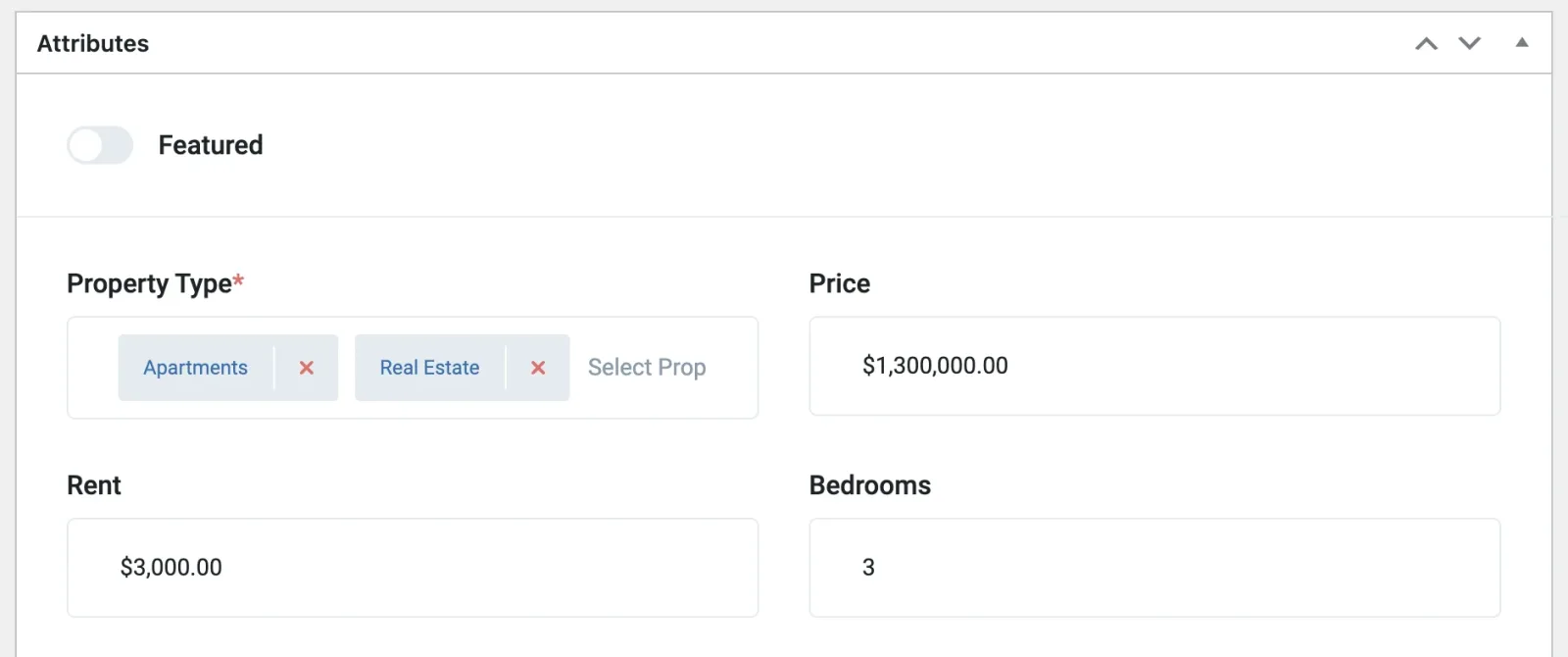
Input the values
-
3
Modify the files responsible for displaying the price
The two examples below cover the standard card and the row card.
Card V4 (Standard)
In the file wp-content/themes/listivo/templates/partials/card/listing_card_v4.php, find the following code:
<div class="listivo-listing-card-v4__value listivo-listing-card-value-selector">
                            <?php echo wp_kses_post($lstMainValue); ?>
</div>
Replace it with:
<div class="listivo-listing-card-v4__value listivo-listing-card-value-selector">
                            <?php
                            foreach (tdf_app('card_main_value_fields') as $mainValueField) {
                                $value = $mainValueField->getValueByCurrency($lstCurrentListing);
                                if (!empty($value)) {
                                echo '<div style="margin-bottom:10px">';
                                echo wp_kses_post($value);
                                echo '</div>';
                                }
                            }
                            ?>
</div>
Result:
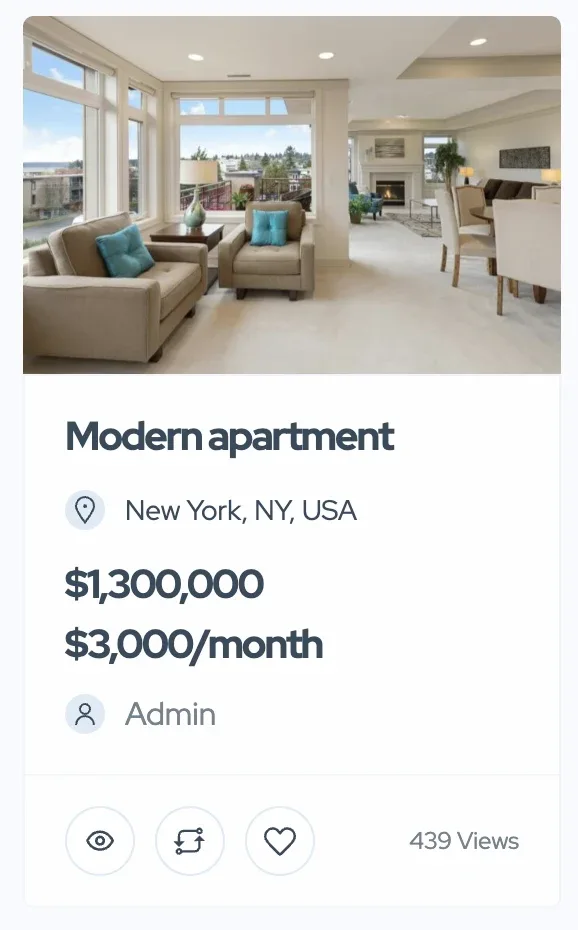
Row card
In the file /wp-content/themes/listivo/templates/partials/card/listing_row_v2.php, find this section:
<div class="listivo-listing-card-row-v2__value listivo-listing-card-value-selector">
                        <?php if (!empty($lstMainValue)) : ?>
                            <?php echo wp_kses_post($lstMainValue); ?>
                        <?php endif; ?>
</div>
Replace it with:
<div class="listivo-listing-card-row-v2__value listivo-listing-card-value-selector">
                        <?php
                        foreach (tdf_app('card_main_value_fields') as $mainValueField) {
                            $value = $mainValueField->getValueByCurrency($lstCurrentListing);
                            if (!empty($value)) {
                                echo '<div style="margin-bottom:10px">';
                                echo wp_kses_post($value);
                                echo '</div>';
                            }
                        }
                        ?>
</div>
Below, you'll see the result that you can restyle to meet your needs. For instance, via Site Settings > Ad Cards, you can alter font sizes, card height, or remove elements like descriptions to make more room for the two prices.

Ask the people who build Listivo
We answer by email from support@tangiblewp.com. With Premium Support, we also fix your site when something breaks.
We can also run your site for you, or build a new one.
Was this guide helpful?