Menu 'Log in | Register' Links: How to Manage and Customize
Show, hide or re-point the "Log in | Register" links in the Listivo menu — including splitting them into two separate Elementor pages instead of one page with tabs.
1 minute read
Listivo themes typically include Log in | Register links within the menu.

Show or hide the links
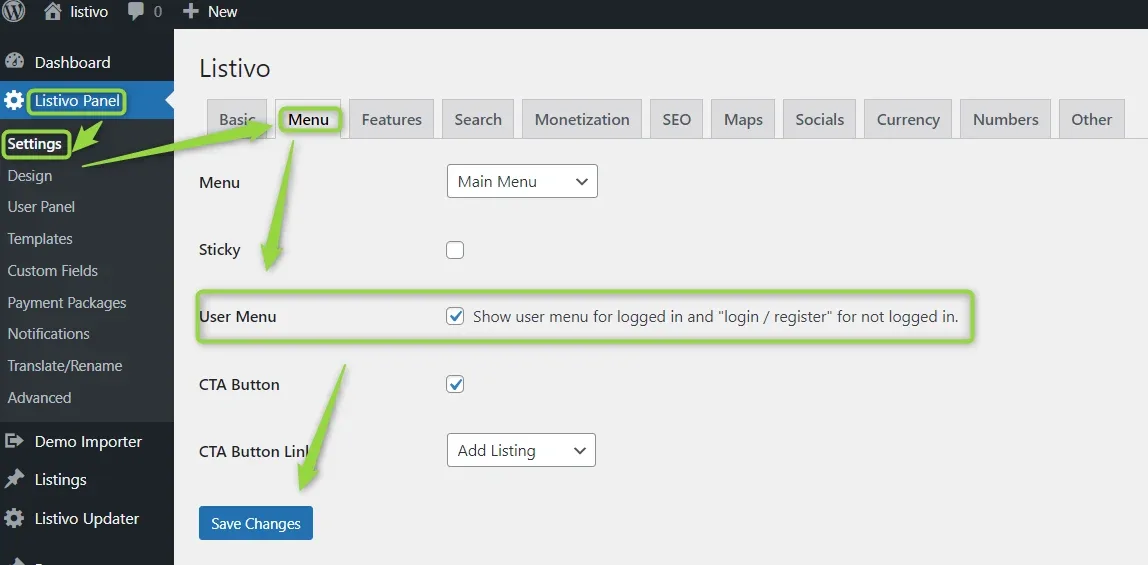
You can toggle this feature on or off through the Listivo Panel by navigating to Menu > User Menu. If you deselect this option, the links will no longer appear on your website's menu.
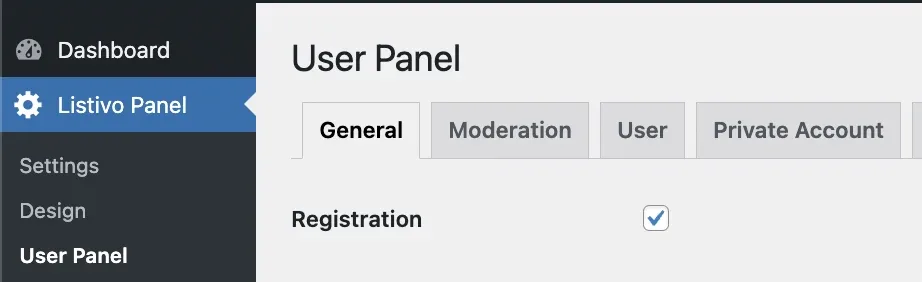
Using separate login and register pages
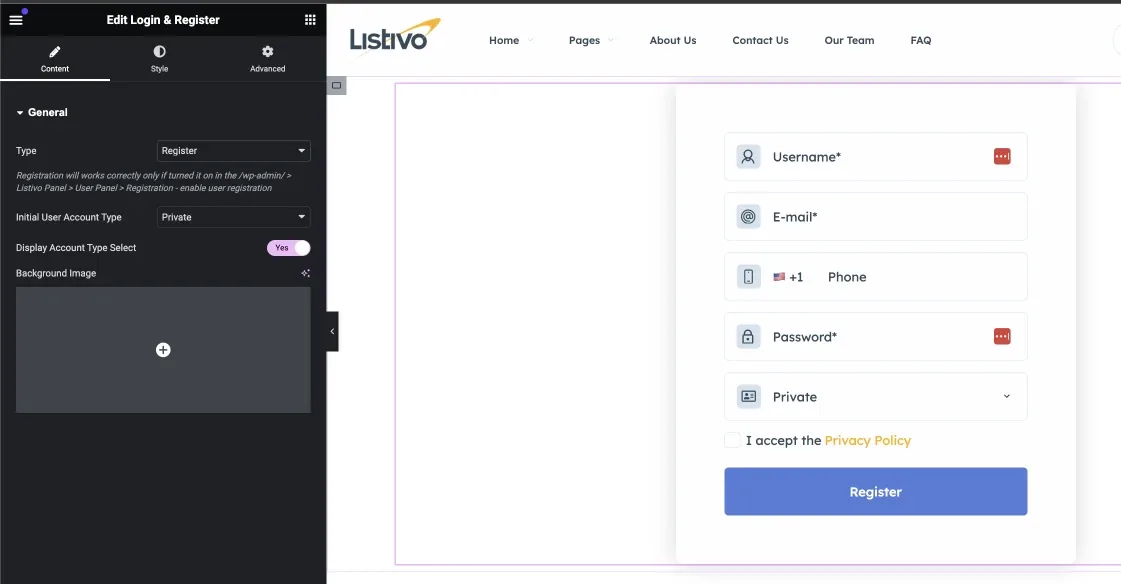
By default, both "Login" and "Register" links direct users to the same page, which includes a widget with two tabs for login and registration. However, you can create separate pages for login and registration using Elementor. For example, create a new Elementor page titled "Register", add the Login & Register widget, and set the type to "Register" to avoid displaying tabs.
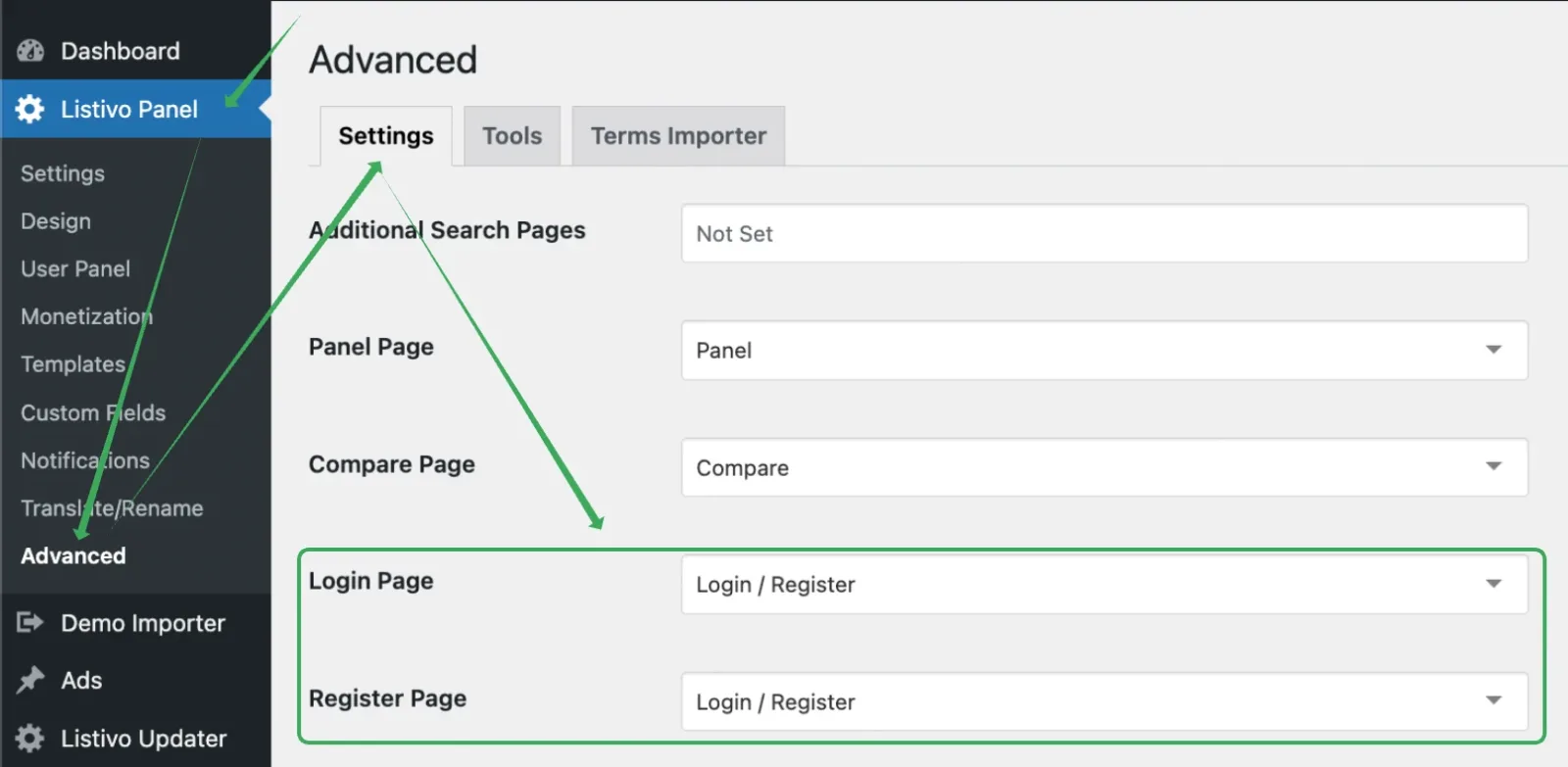
Finally, specify the new pages for your menu redirects (where the login and register links go) in the Listivo Panel under Advanced > Login Page and Register Page.
Keep reading
Ask the people who build Listivo
We answer by email from support@tangiblewp.com. With Premium Support, we also fix your site when something breaks.
We can also run your site for you, or build a new one.
Was this guide helpful?