How to set the multi-currency
Run more than one currency on the same site by adding each extra currency, with its own sign, sign position and number format, in the Listivo Panel.
1 minute read
Listivo can have more than one currency at the same time.
You add them in the Listivo Panel, under Settings.
-
1
Open the currency list
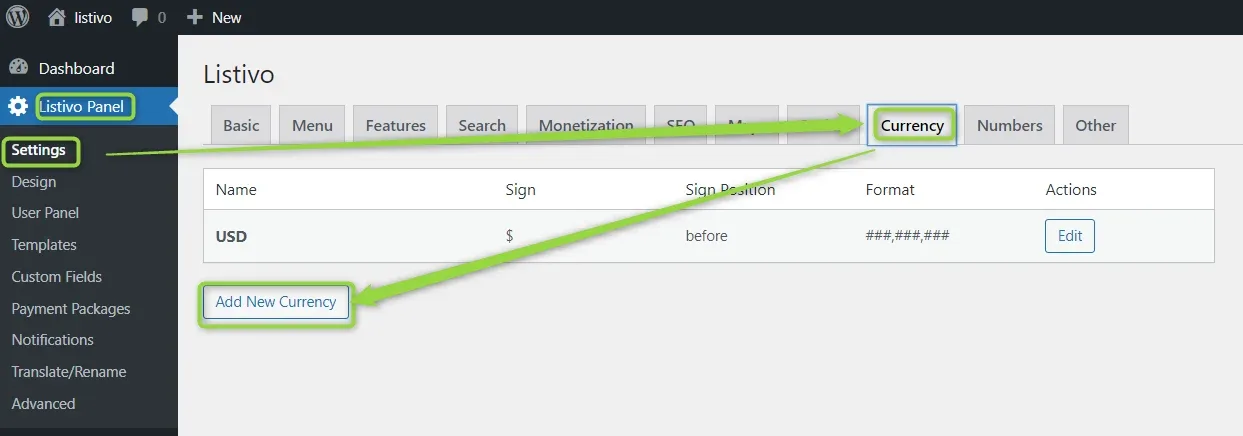
In /wp-admin/, go to Listivo Panel > Settings and switch to the Currency tab.
-
2
Add a new currency
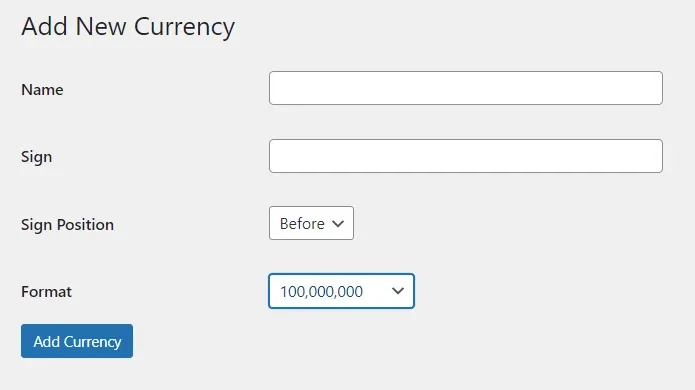
Give it a name, a sign, a sign position and a number format, then click Add Currency.
Keep reading
Ask the people who build Listivo
We answer by email from support@tangiblewp.com. With Premium Support, we also fix your site when something breaks.
We can also run your site for you, or build a new one.
Was this guide helpful?