How to Customize the Design of Monetization Packages
Restyle the package cards your visitors buy from — their name, label, price, button and text — using the Listivo Package controls in Elementor Site Settings.
1 minute read
Here's a quick guide on how to tweak the design of your monetization packages in Listivo.
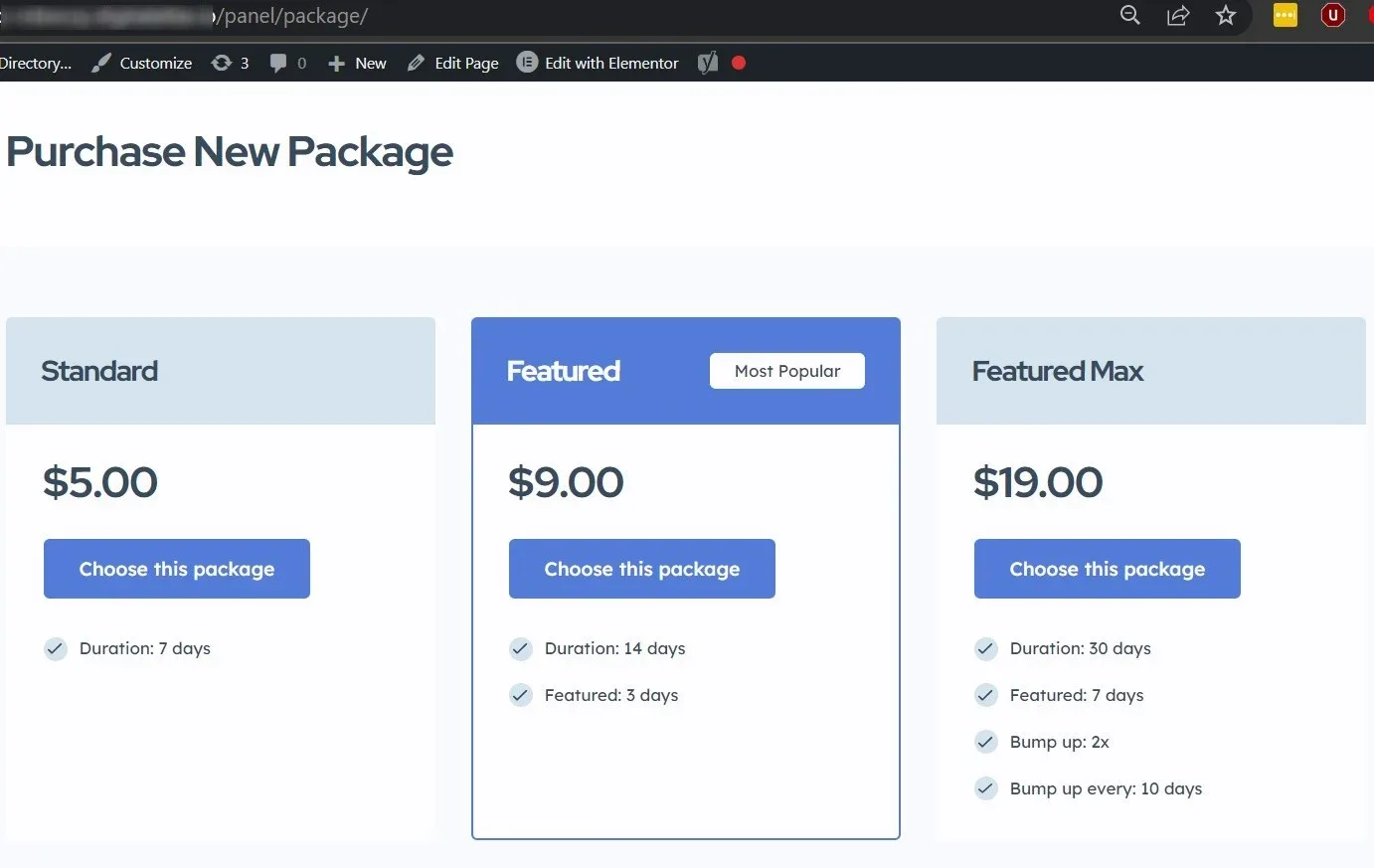
-
1
Open Design Settings
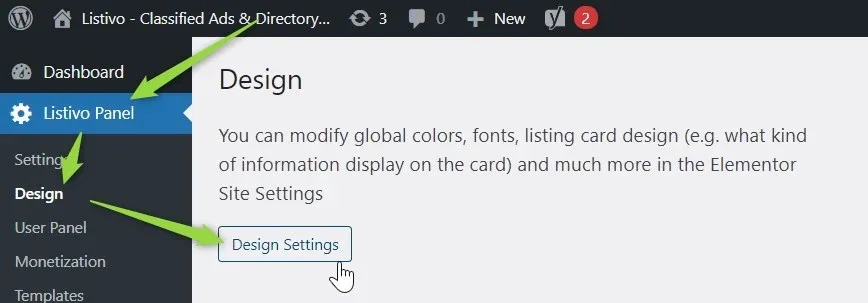
In the Listivo Panel, go to "Design" and click "Design Settings".
-
2
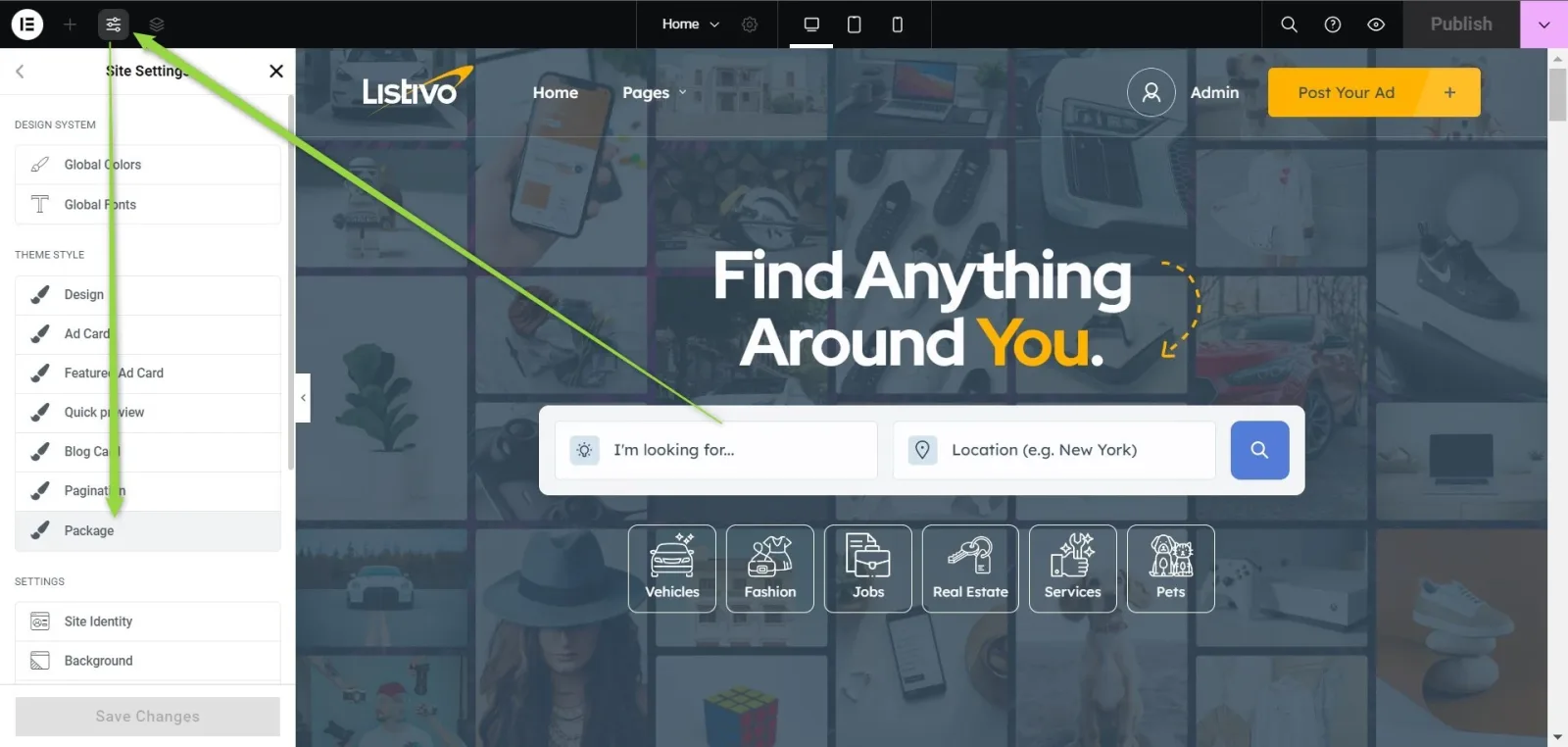
Find Listivo Package in Site Settings
The Site Settings panel opens over your site; scroll its list to the Package entry.
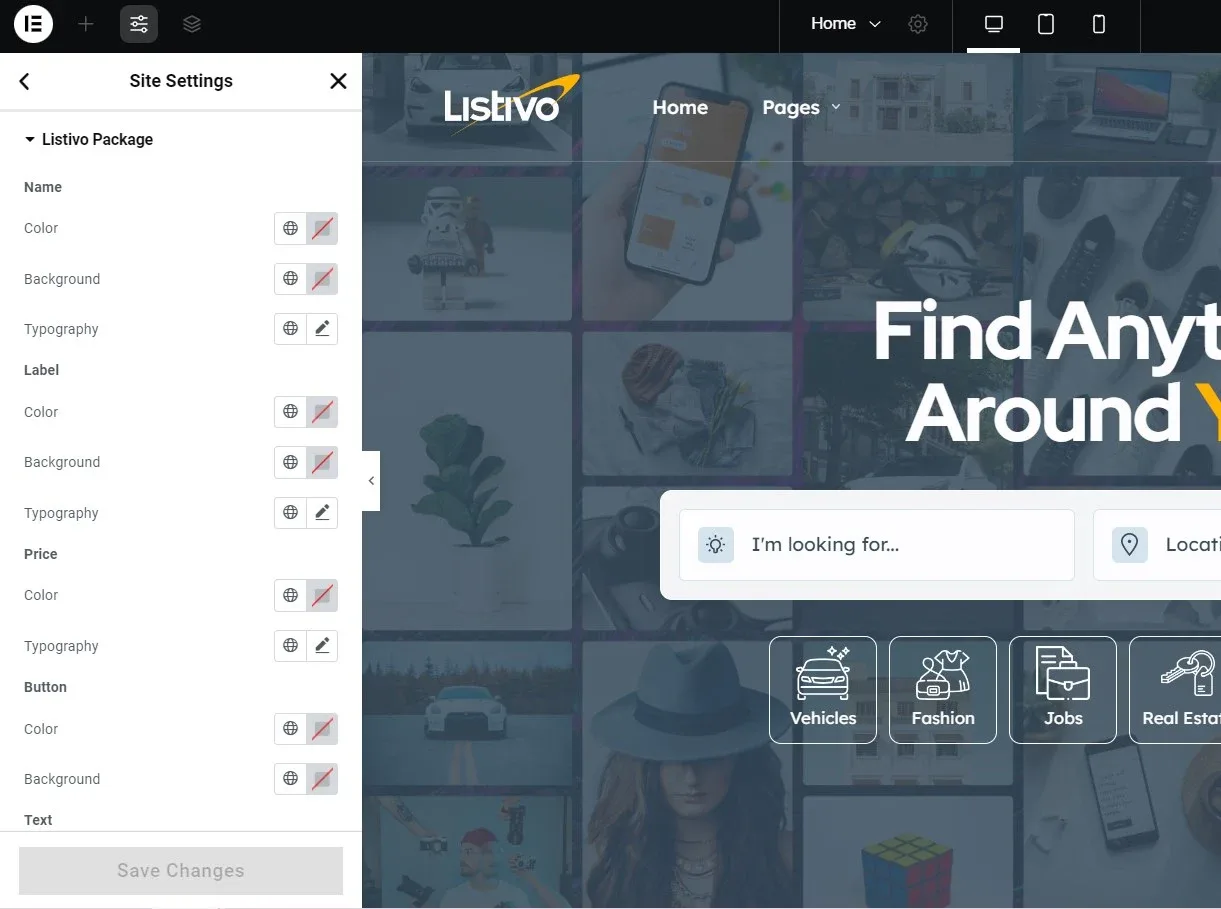
Here, you can use the styling controls to change the look of your monetization packages.
Ask the people who build Listivo
We answer by email from support@tangiblewp.com. With Premium Support, we also fix your site when something breaks.
We can also run your site for you, or build a new one.
Was this guide helpful?