Enabling Marker Clustering in Map Widgets
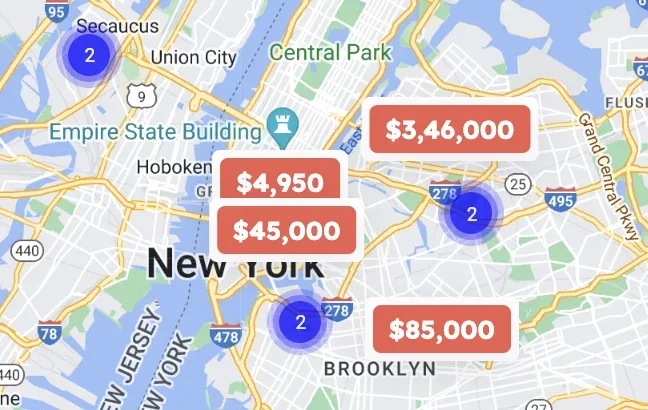
Group pins that sit close together into a single numbered marker, so a busy map stays readable. Clustering is off by default and is switched on per map widget.
1 minute read
Listivo includes an option to group pins that are close to each other into clusters. By default, this option is turned off, but you can enable it in the Map Widget as follows:
-
1
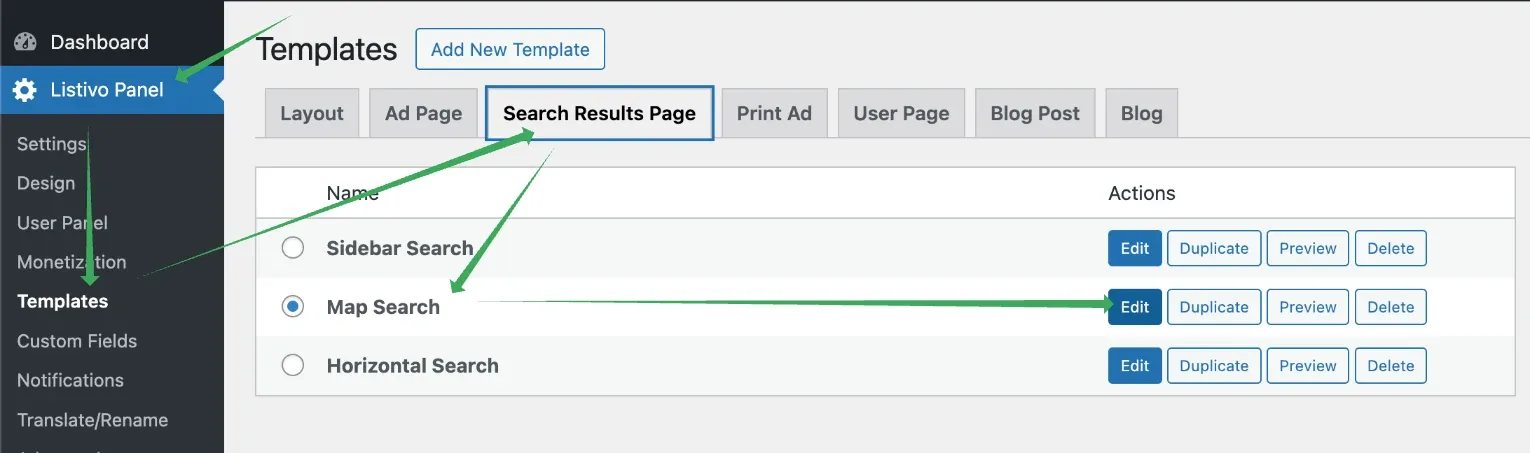
Open the template that has a map
The map is usually on the search results page, so go to Listivo Panel > Search Results Page and edit the template that contains it.
-
2
Open Advanced Map Settings
Edit the Search Map widget and expand the Advanced Map Settings section.
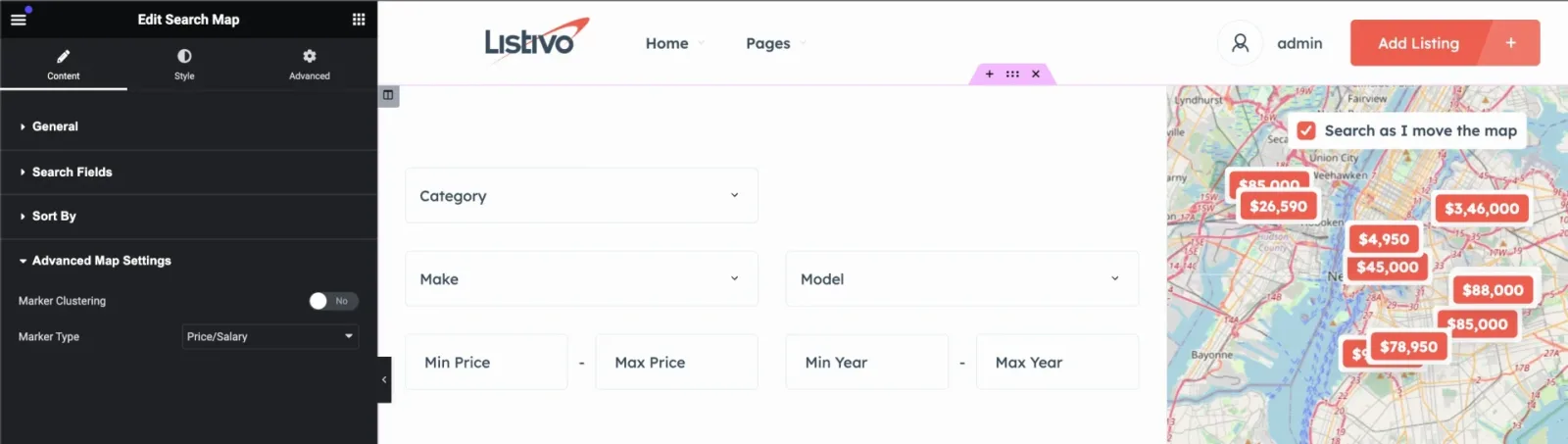
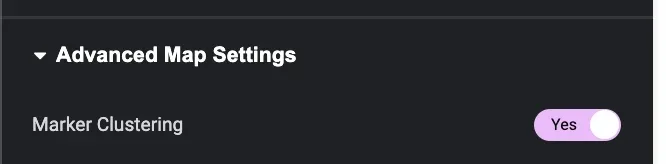
Here, you can turn on or off the Marker Clustering feature.
Ask the people who build Listivo
We answer by email from support@tangiblewp.com. With Premium Support, we also fix your site when something breaks.
We can also run your site for you, or build a new one.
Was this guide helpful?