Configuring Map Pins
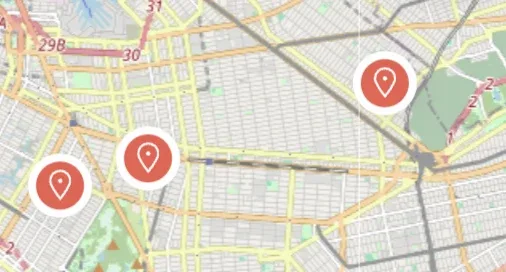
Choose whether each ad appears on the map as a price tag or as a plain pin icon, and see what both look like before you commit to one.
1 minute read
Listivo offers two types of pins for use in map displays: Classic and Price Tags (turned on by default).
To configure the type of pin you'd like to use, follow these steps:
-
1
Open the template that has a map
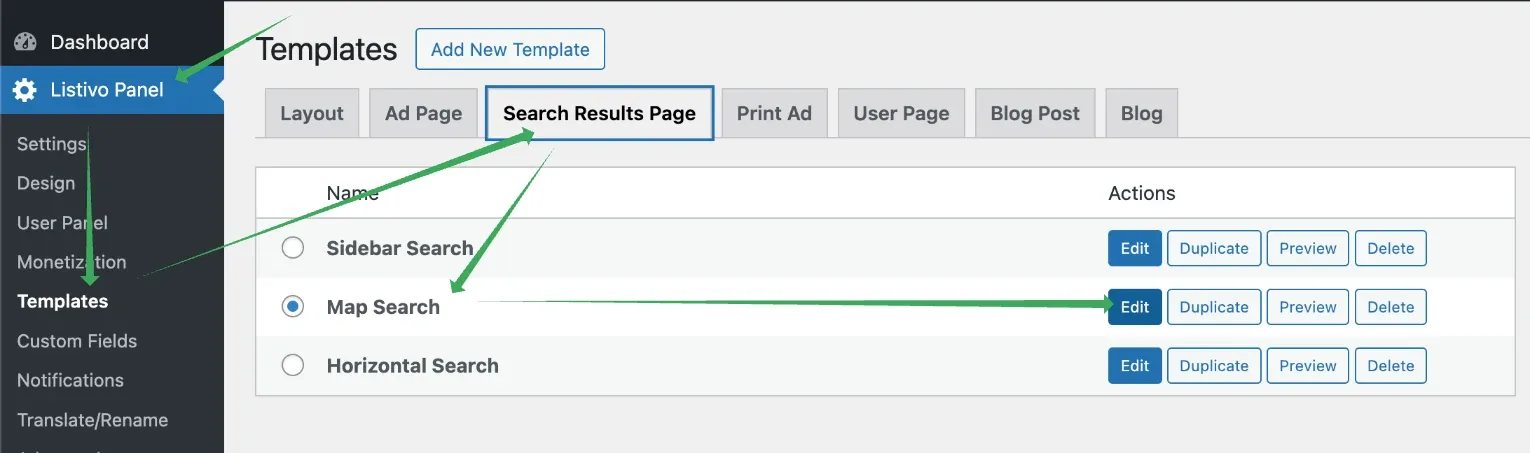
In most cases the map is on the search results page, so go to Listivo Panel > Search Results Page and edit the template that has a map.
-
2
Open Advanced Map Settings
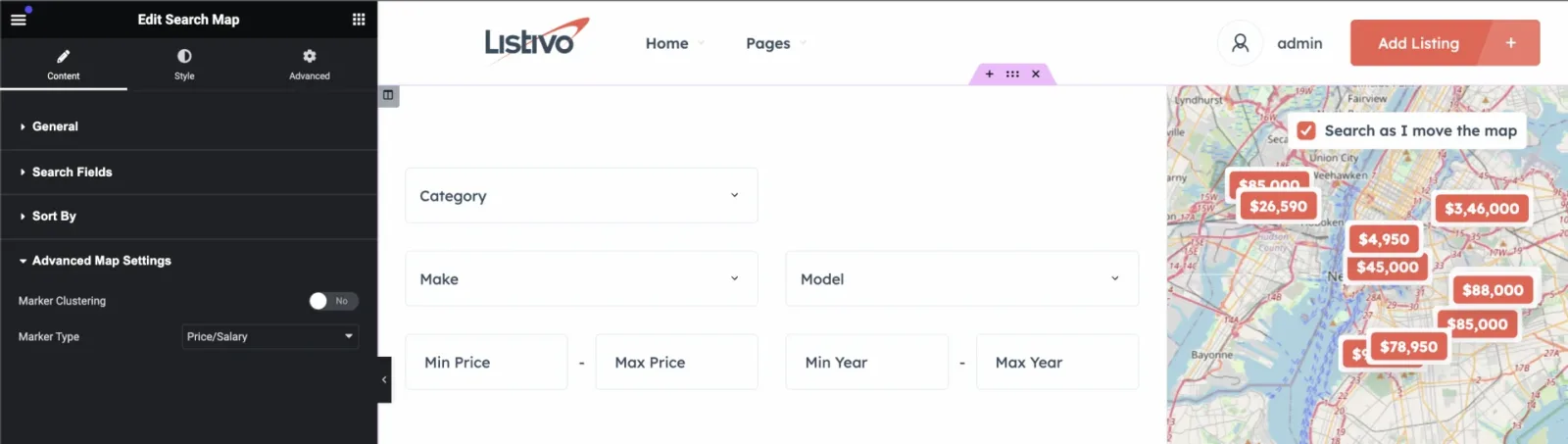
Edit the Search Map widget and expand the Advanced Map Settings section.
-
3
Pick the marker type
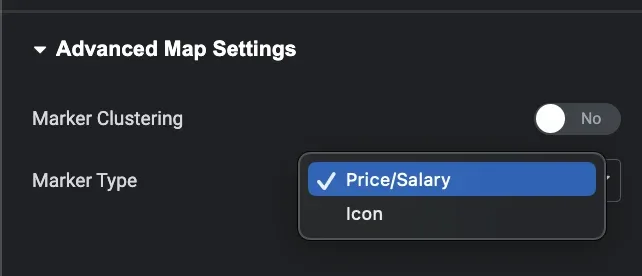
Open the Marker Type dropdown and choose between Price/Salary and Icon.
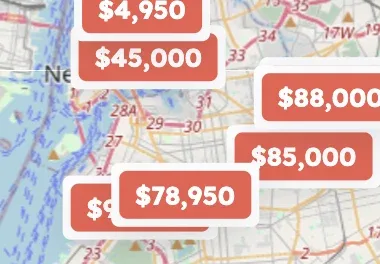
What each marker type looks like
Price/Salary: this option will display the value entered in the price or salary fields.
Icon: this option will use a predefined icon to represent the pin on the map.
Ask the people who build Listivo
We answer by email from support@tangiblewp.com. With Premium Support, we also fix your site when something breaks.
We can also run your site for you, or build a new one.
Was this guide helpful?