How to translate Vehica theme?
Vehica keeps its wording in several different places. This guide shows where each kind of text lives — theme labels, custom field names, field options, units of measurement and Elementor page content — so you can translate the whole site.
1 minute read
Theme texts
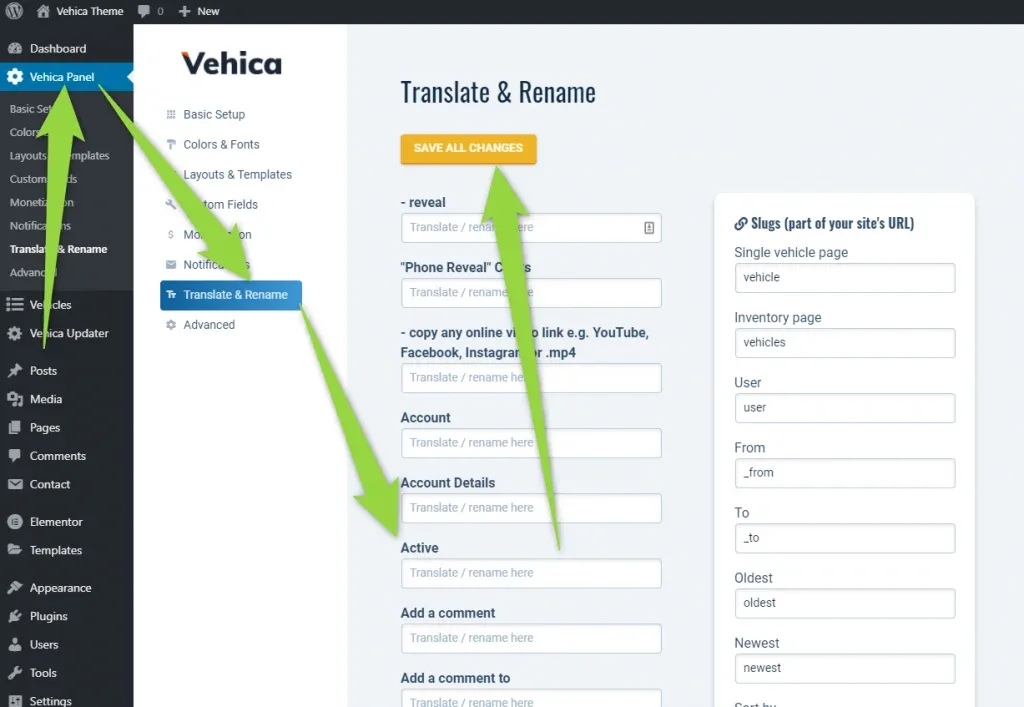
You can translate almost all of the theme's texts in one place — the Translate & Rename screen in the Vehica Panel:
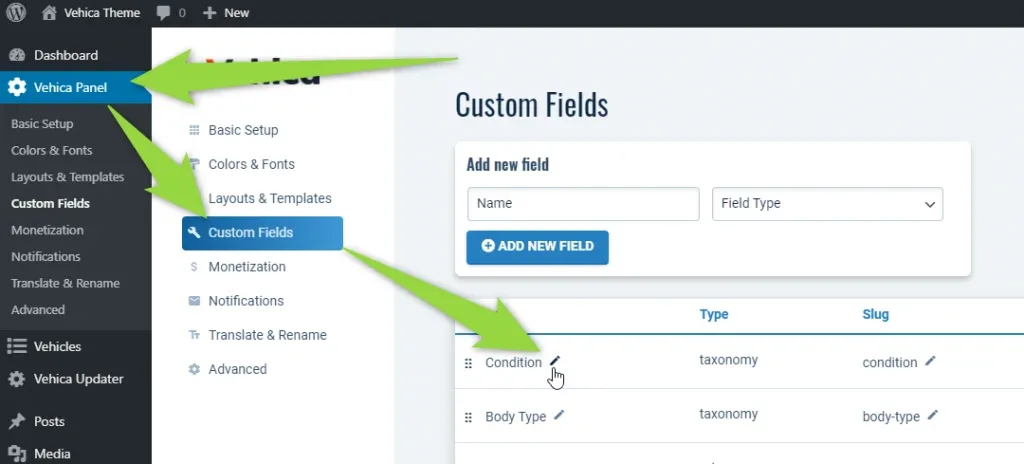
Custom field names
You can translate all custom fields here:
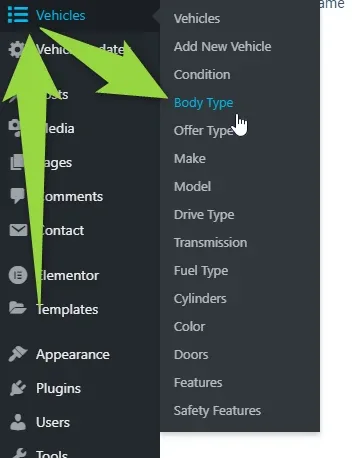
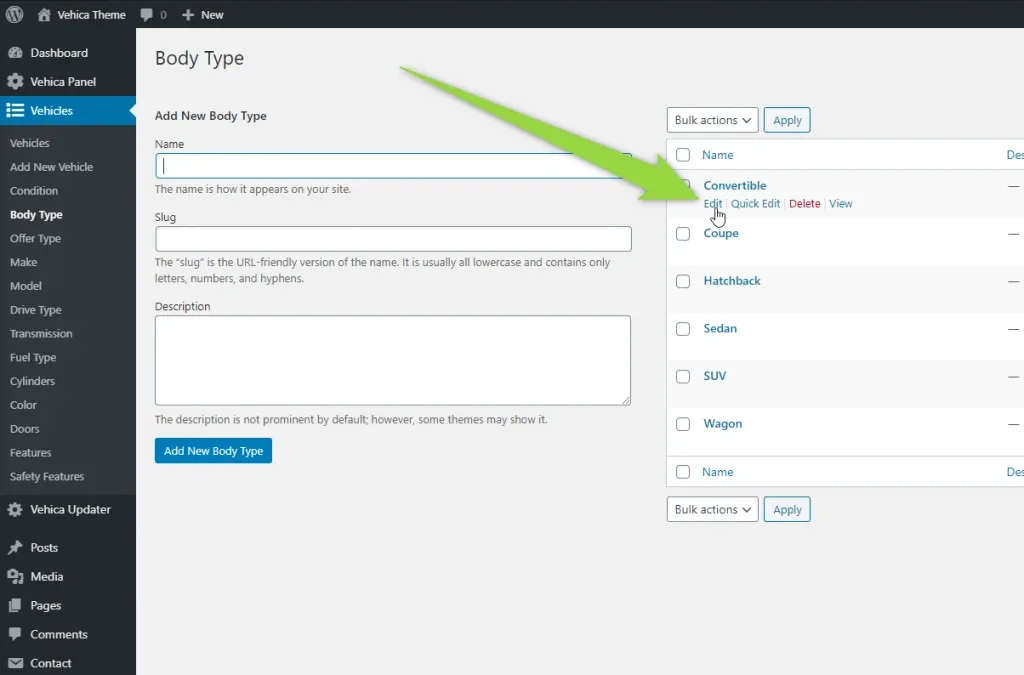
Field options, e.g. Sedan or Coupe
You can translate all options e.g. Sedan / Coupe this way. Open the matching list under Vehicles:
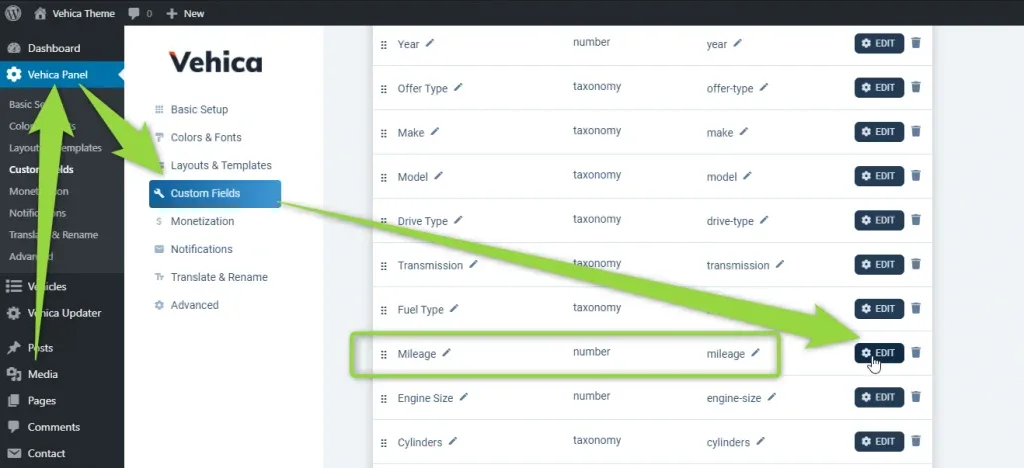
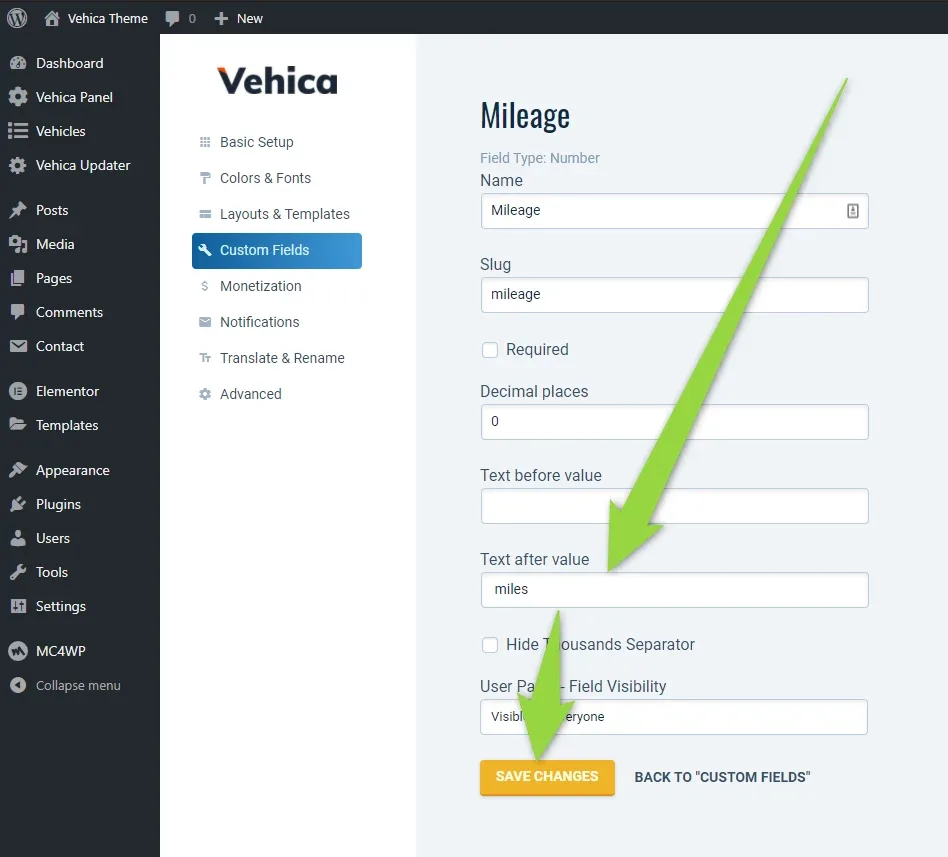
Units of measurement
You can translate or change units of measurement, e.g. km / miles, in the field settings:
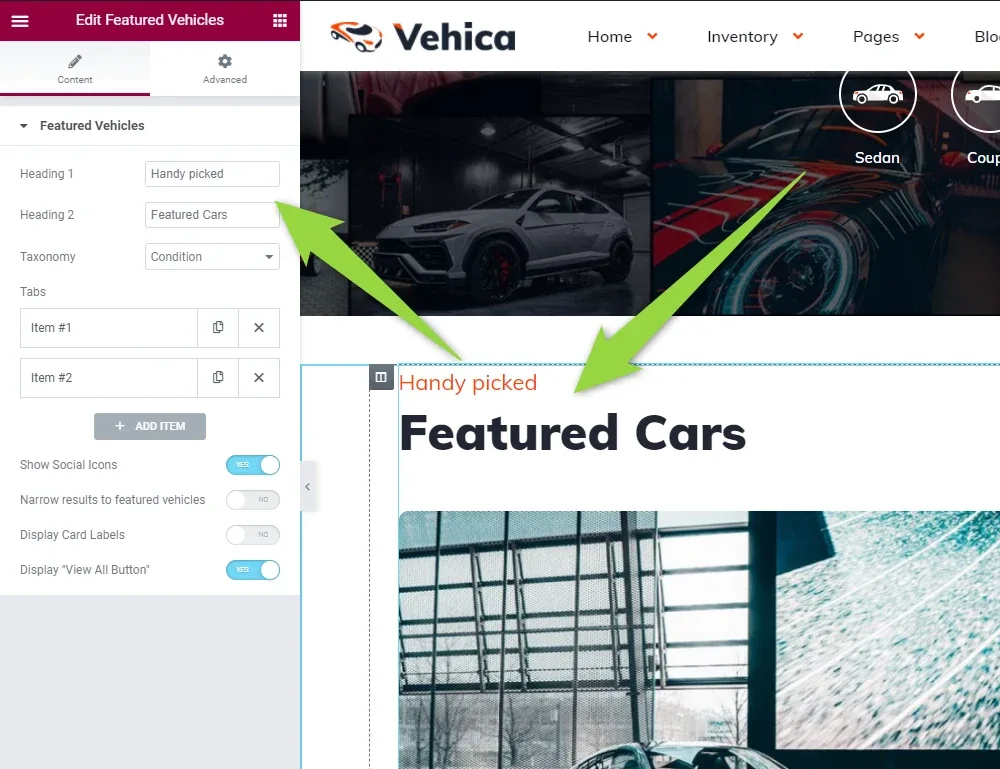
Everything else: Elementor pages
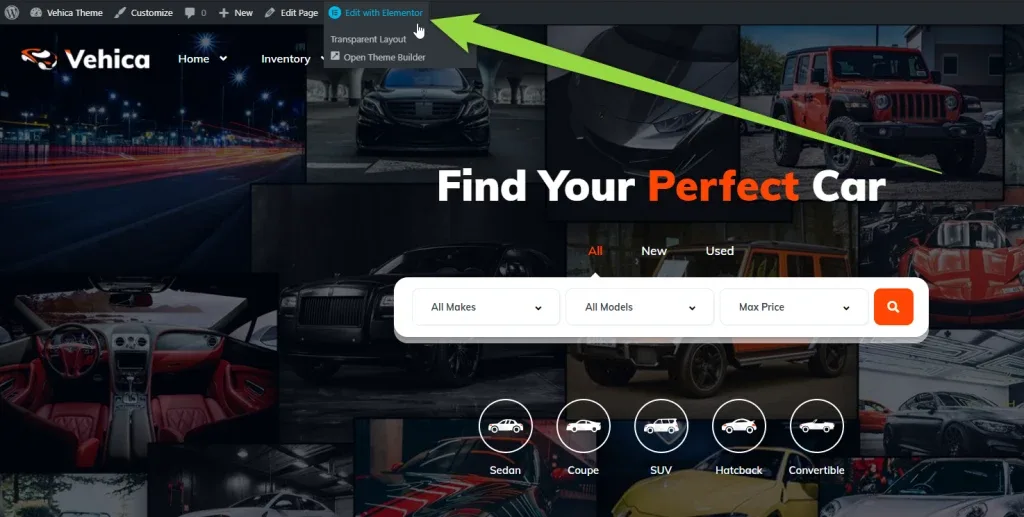
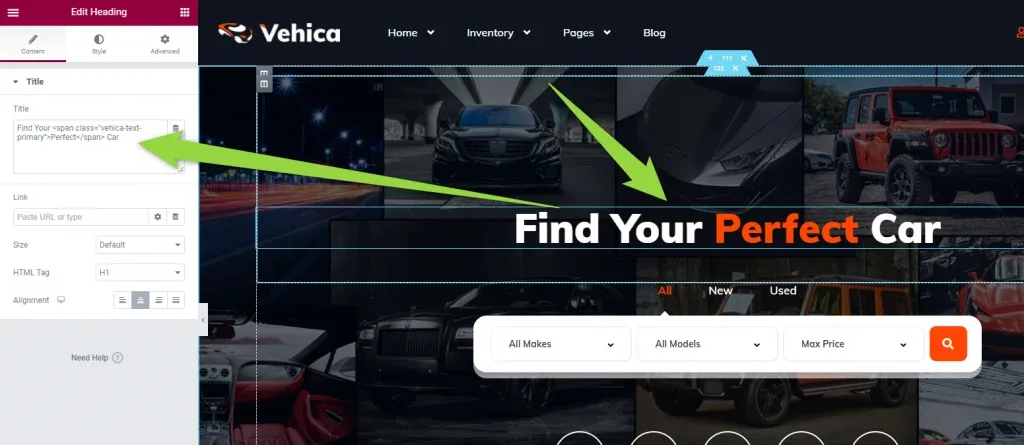
All other elements are part of Elementor pages, e.g. the homepage. Open the page and edit it with Elementor:
Ask the people who build Vehica
We answer by email from support@tangiblewp.com. With Premium Support, we also fix your site when something breaks.
We can also run your site for you, or build a new one.
Was this guide helpful?