How to copy Footer from one layout to another?
Once a footer is finished you do not have to rebuild it for every layout. Save it as an Elementor template and insert it into any other Vehica layout in a few clicks.
1 minute read
A footer belongs to a layout, so copying one means saving it as an Elementor template and inserting that template into the other layout.
-
1
Edit the layout with your footer
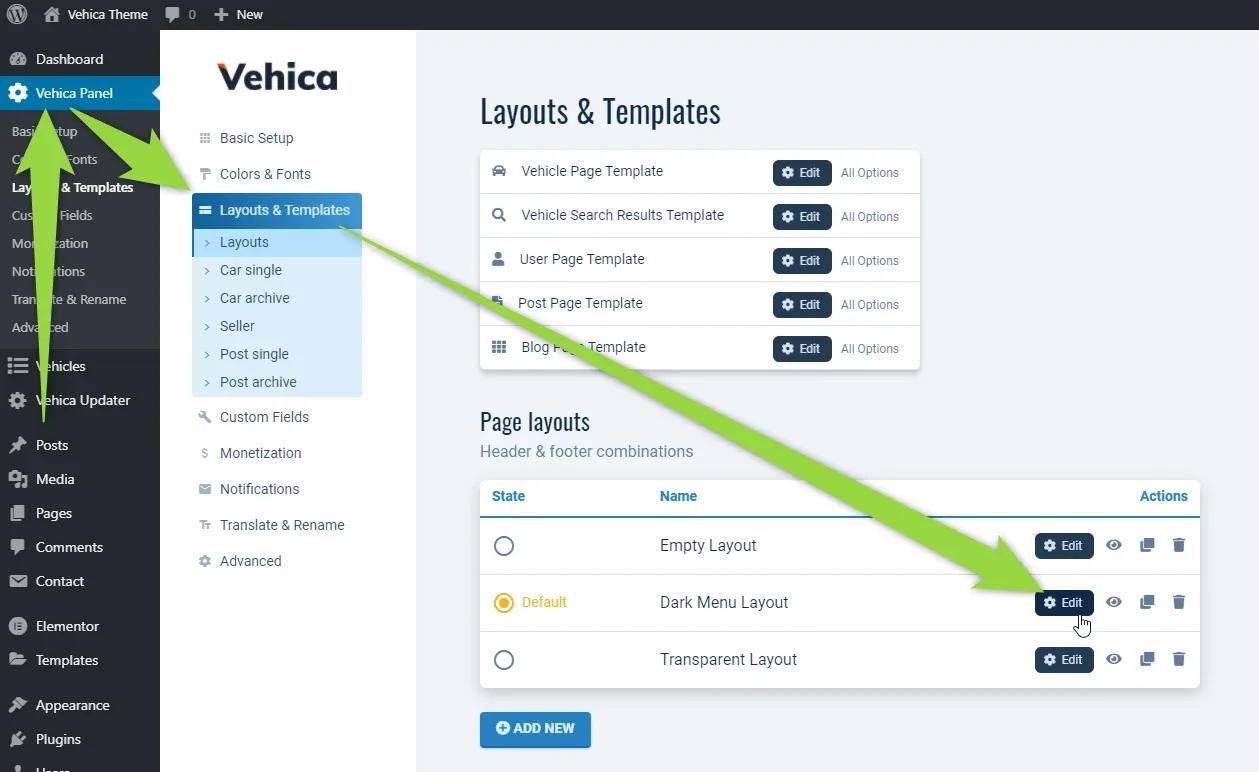
In wp-admin open Vehica Panel > Layouts & Templates and click Edit on the layout whose footer you want to copy.
-
2
Save the footer as a template
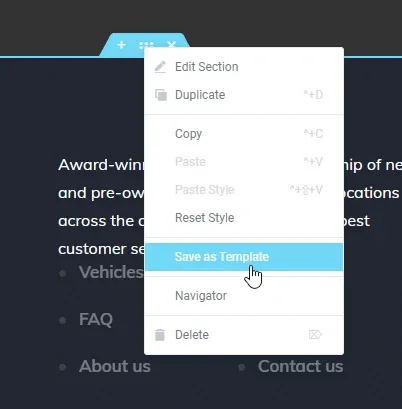
In Elementor, open the menu on the footer section's handle and choose Save as Template.
-
3
Name the template and save
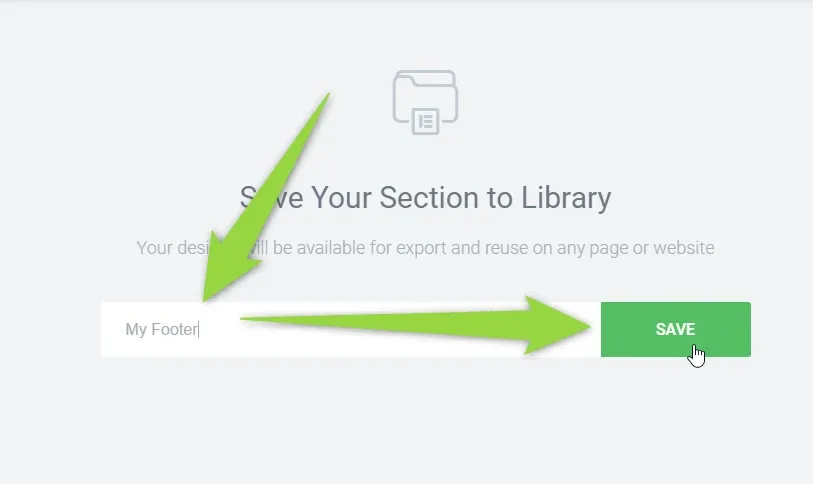
Type a name for it — "My Footer" in the screenshot — and click SAVE.
-
4
Open the other layout
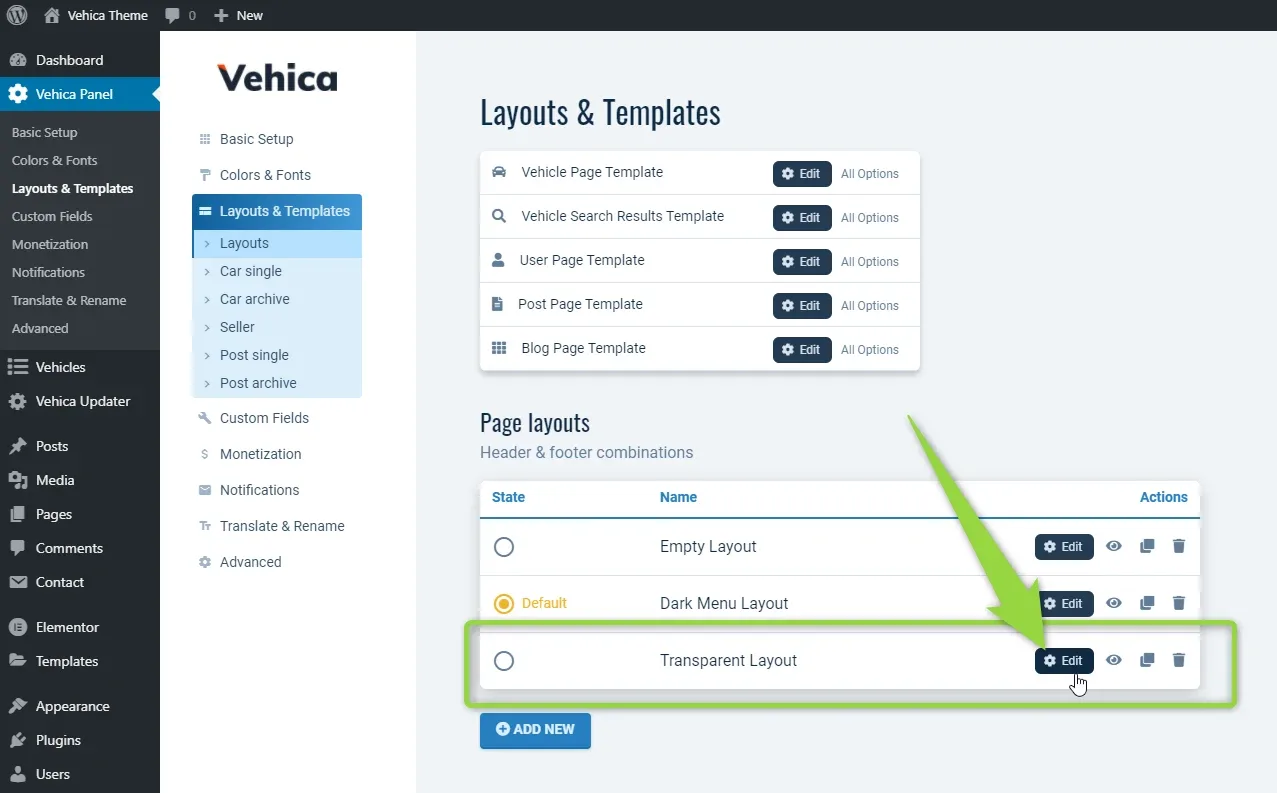
Go back to Page layouts and edit the layout that should get the footer, e.g. Transparent Layout.
-
5
Add your new footer
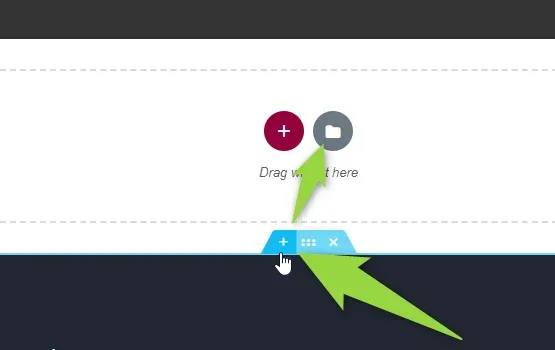
In that layout, add a new section and use the folder icon — Elementor's Add Template button.
-
6
Insert it from My Templates
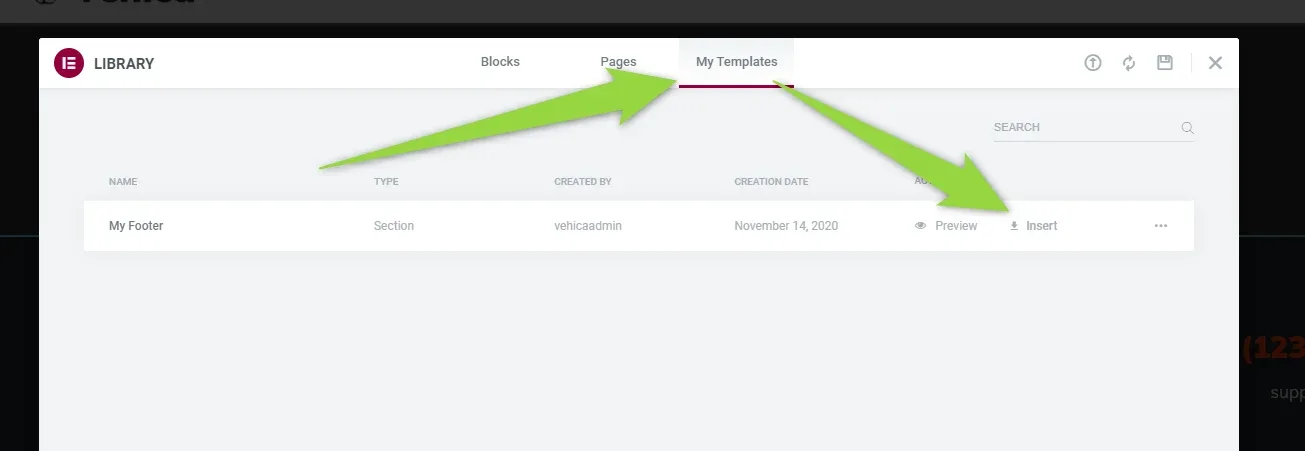
In the library window switch to the My Templates tab, find the footer you saved and click Insert.
-
7
Remove your old footer
Delete the layout's previous footer section so only the copied one is left.
Ask the people who build Vehica
We answer by email from support@tangiblewp.com. With Premium Support, we also fix your site when something breaks.
We can also run your site for you, or build a new one.
Was this guide helpful?