How to add my social profiles links?
Point the social icons on your site at your own accounts by adding your profile links in the Vehica Panel.
1 minute read
You can add your social media profile links in Vehica Panel > Basic Setup, in the Social media section.
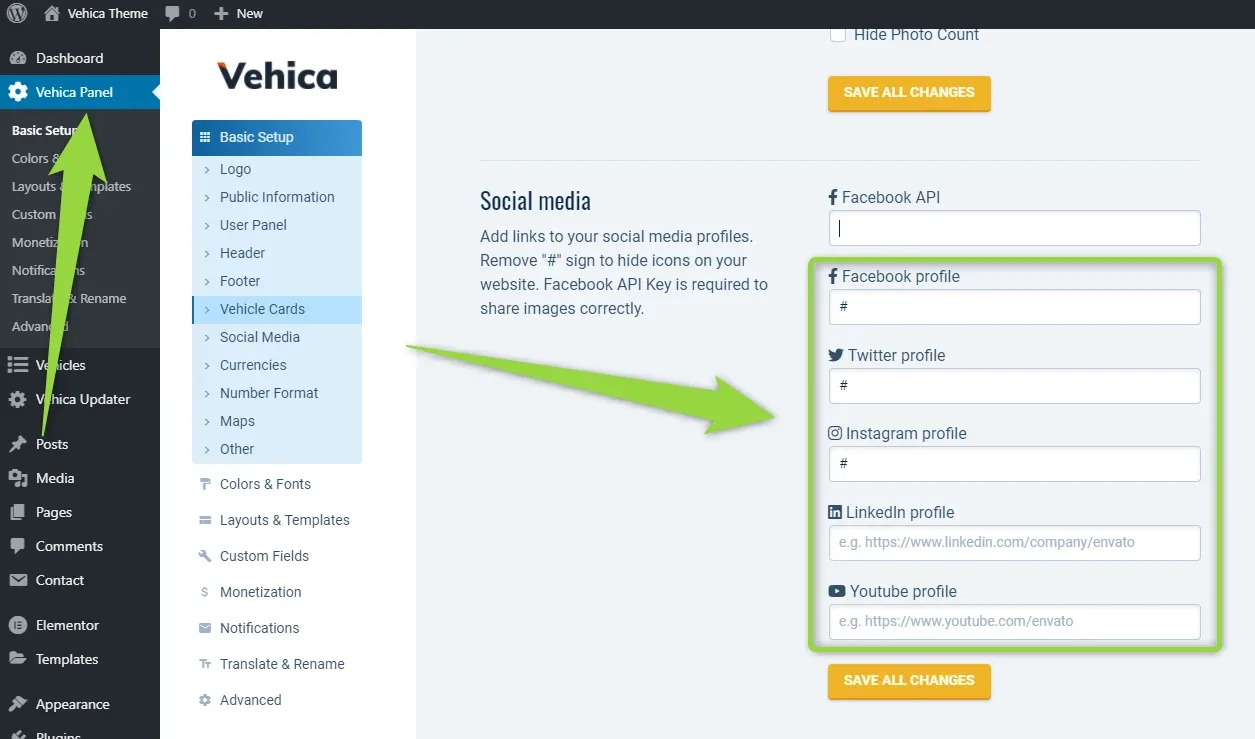
If you need to add a social profile that is not on the list, contact our developers and we will help you: Submit a ticket.
Ask the people who build Vehica
We answer by email from support@tangiblewp.com. With Premium Support, we also fix your site when something breaks.
We can also run your site for you, or build a new one.
Was this guide helpful?