How to change title of Archive Listings – Rank Math SEO
Give the listings archive its own SEO title and description with the free Rank Math plugin, instead of the default title WordPress builds for the archive.
1 minute read
-
1
Install the Rank Math plugin
You need Rank Math SEO – Best SEO Plugin for WordPress installed and activated.
-
2
Open Titles & Meta for Listings
Go to Rank Math > Titles & Meta > Listings.
-
3
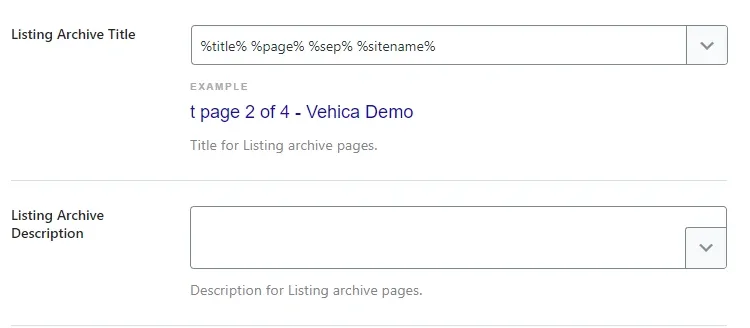
Find “Listing Archive Title”
The field holds Rank Math variables by default, and the preview underneath shows how the title will look.
-
4
Enter your own text and save
Change the title and the description to the text you want to display, then hit save.
The result:

Ask the people who build Vehica
We answer by email from support@tangiblewp.com. With Premium Support, we also fix your site when something breaks.
We can also run your site for you, or build a new one.
Was this guide helpful?