Cookie Notice for GDPR & CCPA
Put a cookie consent bar on your Vehica site with a free plugin that picks up the theme design and your primary color, and learn where to edit its texts and options.
2 minute read
If you wish to have a cookie notice on your website, we recommend the Cookie Notice for GDPR & CCPA plugin.
The cookie notice added by this plugin will match the Vehica design and your primary color.

Install and set up the plugin
-
1
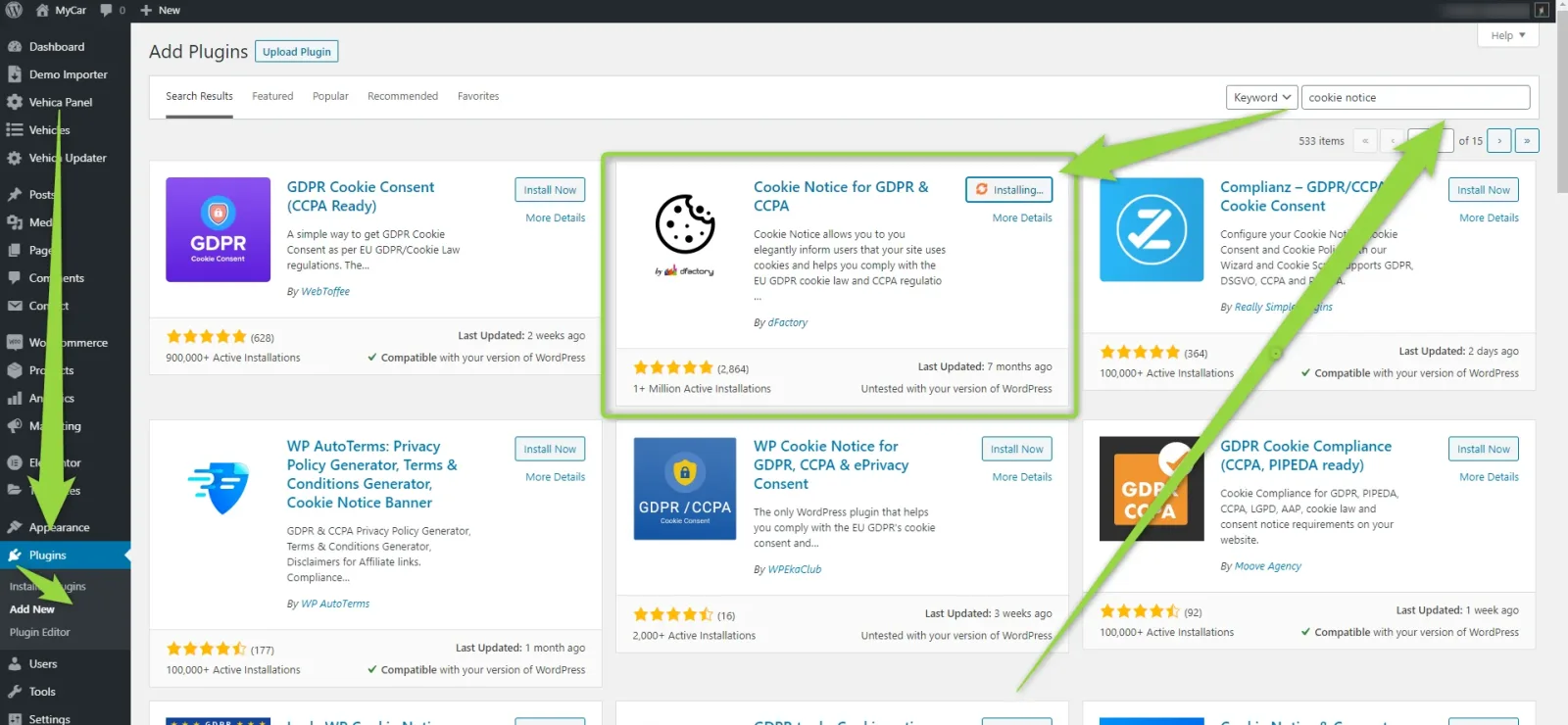
Install and activate the plugin
Search for it under Plugins > Add New and install it this way.
-
2
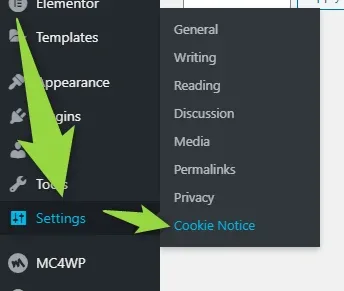
Open Settings > Cookie Notice
If you need to customize the texts, this is where the plugin keeps its options.
-
3
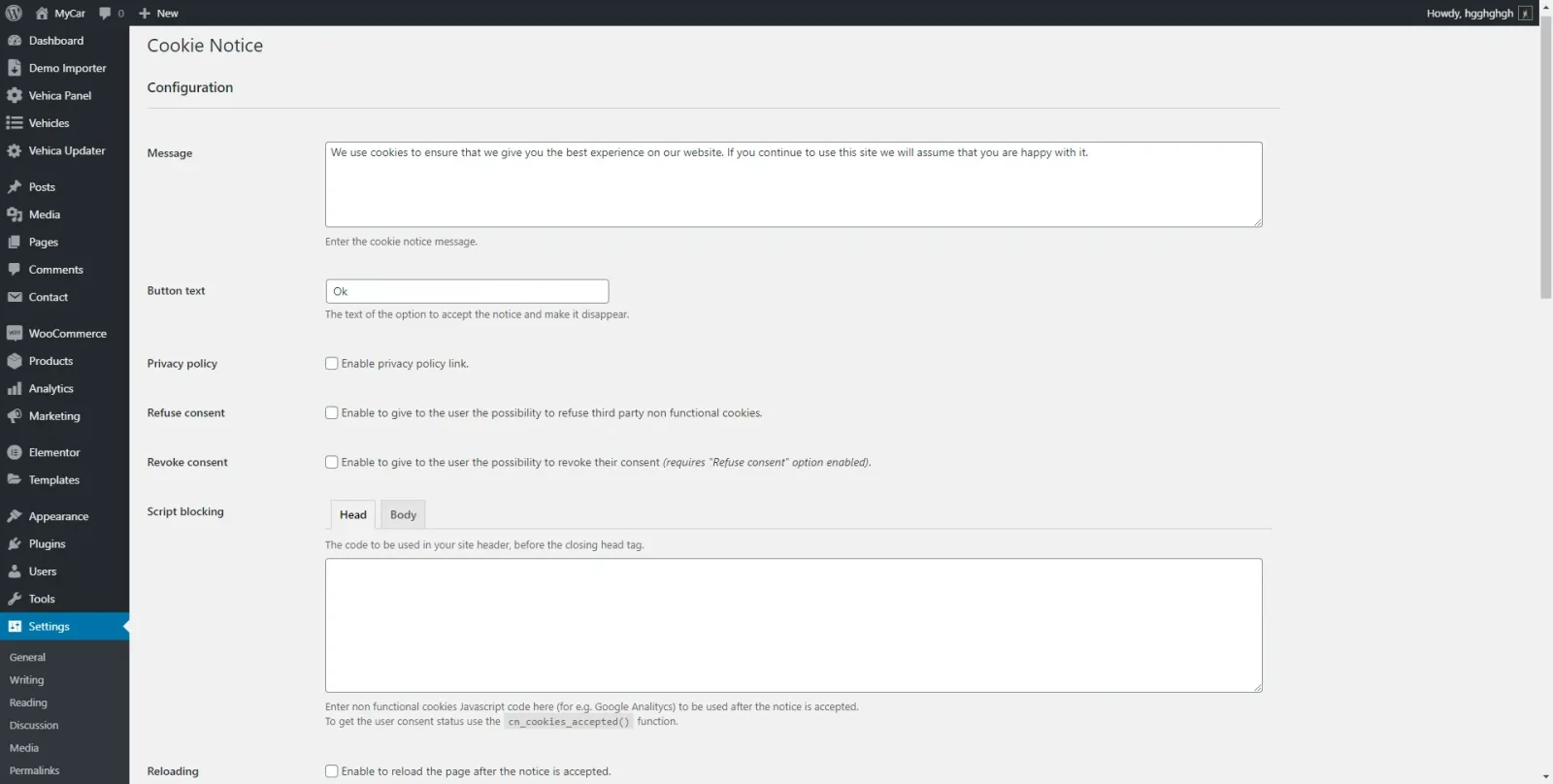
Customize the texts and options
Why we recommend this plugin
It has more than 1 million active installations. It allows you to elegantly inform users that your site uses cookies, and helps you comply with the EU GDPR cookie law and CCPA regulations. Some of the features included:
- Customizable message
- Redirects users to specified page for more information
- Multiple cookie expiry options
- Link to Privacy Policy page
- WordPress Privacy Policy page synchronization
- Option to accept the notice on scroll
- Option to set on scroll offset
- Option to accept the notice with any page click
- Option to refuse the consent
- Option to revoke the consent
- Option to manually block scripts
- Option to reload the page after accepting the notice
- Select the position of the notice container
- Select the position of the privacy policy link
- Animate the container after notice is accepted
- Select from 3 buttons style
- Set the text and bar background colors
- SEO friendly
Ask the people who build Vehica
We answer by email from support@tangiblewp.com. With Premium Support, we also fix your site when something breaks.
We can also run your site for you, or build a new one.
Was this guide helpful?