Quick View
Quick View adds an eye icon to your listing cards that opens a popup with the key details, so visitors can preview a listing without leaving the search results. You switch it on in the MyHome Panel and decide what the popup shows in Elementor.
1 minute read
Turning Quick View on
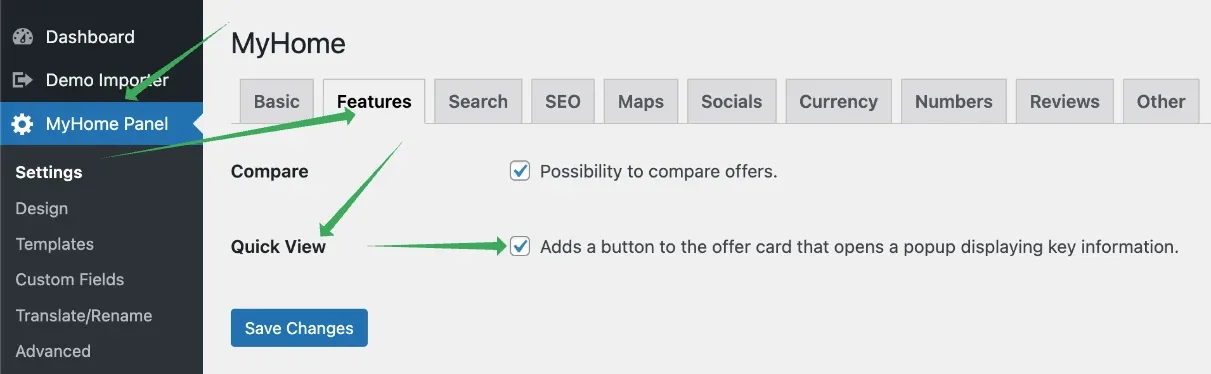
Quick View can be turned on or off in the MyHome Panel under Settings → Features → Quick View.
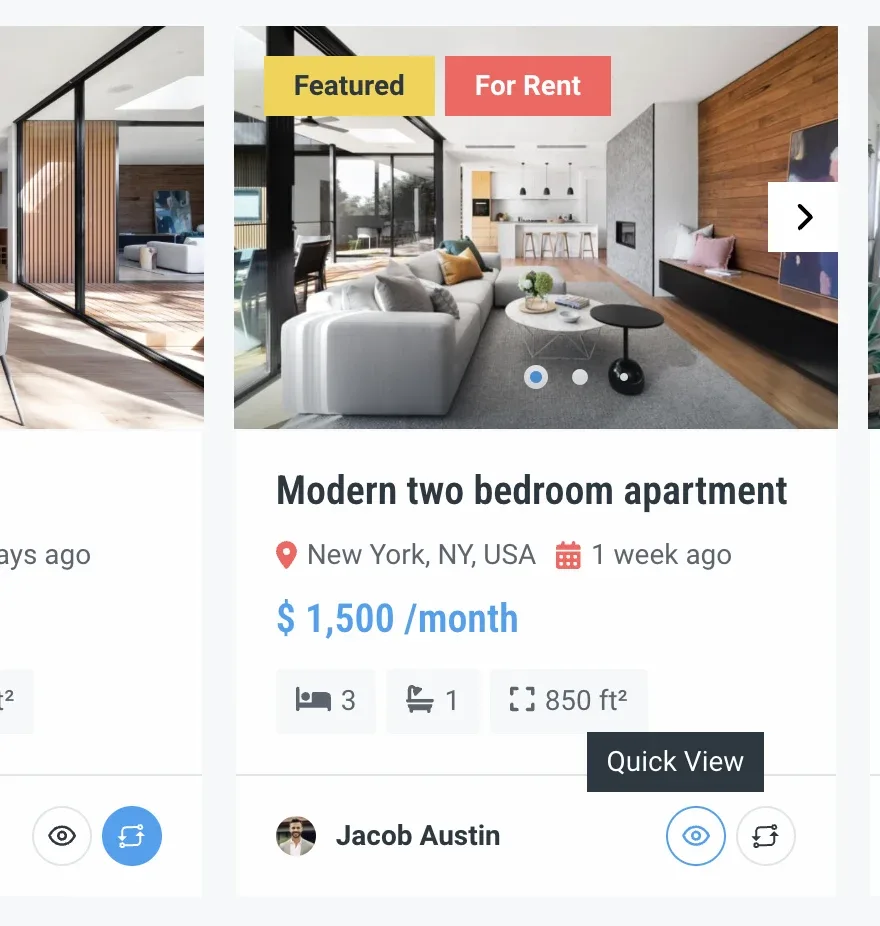
It adds an eye icon button to ad cards.
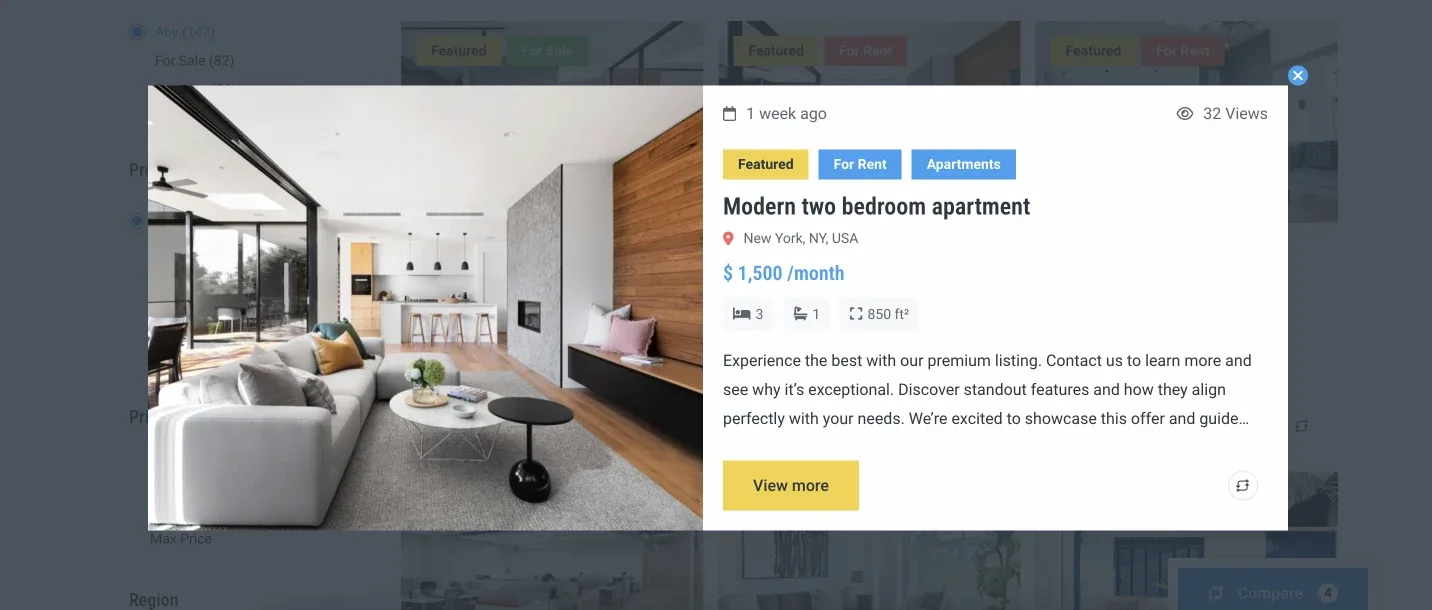
When users click it, a popup opens.
Choosing what the popup shows
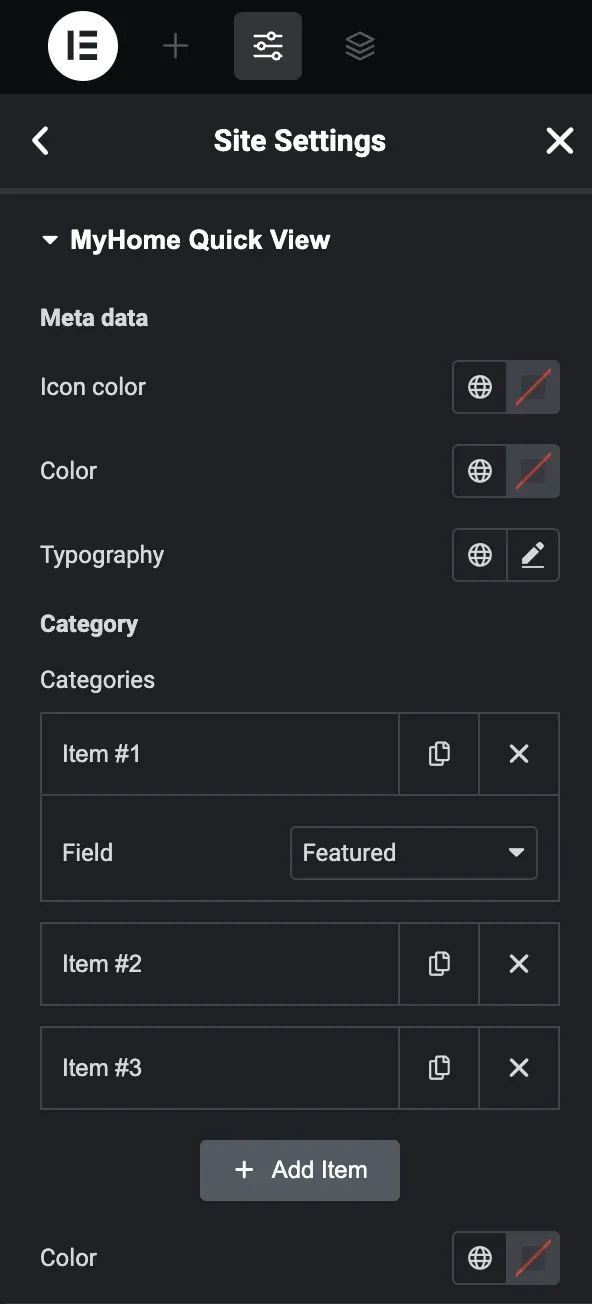
To configure what is displayed in the popup, open Elementor → Site Settings and select Quick View under Theme Style.
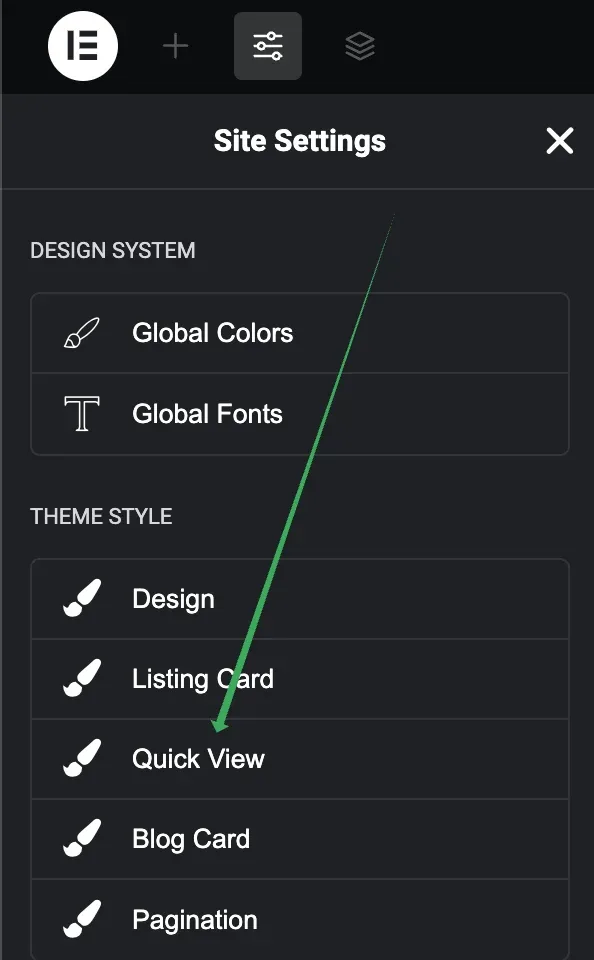
Choose the fields you want to display and configure the colour and typography settings.
Ask the people who build MyHome
We answer by email from support@tangiblewp.com. With Premium Support, we also fix your site when something breaks.
We can also run your site for you, or build a new one.
Was this guide helpful?