How to customize Ad Card
The ad card is the tile that represents a listing in search results and sliders. Its fields, labels, colours and typography are set once in Elementor's Site Settings and apply everywhere the card appears.
1 minute read
This article shows how to customize the ad card.
-
1
Open the design settings
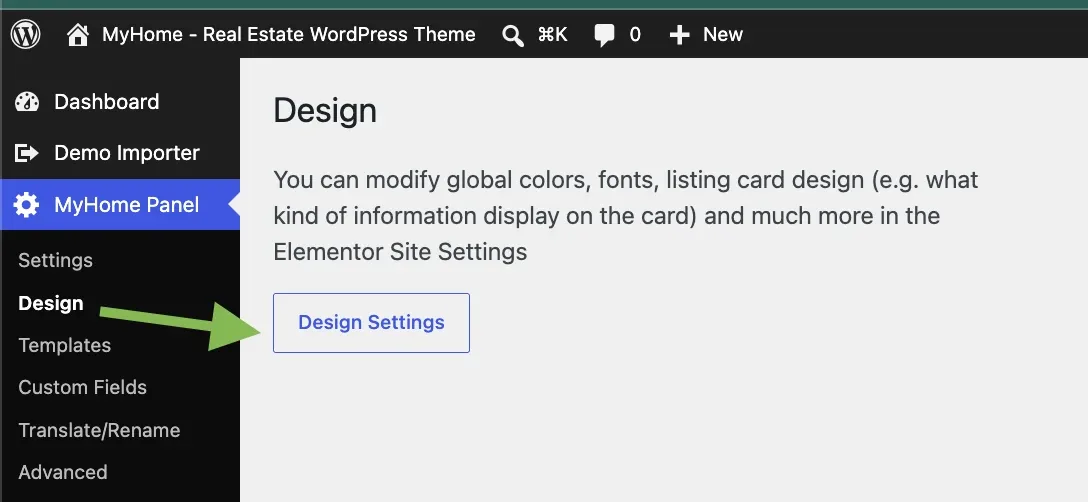
In wp-admin, go to MyHome Panel → Design and click Design Settings.
-
2
Select Listing Card
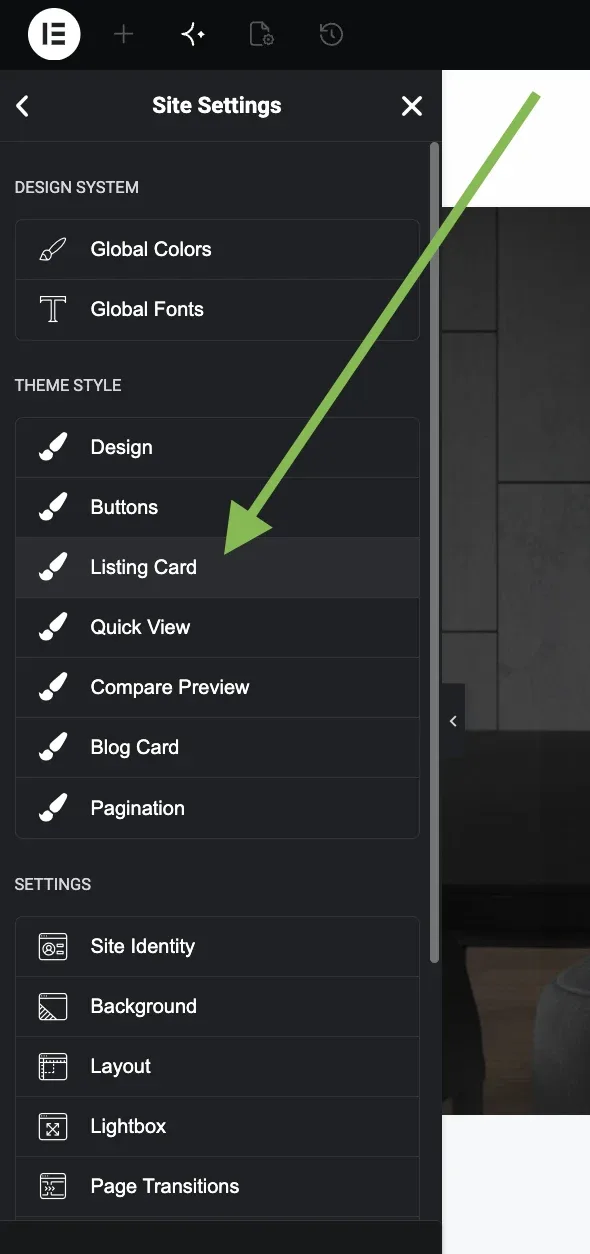
You are now in Elementor's Site Settings. Find Listing Card in the Theme Style list and click it.
-
3
Adjust the card
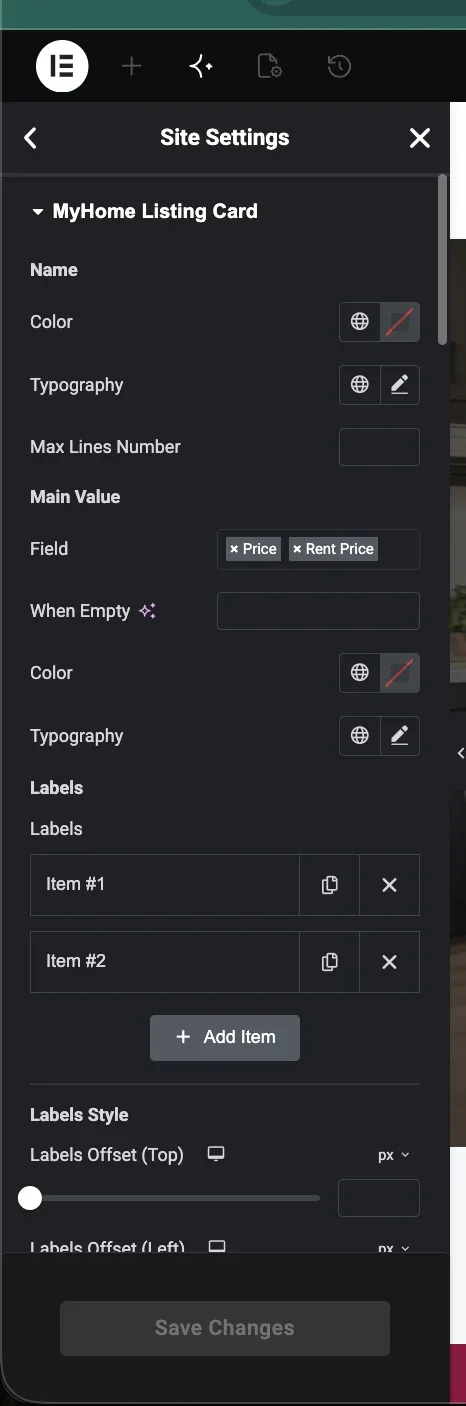
Change the settings to taste — for example add attributes, edit the labels, or change colours and typography.
Keep reading
Ask the people who build MyHome
We answer by email from support@tangiblewp.com. With Premium Support, we also fix your site when something breaks.
We can also run your site for you, or build a new one.
Was this guide helpful?