Simple Guide to Fix WooCommerce Checkout Redirect Issues
Fix the case where monetization is on but clicking Choose Package drops the user on your homepage or a blank page — usually WooCommerce's own pages are missing, and one tool recreates them.
1 minute read
If you're experiencing issues with monetization being enabled but still being redirected to the homepage or a blank page after clicking "Choose Package", this guide will help you resolve the problem by ensuring that the default WooCommerce pages are created properly.
-
1
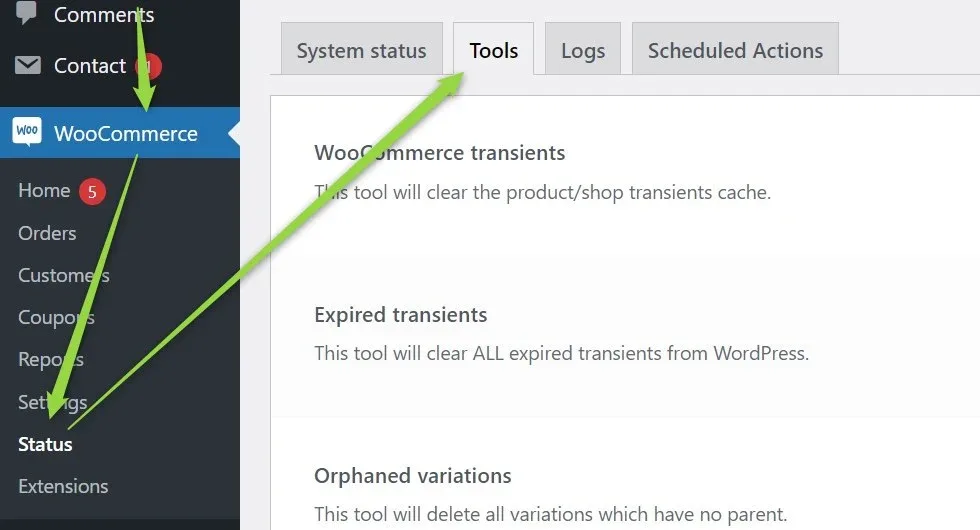
Open WooCommerce > Status > Tools
In your WordPress dashboard, find the "WooCommerce" tab in the left-hand menu. Click on "Status" in the WooCommerce submenu, followed by the "Tools" tab.
-
2
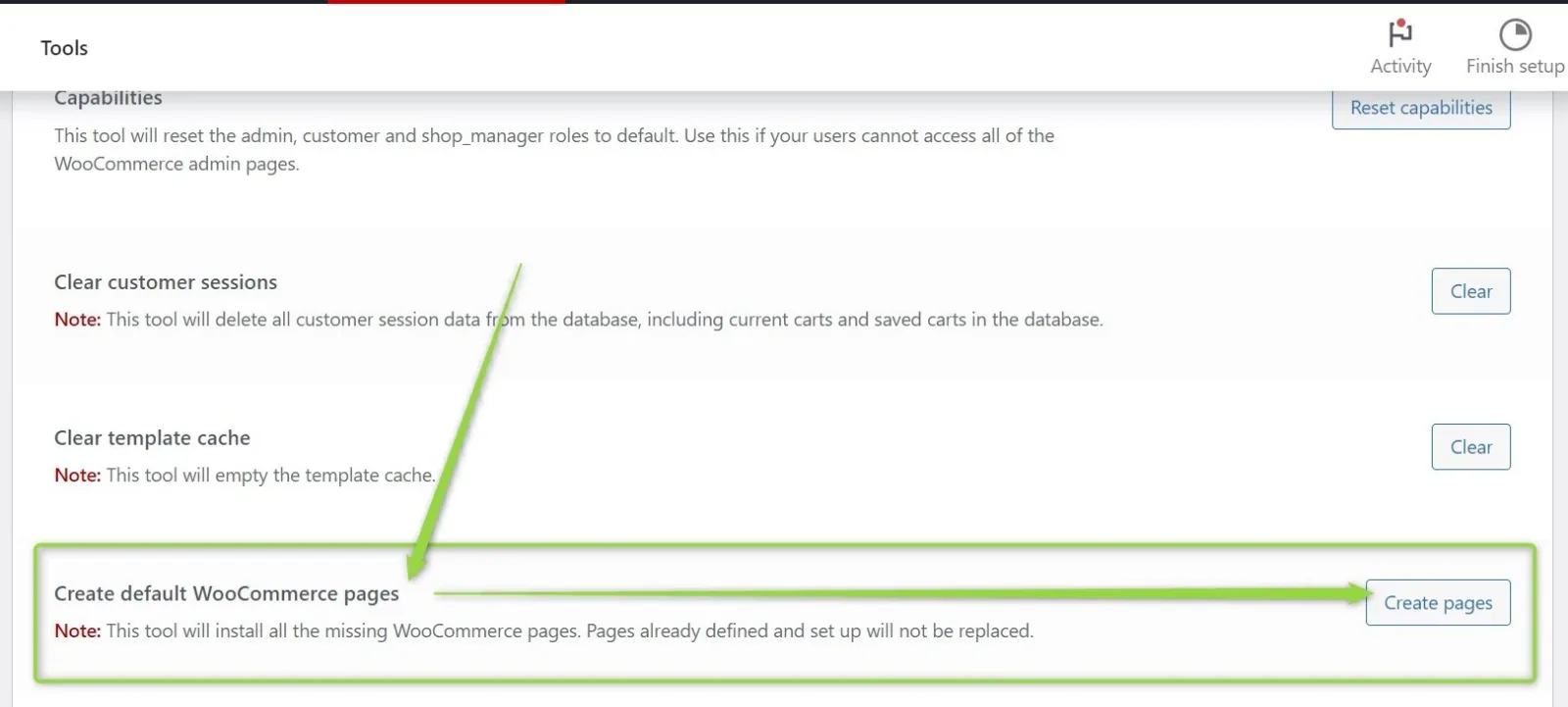
Run "Create default WooCommerce pages"
Once you're in the "Tools" section, locate the option titled "Create default WooCommerce pages". Click the "Create pages" button to generate the necessary default pages.
-
3
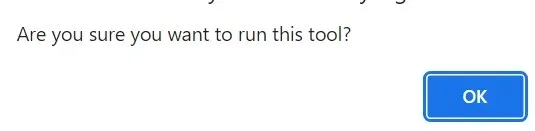
Confirm the popup
A popup window will appear asking you to confirm the creation of the default WooCommerce pages. Click the "OK" button to proceed with the process.
Keep reading
Ask the people who build Listivo
We answer by email from support@tangiblewp.com. With Premium Support, we also fix your site when something breaks.
We can also run your site for you, or build a new one.
Was this guide helpful?