Sending email to multiple recipients (CC)
Send every contact form submission to more than one inbox by adding Cc lines to the form's mail headers, so a second and third address receive the same message as your main one.
1 minute read
If you want to email multiple recipients, please follow those steps.
-
1
Edit the contact form
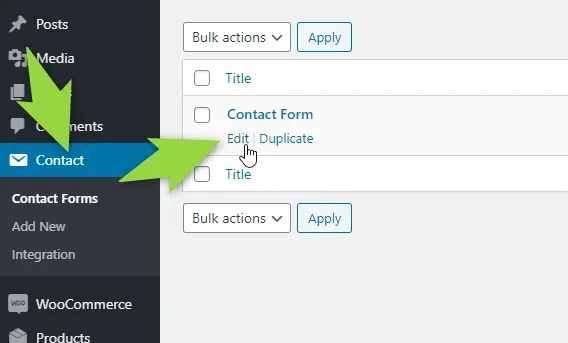
In wp-admin, open Contact > Contact Forms and click Edit under the form you use.
-
2
Add the extra addresses
On the Mail tab, put your one main email address into the To field, and add the further addresses into Additional headers the way it is shown below — one line each:
Cc: address2@domain.comandCc: address3@domain.com.![The Mail tab of the Contact Form 7 editor. The To field holds address@domain.com and the Additional headers box holds two Cc lines, address2@domain.com and address3@domain.com, followed by Reply-To: [your-email]. Both boxes are outlined in green.](https://assets.tangiblewp.com/media/503/conversions/01KZXC8SN9QBVBQS3AJPNWD571-display-1024.webp)
-
3
Save the contact form
Click Save.

Now, when someone fills in the contact form, the email will go to all three email addresses.
Ask the people who build Listivo
We answer by email from support@tangiblewp.com. With Premium Support, we also fix your site when something breaks.
We can also run your site for you, or build a new one.
Was this guide helpful?