How to change WordPress Sender name
Replace the default "WordPress" sender name on the emails your site sends out, so notifications arrive from your own brand instead.
1 minute read
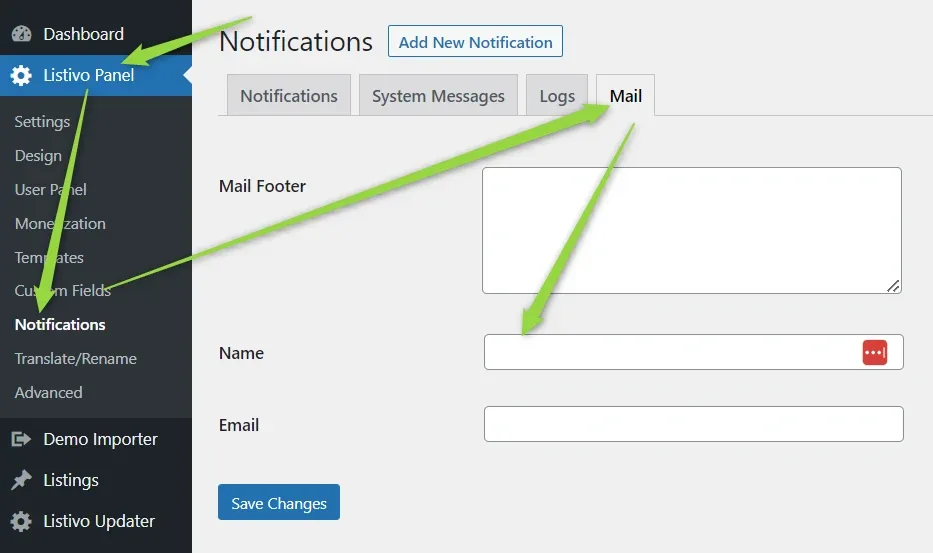
By default, all emails sent by WordPress have the Sender Name set as "WordPress".

To change this, navigate to Listivo Panel > Notifications > Mail, modify the Name field to your preferred sender name, and click Save Changes.
Ask the people who build Listivo
We answer by email from support@tangiblewp.com. With Premium Support, we also fix your site when something breaks.
We can also run your site for you, or build a new one.
Was this guide helpful?