How To Locate The Purchase Code On Themeforest
Find the purchase code Envato issued for your item, so you can register the theme and get support and free updates.
1 minute read
Whenever you purchase a product via the Themeforest marketplace, they will provide you with a purchase code for each item purchased. The purchase code validates your use of the software: it is what gives you theme support once you have registered your theme, and free updates.
Follow these steps to download your purchase code:
- 1 Log into your Envato Market account
-
2
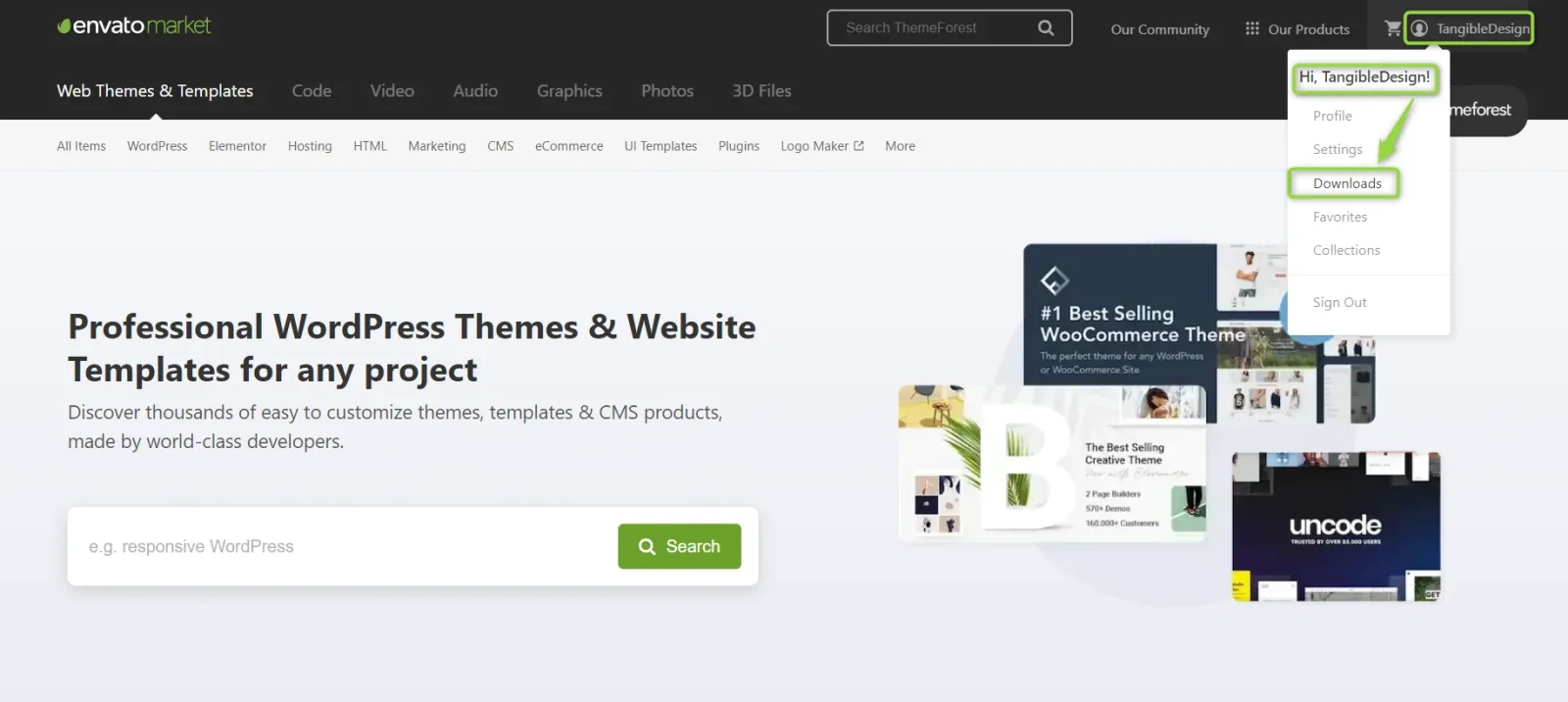
Open your account menu
Hover the mouse over your username at the top of the screen.
-
3
Click Downloads
Choose Downloads from the drop-down menu.
-
4
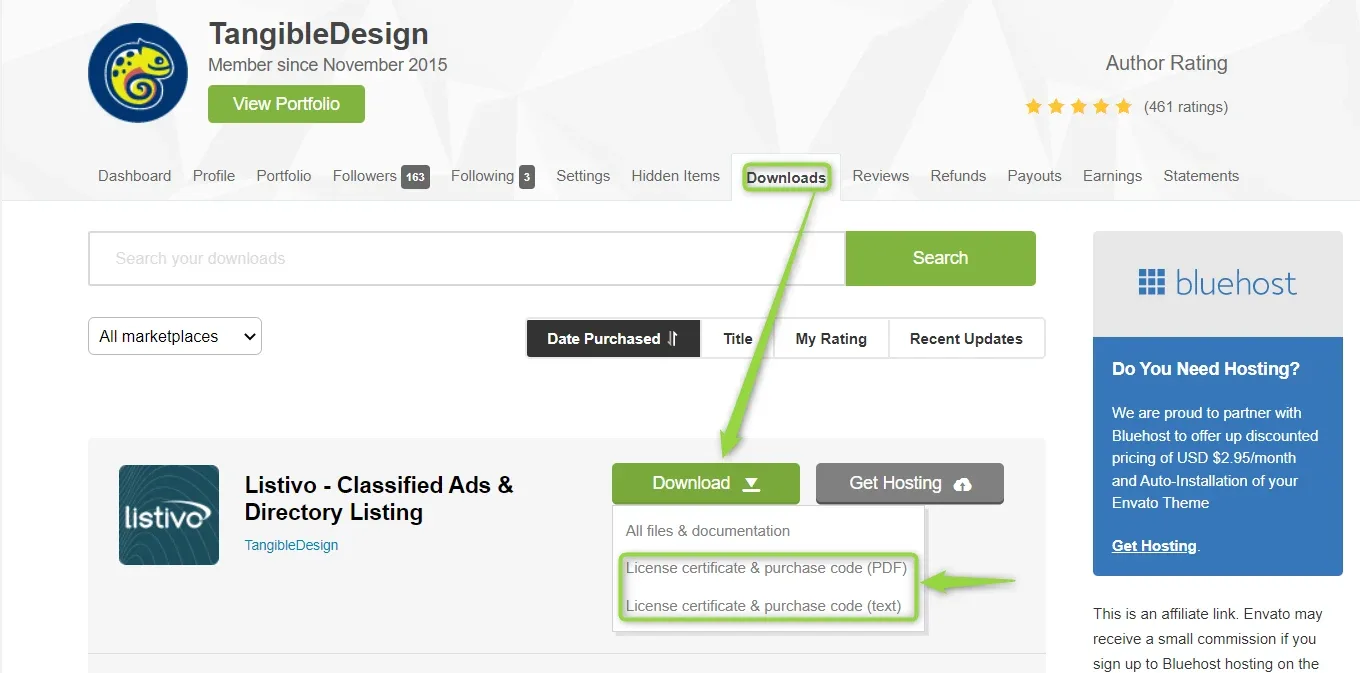
Open the license certificate
Click License certificate & purchase code, available as a PDF or a text file.
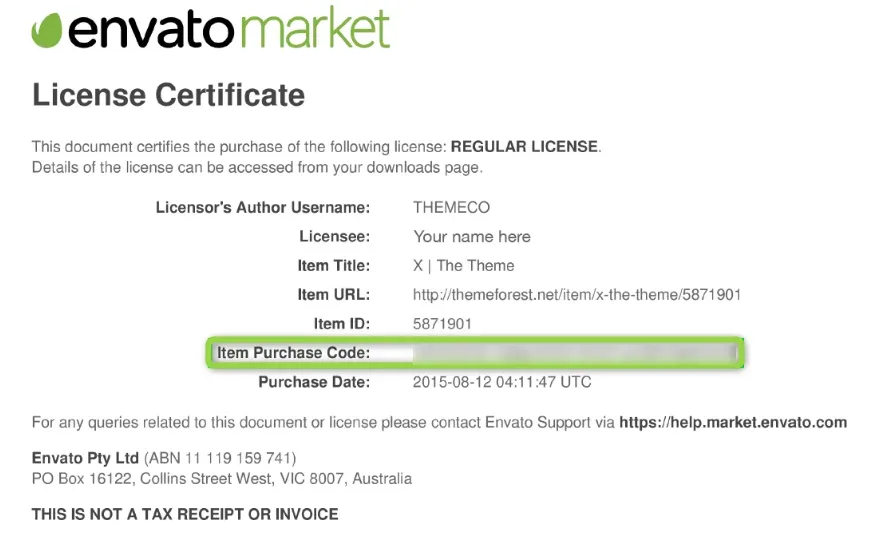
Here is an example of a PDF license certificate with the purchase code on it:
Ask the people who build Listivo
We answer by email from support@tangiblewp.com. With Premium Support, we also fix your site when something breaks.
We can also run your site for you, or build a new one.
Was this guide helpful?