How to customize “I accept the privacy policy” text and link
Change the wording of the consent checkbox under the Listivo registration form and point its link at your own privacy policy page.
1 minute read
This article explains how to customize or translate this part of the registration form:
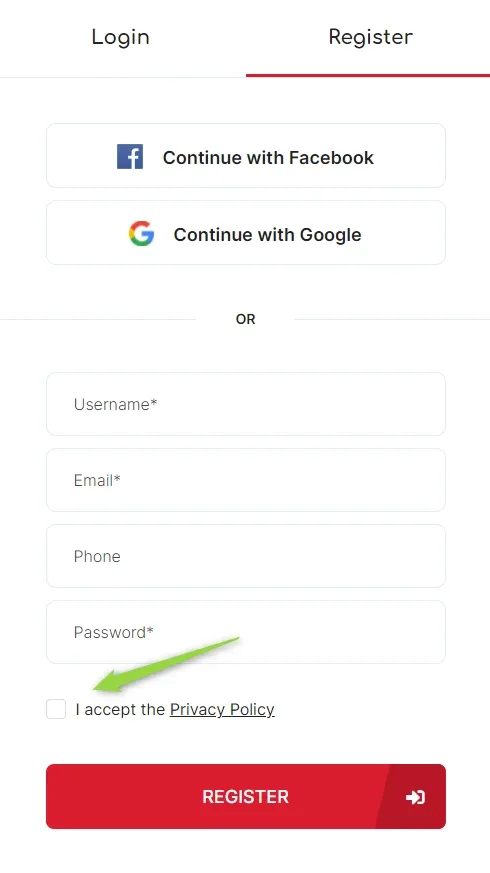
Visit your Wp-Admin > Listivo Panel > User Panel > Policy Label, edit the text, and save your changes.
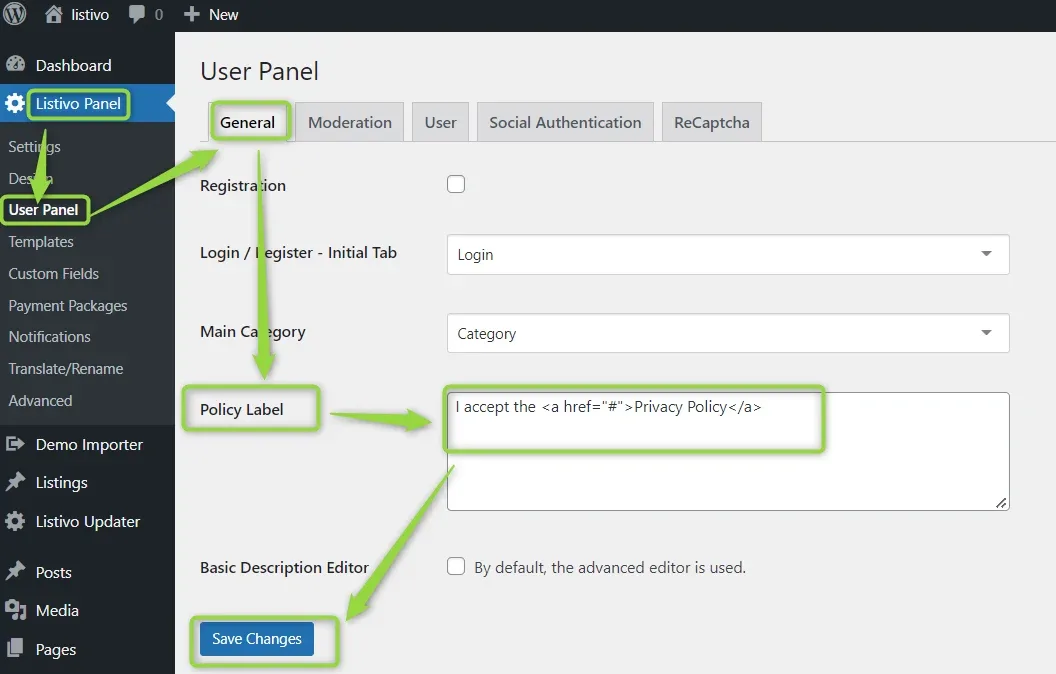
The field accepts HTML
In the default value, the plain text is the label the visitor reads and the
href of the link inside it is where the Privacy Policy link points.Ask the people who build Listivo
We answer by email from support@tangiblewp.com. With Premium Support, we also fix your site when something breaks.
We can also run your site for you, or build a new one.
Was this guide helpful?