Explore Our Official Demos' Server and Cache Settings for Top Performance
See the exact hosting stack and LiteSpeed Cache configuration behind the official Listivo demos, screen by screen, so you can copy the parts that fit your own site.
1 minute read
This article explains how we configured our official demos, such as https://demo7.listivotheme.com. By implementing a similar setup, you can potentially enhance your site's performance.
Who this is for
This article is aimed at experienced developers and focuses on improving speed performance.
Our hosting stack
- We are using a Vultr VPS from the High Frequency series, with 3 vCPUs and 8 GB of RAM. This provides us with excellent performance and helps our site load quickly - https://www.vultr.com/
- Our VPS is managed by the Run Cloud service, which simplifies server management and optimizes server configurations for best performance - https://runcloud.io/
- We are using the OpenLiteSpeed HTTP server, which is known for its speed and efficiency.
- Our server runs PHP 8.1, which has various performance improvements over older versions.
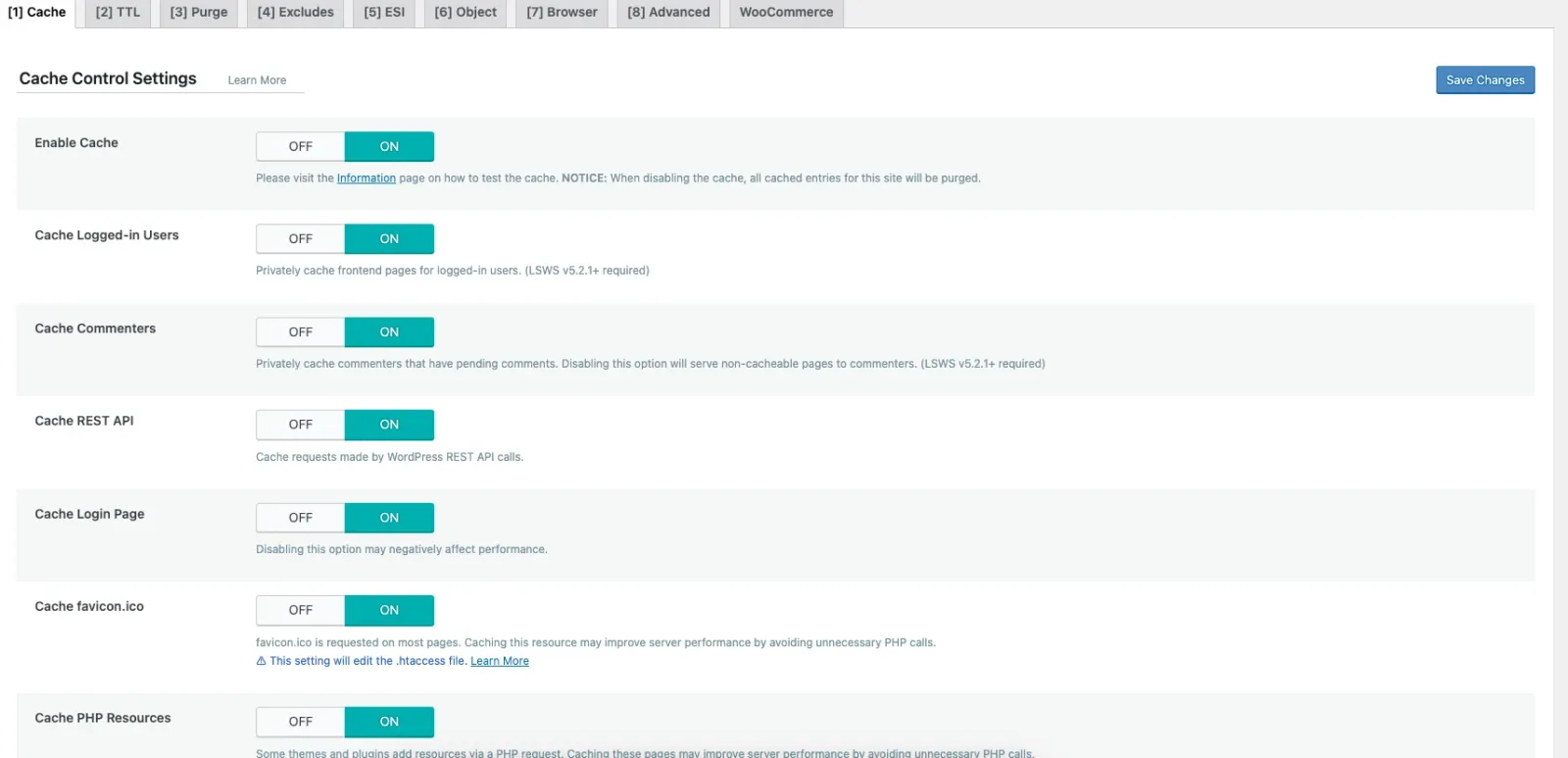
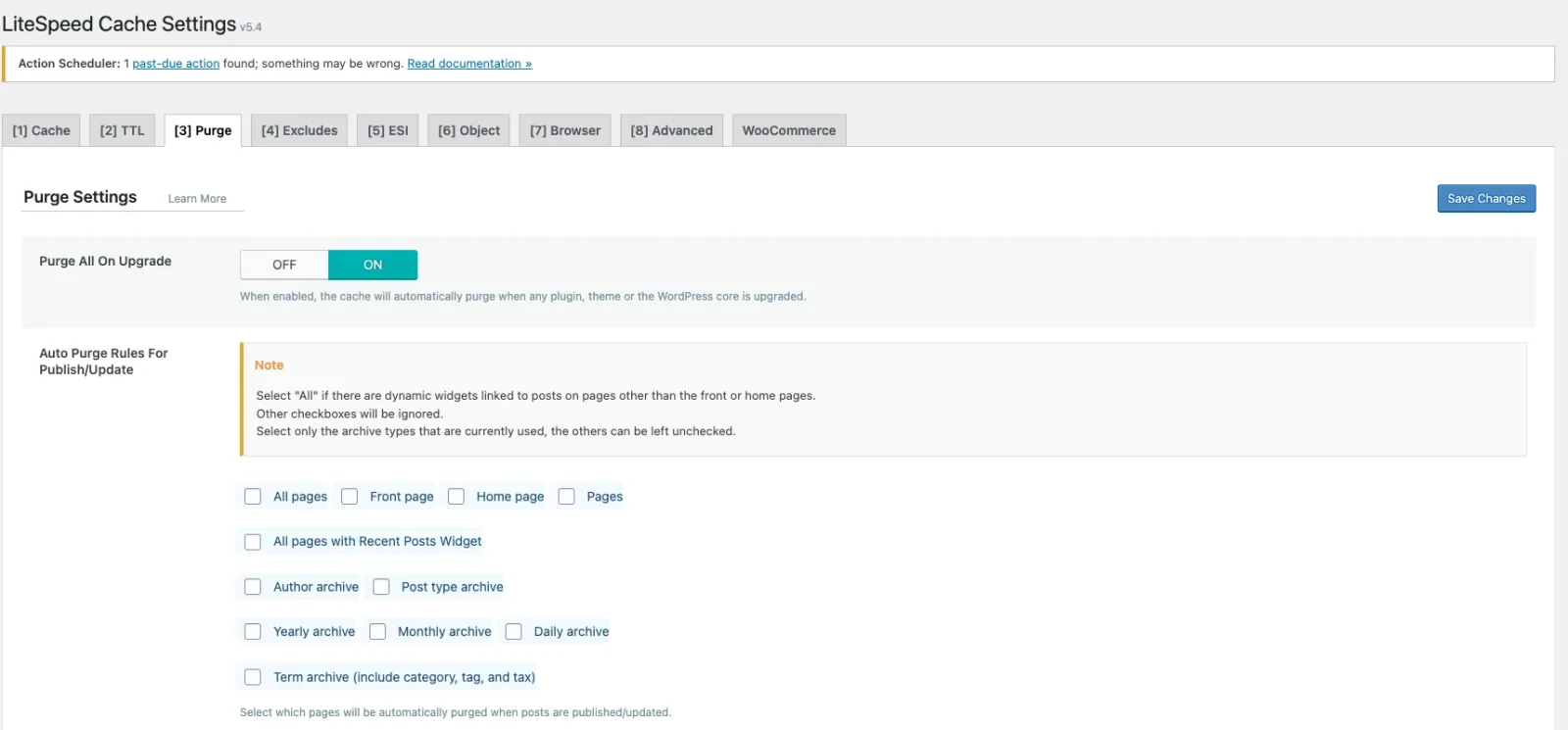
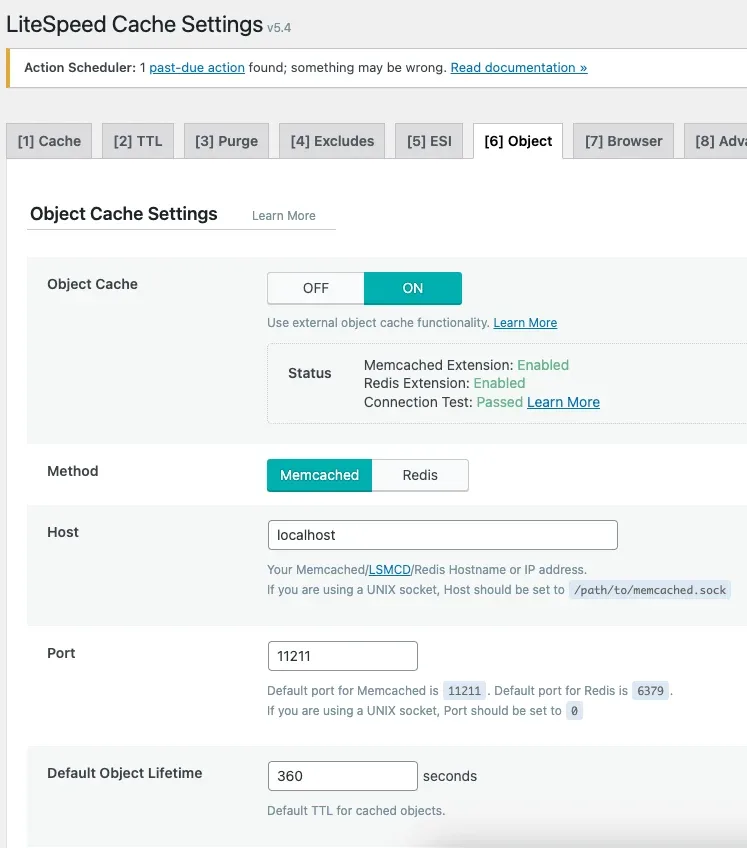
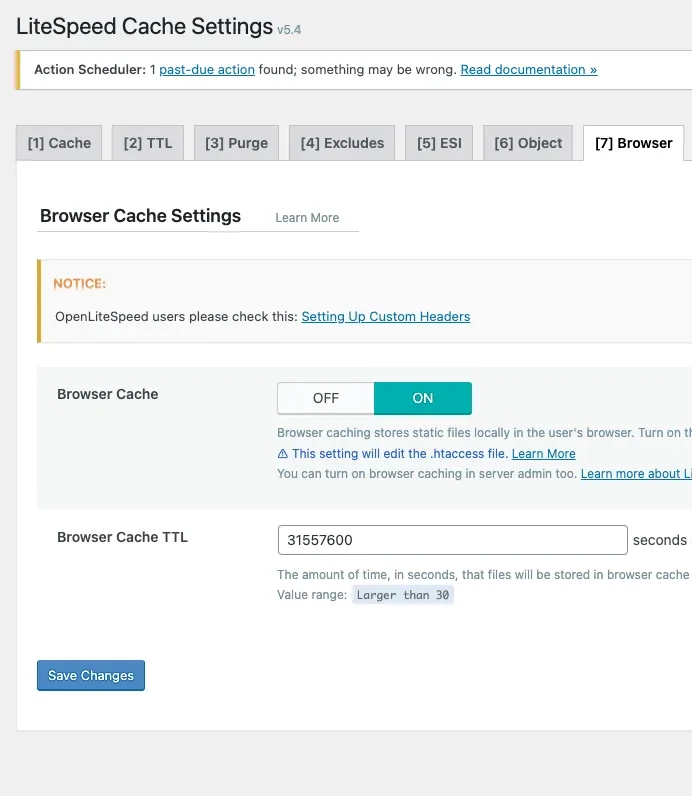
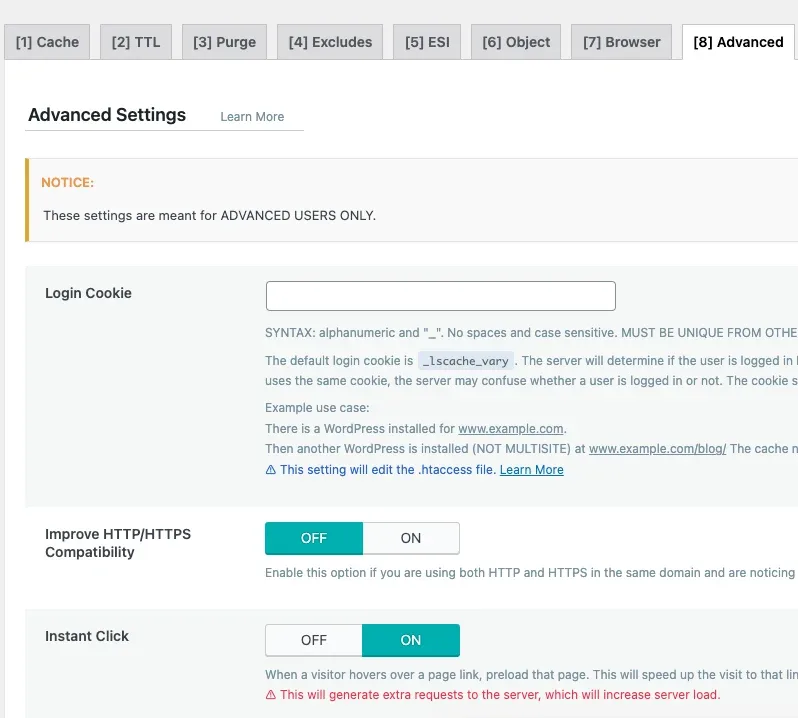
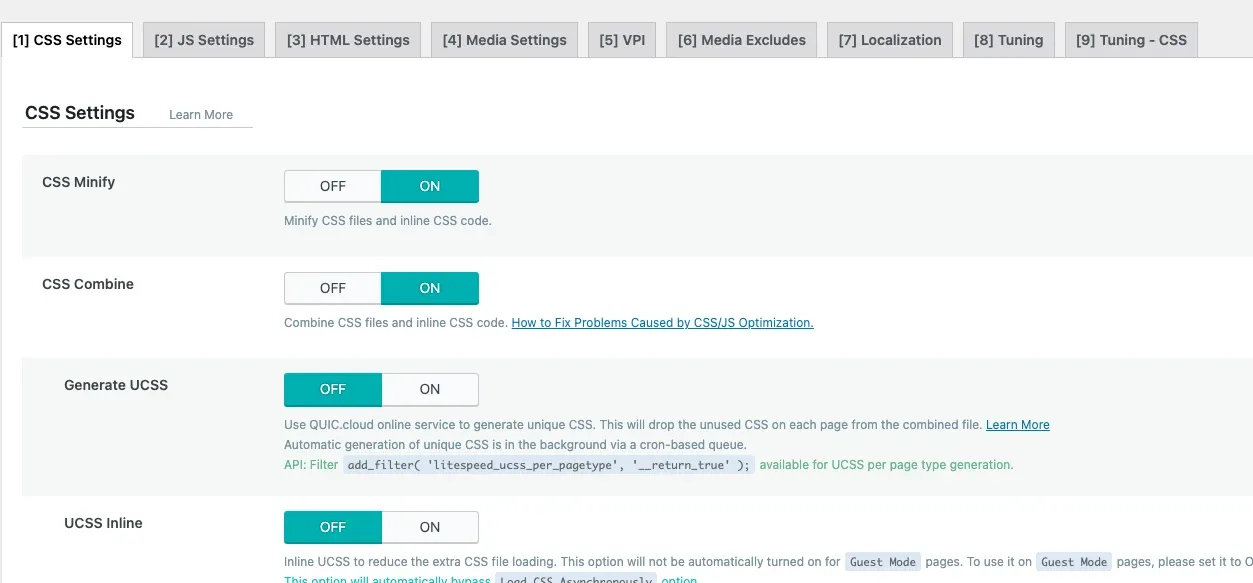
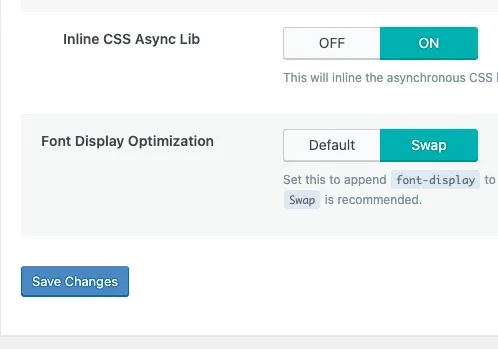
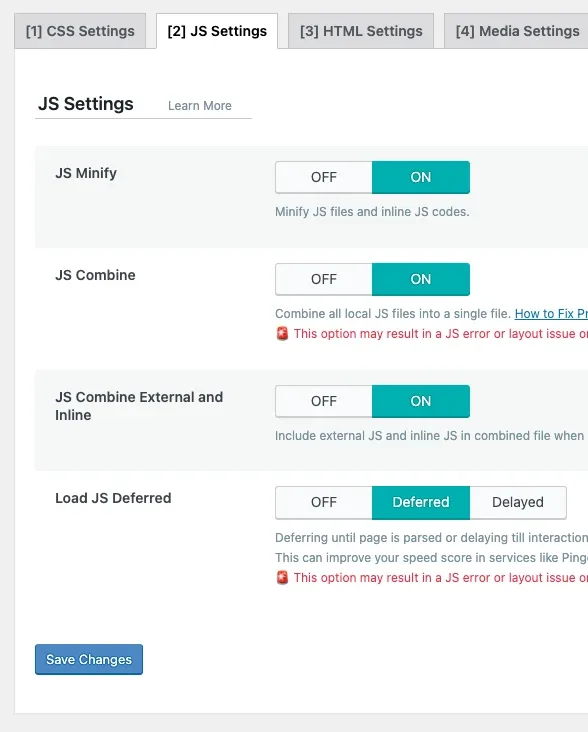
- We have also fine-tuned our OpenLiteSpeed plugin settings for WordPress, which can significantly impact the site's speed. I have attached screenshots of our configuration for your reference.
Cache settings
Exclusions
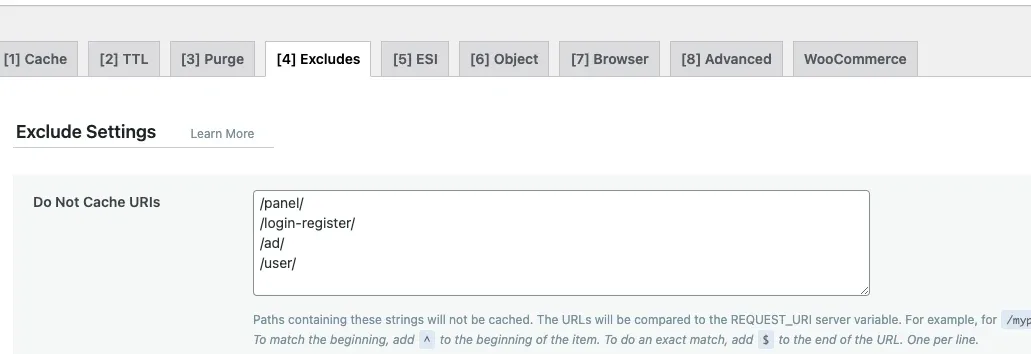
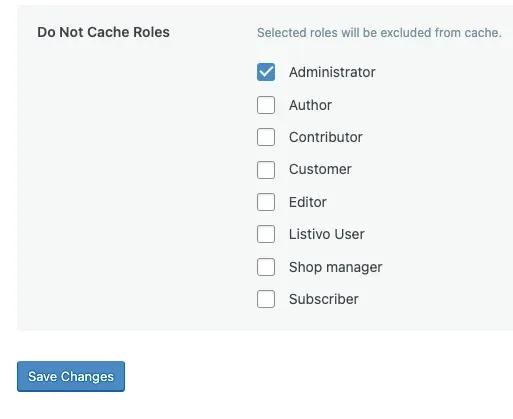
Keep the dynamic pages out of the cache
Please make sure to exclude the slugs of the single listing page, user page, login/register page, and panel page. In our https://demo7.listivotheme.com the following 4 slugs are used:
Object and browser cache
Advanced settings
CSS and JS optimization
Ask the people who build Listivo
We answer by email from support@tangiblewp.com. With Premium Support, we also fix your site when something breaks.
We can also run your site for you, or build a new one.
Was this guide helpful?