How to Fix: “Broken theme and/or stylesheets missing” when uploading theme file
If WordPress refuses the theme with “the theme is missing the style.css stylesheet”, you almost certainly uploaded the wrong download. Here is how to tell the two ThemeForest packages apart and which one to upload.
1 minute read
A common issue that can occur when installing WordPress themes is the message “The package could not be installed. The theme is missing the style.css stylesheet.” being displayed when uploading or activating the theme.
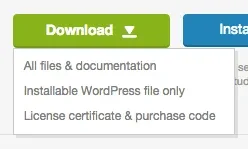
Which file to upload
One of the reasons you may receive this error is that you uploaded the incorrect file. You have two options for downloading your theme.
-
1
Installable WordPress file only
The theme on its own. This is the file WordPress expects, so you can upload it as it is.
-
2
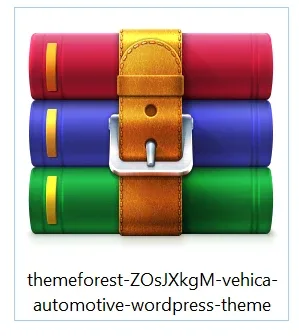
All files and documentation
The full zip folder. You will need to extract it and locate the installable WordPress file inside before you upload anything.
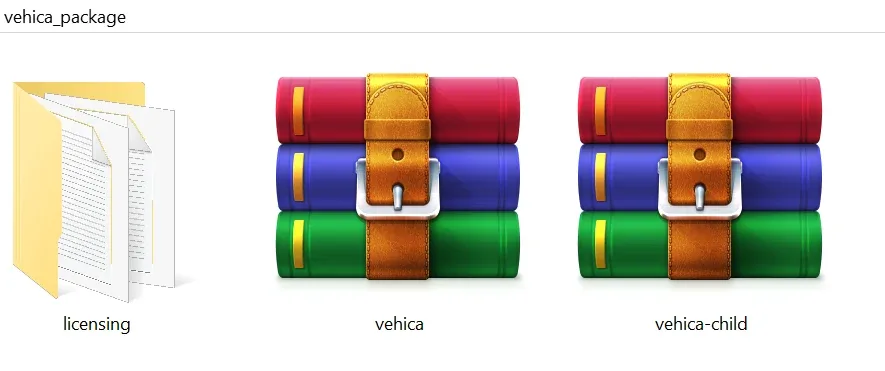
vehica.zip. If you upload all of those files, you will receive the error above.Ask the people who build Vehica
We answer by email from support@tangiblewp.com. With Premium Support, we also fix your site when something breaks.
We can also run your site for you, or build a new one.
Was this guide helpful?