How to Use Breadcrumbs and How Canonical URLs Work
How Listivo turns the fields you pick into breadcrumb trails and pretty URLs, which hierarchies it can follow and which it cannot, and how the matching canonical URL is generated for you.
3 minute read
Understanding breadcrumbs
Breadcrumbs are useful because they help organize your content, making it easier for users to navigate and improving internal linking. You can create a main hierarchy such as /category/type/subtype/ or simply use a single field like /category/. Both solutions are effective, as simplicity often makes a website easier to understand and navigate. Select your field or fields to create pretty URLs.

For example, if you have a category term "Vehicle" with a subcategory "Cars", it will create a structure like this: Vehicle > Cars

If you choose fields like /field-a/field-b/field-c/, breadcrumbs will work only when visitors follow the hierarchy in order:
/field-a//field-a/field-b//field-a/field-b/field-c/
/field-a/field-c/ (skipping field-b) or /field-b/field-c/ (skipping field-a).This is not a limitation of the system but a generally good approach, because creating more connections would lead to problems with duplicate content, slower loading times, and instability in the breadcrumb user experience. If you add, for example, 10 fields to breadcrumbs, you have a tree with 10 levels, and each previous field level must be selected by the user to display the breadcrumbs correctly.
Multilevel taxonomy fields
You may have a taxonomy field that is multilevel, like a category "Real Estate" with a subcategory "Apartments":
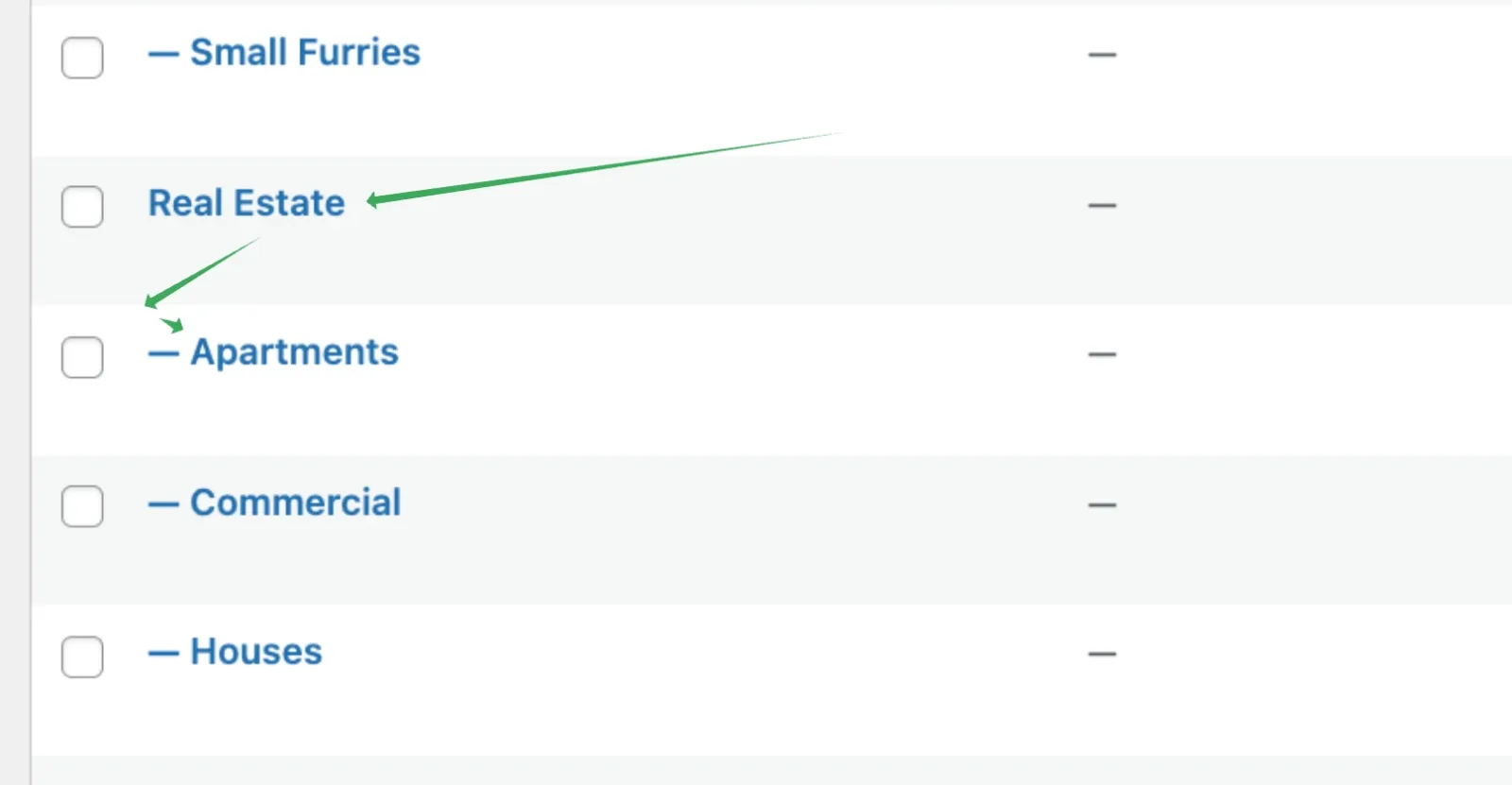
/real-estate,apartments/ because of how WordPress tags work. This is a limitation of WordPress, not the Listivo theme. To create links like /real-estate/apartments/, you need two separate fields, such as "Category" and "Subcategory". You can create these in the Listivo Panel under Custom Fields.Understanding canonical URLs
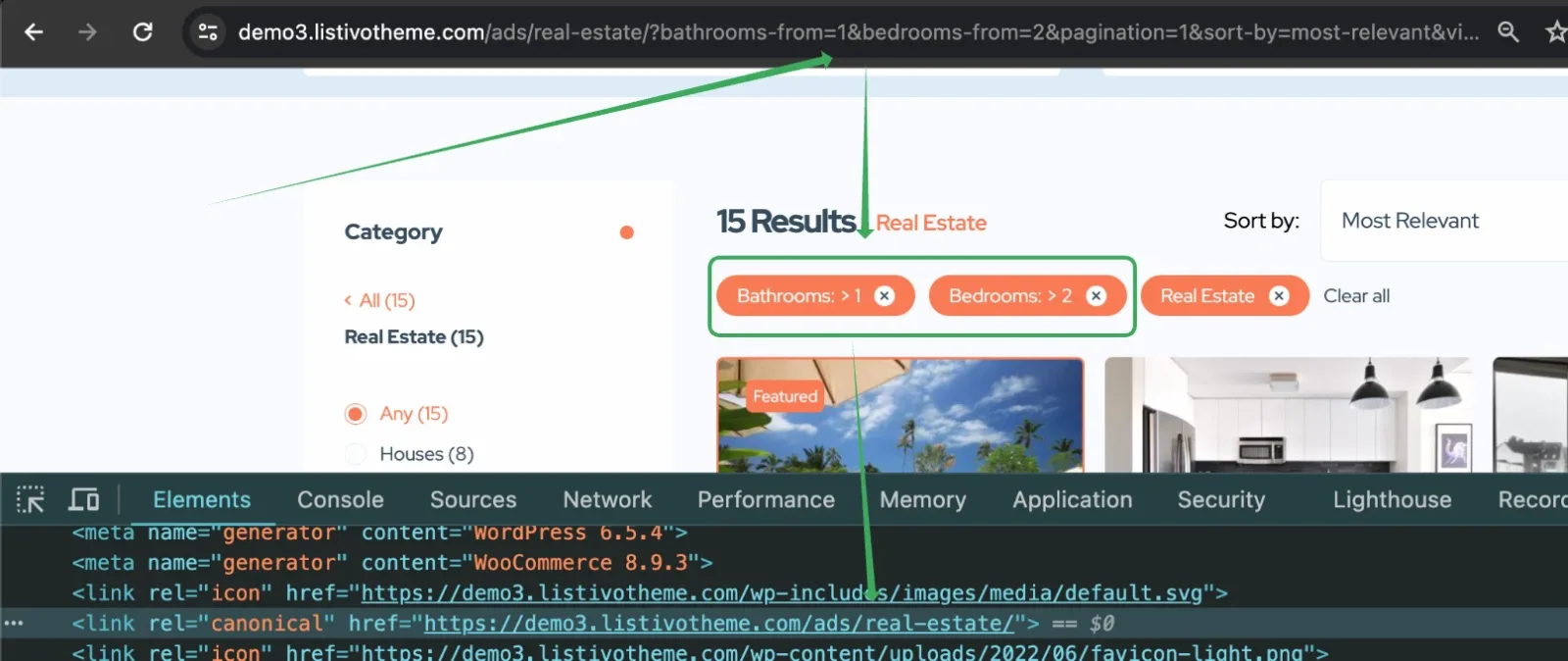
A canonical URL is a tag that tells search engines which version of a search results page is the main one. Imagine you have a classified ads website with categories like cars, furniture, and jobs. Sometimes the same type of content might appear in multiple categories, especially when additional fields are selected — like real estate listings with 5 bedrooms showing on pages when users select bedrooms +2, +3, 2-5, and so on. A canonical URL tells search engines which category page (real estate) is the main one to show in search results. This way, search engines don't get confused by duplicate pages, and the main category page ranks higher.
How Listivo handles canonical URLs
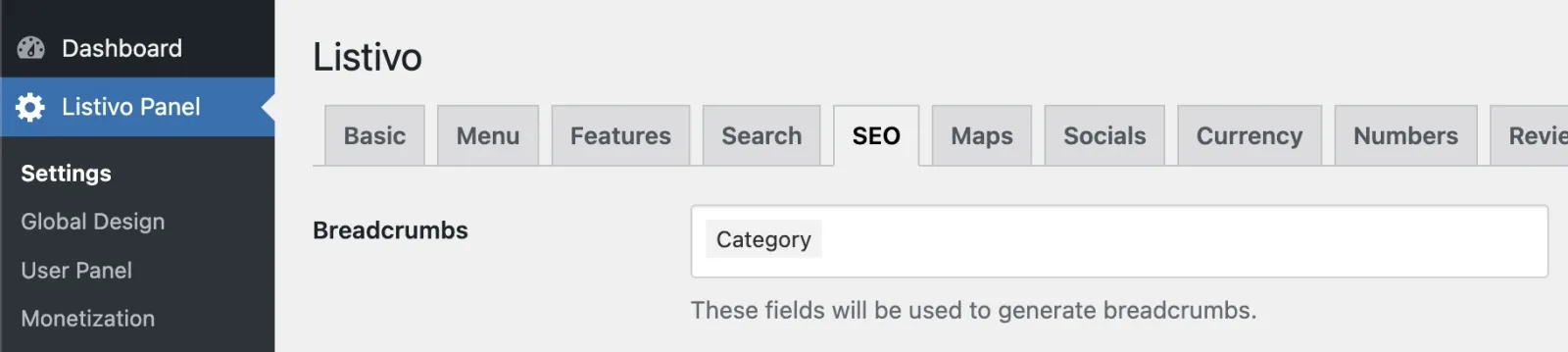
Listivo automatically creates canonical URLs based on the breadcrumbs option you set in the Listivo Panel under SEO. There is no need for any intervention on your part. This setting ensures that canonical URLs are generated for you based on the breadcrumbs configuration, resulting in clean, well-organized URLs for your website's content.
Setting:
Result:
Why canonical URLs don't update in real time
Canonical URL tags are for search engines, not for users navigating your site. The correct canonical URL shows only when the URL is refreshed (for example with F5). Listivo avoids frequent browser refreshes to keep your site fast, as updating the canonical URL in real time would slow down your website. Limiting queries helps maintain top performance.
Ask the people who build Listivo
We answer by email from support@tangiblewp.com. With Premium Support, we also fix your site when something breaks.
We can also run your site for you, or build a new one.
Was this guide helpful?