Enable "Share on Facebook" button
Turn on the "Share on Facebook" button by creating a free Facebook app and copying its App ID into your WordPress admin.
1 minute read
To enable “Share on Facebook” you need to provide an APP ID to your Easy Social Share Button plugin. Please follow this instruction.
- 1 Open the Facebook Developers page
-
2
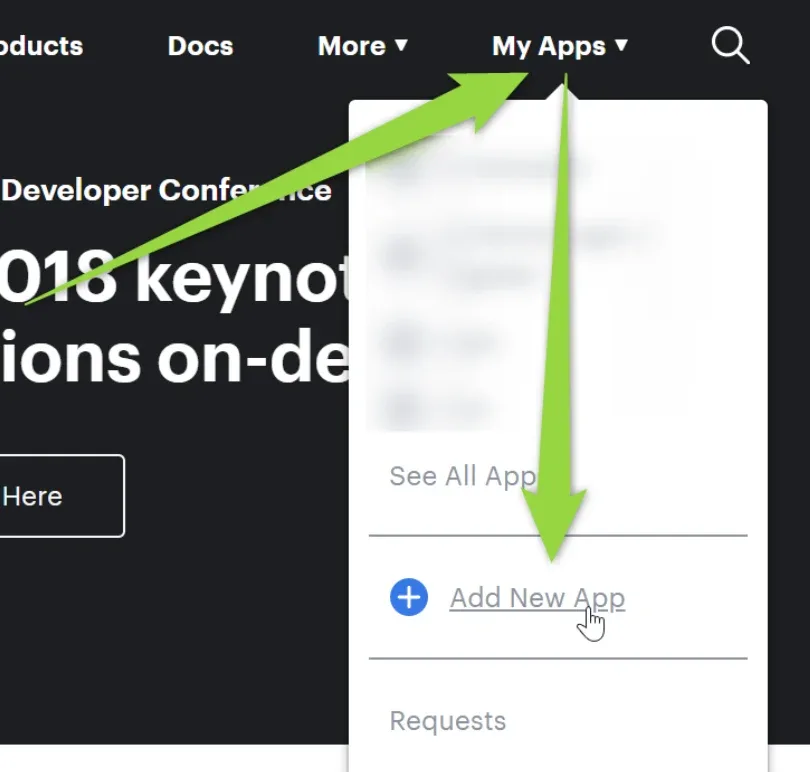
Add a new app
-
3
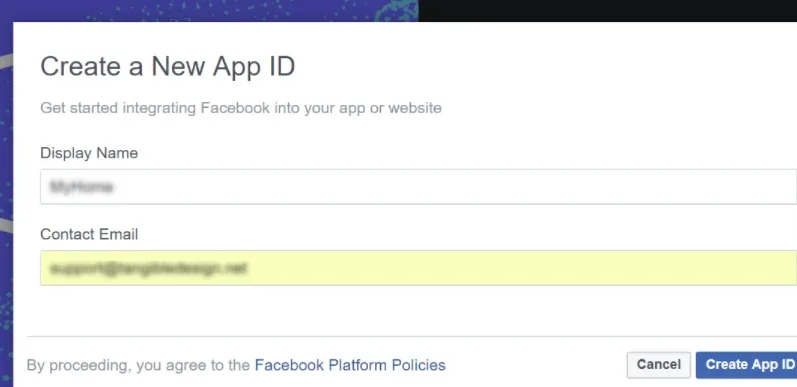
Choose a name and add your email
-
4
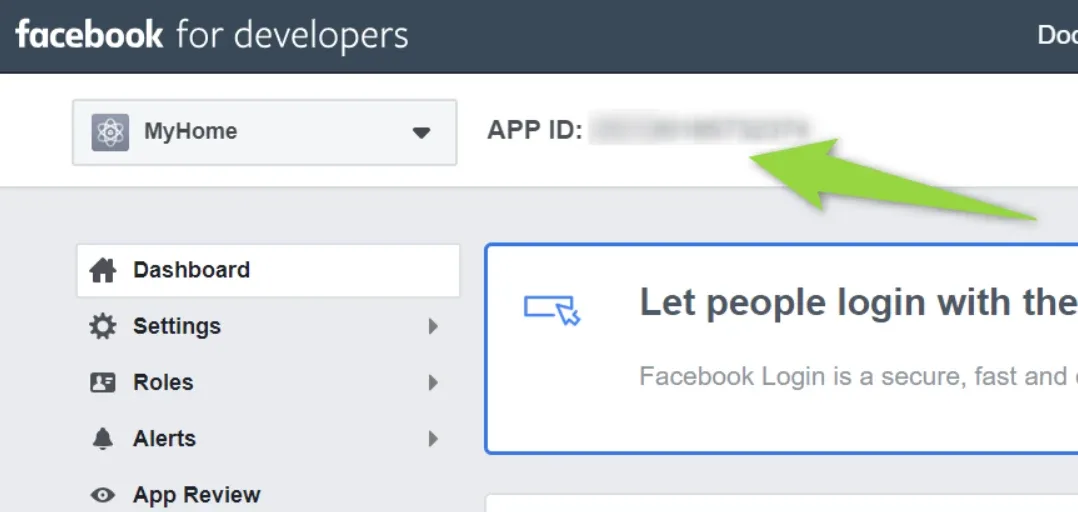
Copy the App ID
-
5
Paste it into your WordPress admin
Visit your
/wp-admin/and go to Listivo Panel → User Panel → Facebook Social Auth.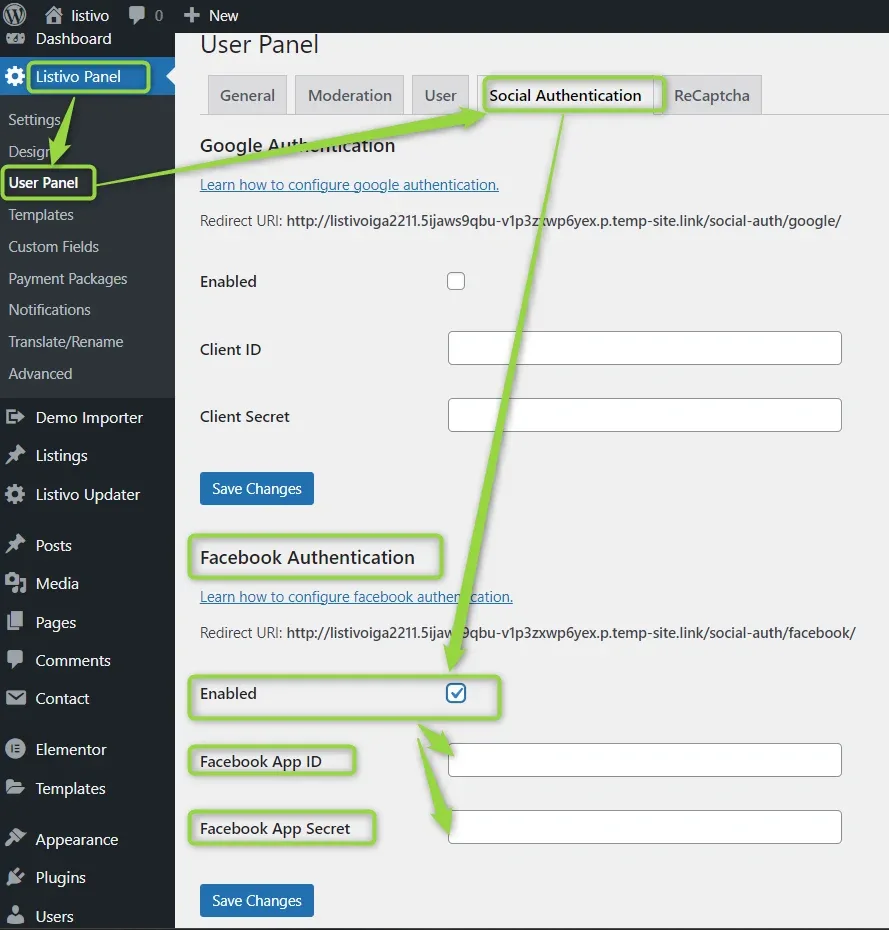
Ask the people who build Listivo
We answer by email from support@tangiblewp.com. With Premium Support, we also fix your site when something breaks.
We can also run your site for you, or build a new one.
Was this guide helpful?