Chat via WhatsApp
Let buyers message a seller straight from a listing. This covers the WhatsApp setting in the Listivo Panel, the checkbox each user ticks for their own number, and where to drop the widget so it actually shows.
1 minute read
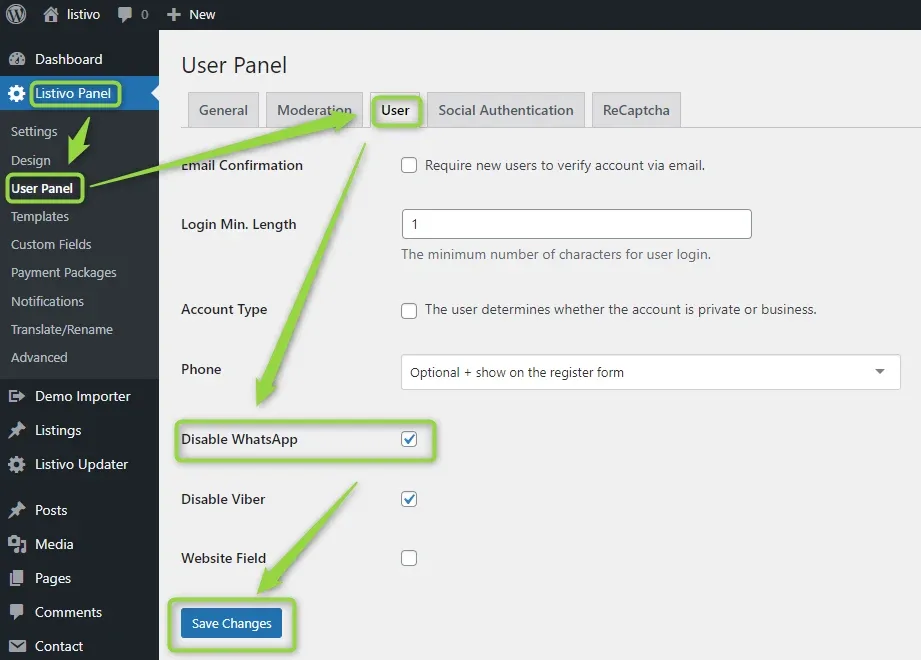
Chat via WhatsApp is enabled by default. You will find the setting in the Listivo Panel (User Panel). As long as the checkbox is not selected, chat via WhatsApp is available on your website.
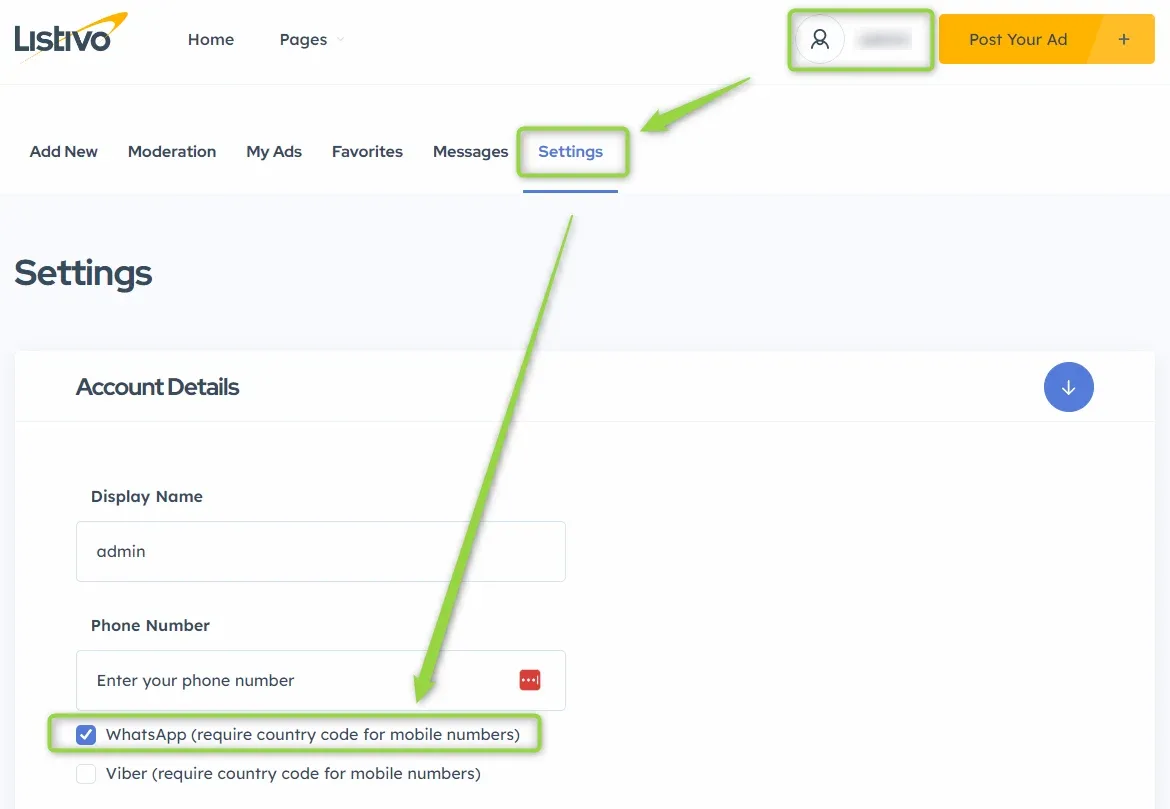
Now your users can mark whether they use WhatsApp in their own user panel. The wording of the WhatsApp checkbox can be changed in Listivo Panel > Translate & Rename.
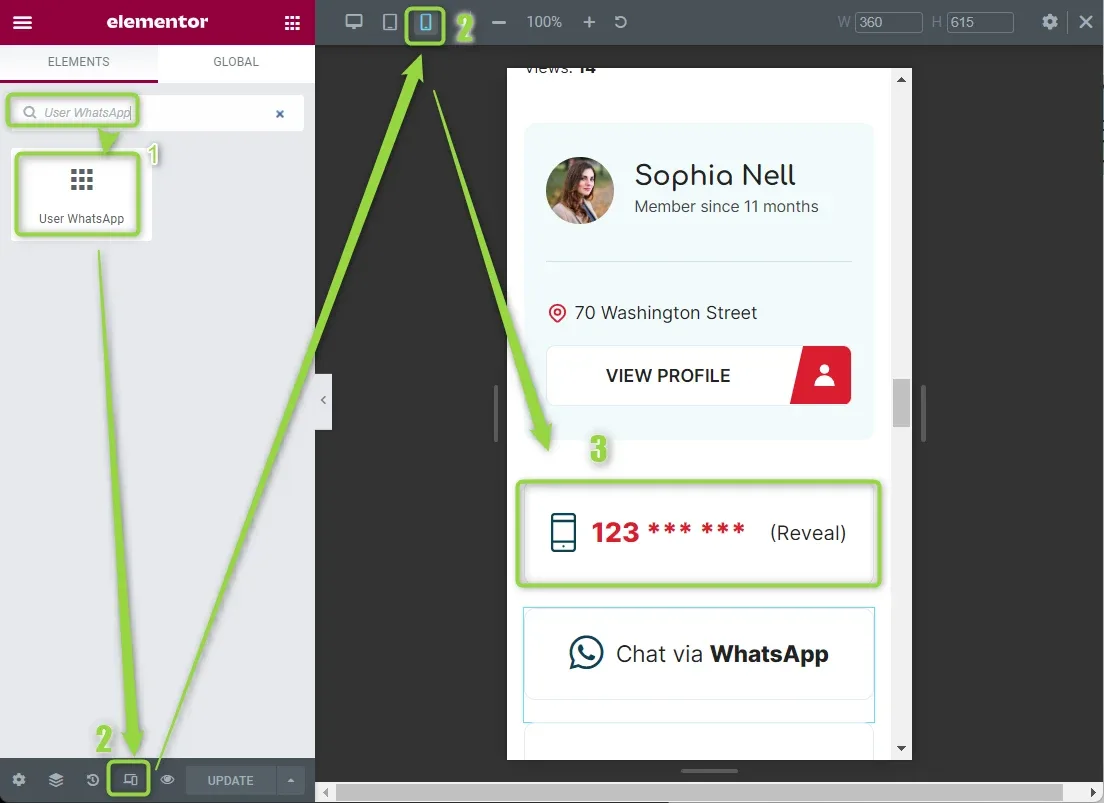
You can now add the widget anywhere you wish on the listing page or the user page.
Keep reading
Ask the people who build Listivo
We answer by email from support@tangiblewp.com. With Premium Support, we also fix your site when something breaks.
We can also run your site for you, or build a new one.
Was this guide helpful?